March 15, 2019
Solved

How do I make a report of all the invoices paid with a single customer payment

  • March 15, 2019
  • 1 reply
  • 0 views

I have a large payment that paid 20 invoices. They show up fine in the "Receive Payments" window. Of course, I can only see 8 of the invoices at any one time, because of the space available to list invoices.


I would like to export this to a .CSV. Perhaps I need a report (since reports are exportable).


I have found reports that list payments--I just want this one payment.


I have found reports that list invoices, but I want just the ones paid by this one payment.


I have found reports that list each item within each invoice--I just want one line per invoice. So I can see the total for each invoice.


I feel like I'm missing something obvious. Can you help?
Best answer by Catherine_B

Let's get that report pulled-up, Montgomery Minds.


You can get that report in the Receive Payment transaction you created to pay multiple invoices. 


Here's how: 

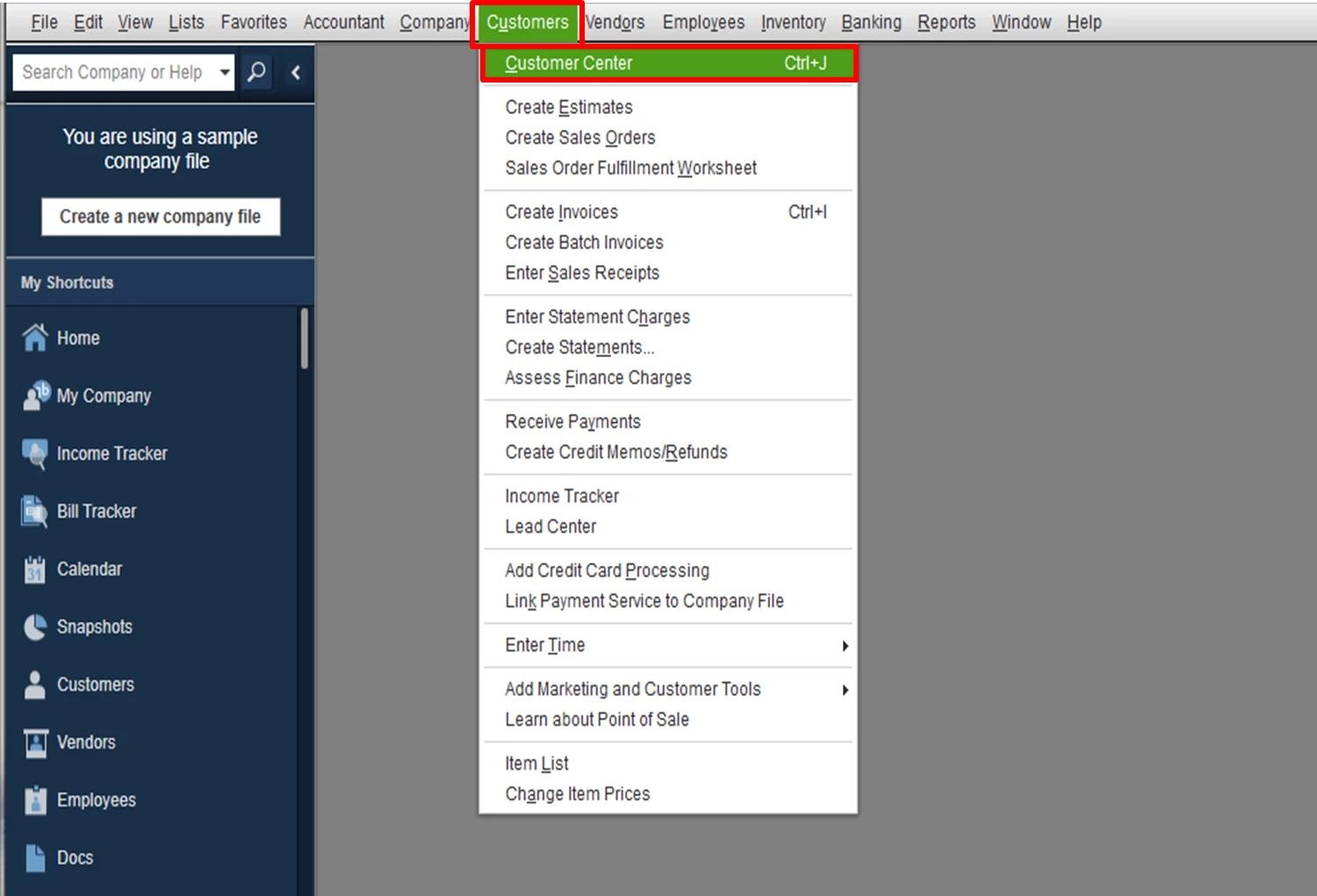
  1. In the Employee menu, click Customer Center
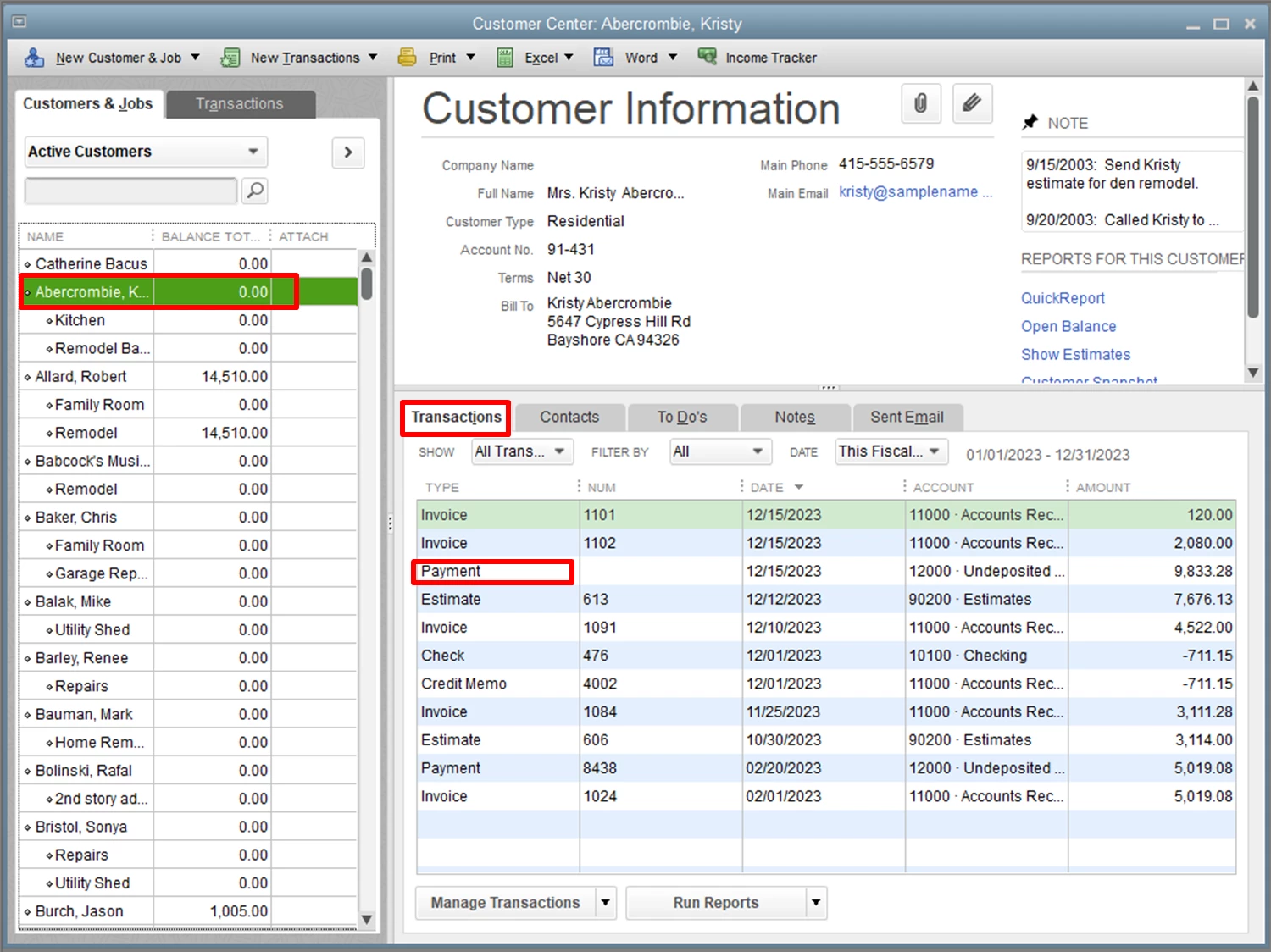
  2. Locate the customer's name to show the list of transactions. 
  3. Double-click on the Payment transaction. 
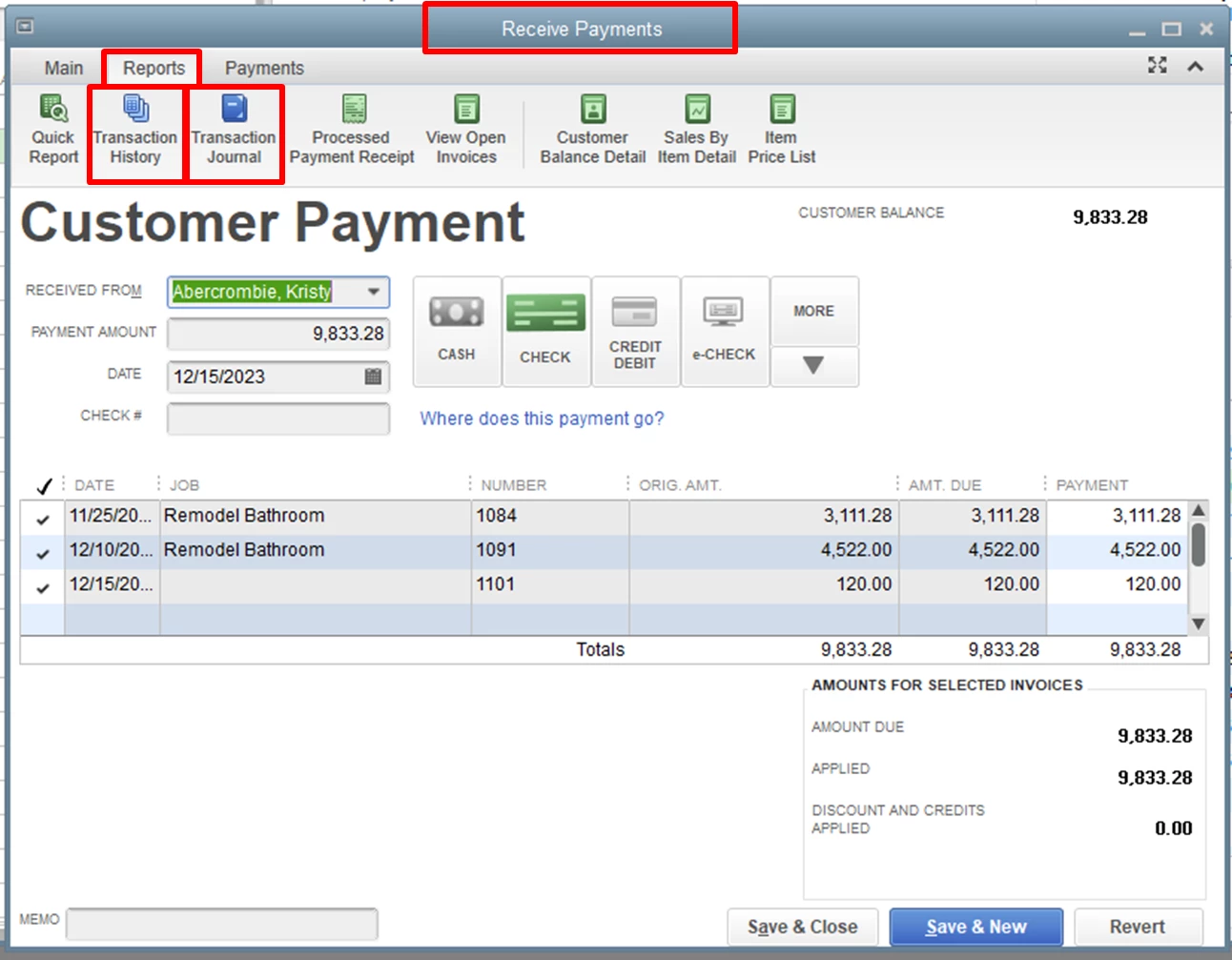
  4. In the Receive Payments window, click on the Reports tab.
  5. From there you can open and export the Transaction Journal report.
  6. You'll also want to print the payment's Transaction History.

Both ways would do for your desired report. 


The Community is always around to help you if you have other concerns. Have a great day! 

1 reply

March 15, 2019

Let's get that report pulled-up, Montgomery Minds.


You can get that report in the Receive Payment transaction you created to pay multiple invoices. 


Here's how: 

  1. In the Employee menu, click Customer Center
  2. Locate the customer's name to show the list of transactions. 
  3. Double-click on the Payment transaction. 
  4. In the Receive Payments window, click on the Reports tab.
  5. From there you can open and export the Transaction Journal report.
  6. You'll also want to print the payment's Transaction History.

Both ways would do for your desired report. 


The Community is always around to help you if you have other concerns. Have a great day! 

March 15, 2019

Thanks so much @Catherine_B I did not see the Reports tab!


I have an old version (2013) but I found buttons for "Transaction History" and "Transaction Journal" as you suggested.


"Transaction History" doesn't generate a "report" per se, but a popup containing the same information. But from here I can select "Print" and then "Print to:" - "File:" and in the drop down, change "ASCII text file" to "Comma delimited file" and it prints to a .CSV file. This format contains the invoice numbers (but not the customer:job names).


"Transaction Journal" did generate a report containing customer:job names (but no invoice numbers). I can extract that to .CSV file in the usual way, using the "Excel" button.


Thanks again!

March 15, 2019

Thanks for getting back to the QuickBooks Community, Montgomery Minds.


Allow me to join this thread and help provide you the invoice report you need in QuickBooks Desktop. 


Since there's no option to show the invoice item and the payments on a single report, you'll need to pull up the Sales by Customer Detail report (to show the line items) and Transaction List by Customer report (to show the invoices list and payments applied against it). 


To pull up the Sales by Customer Detail report, here's how: 

  1. At the top menu bar, click Reports.
  2. Choose Sales.
  3. Select Sales by Customer Detail
  4. Change the date range. 

For Transaction List by Customer report, here's how: 

  1. At the top menu bar, click Reports.
  2. Choose Customers and Receivables
  3. Select Transaction List by Customer

If you'd like to customize  the reports, you can check this article for the detailed steps: Customize reports in QuickBooks Desktop


For additional reference, you can follow the steps in this article on how to export report from QuickBooks Desktop to Microsoft Excel


This will get you on the right track. Please know that I'm just a post away if you have additional questions about the Invoice transaction. Wishing you and your business continued success.