June 4, 2020
Solved

How do I mark an invoice as Sent when printing and mailing?

  • June 4, 2020
  • 1 reply
  • 0 views
Original commenter did not share additional details

Best answer by AileneA

Hi there, @happyleelawncare


Thank you for choosing QuickBooks as your accounting tools. I can walk you through how to mark an invoice as sent in QuickBooks Online.


You would need to send the invoice to a dummy email or to yourself in order to change the status to Sent. This is the workaround we can use to get the outcome you wanted.


Here’s how: 
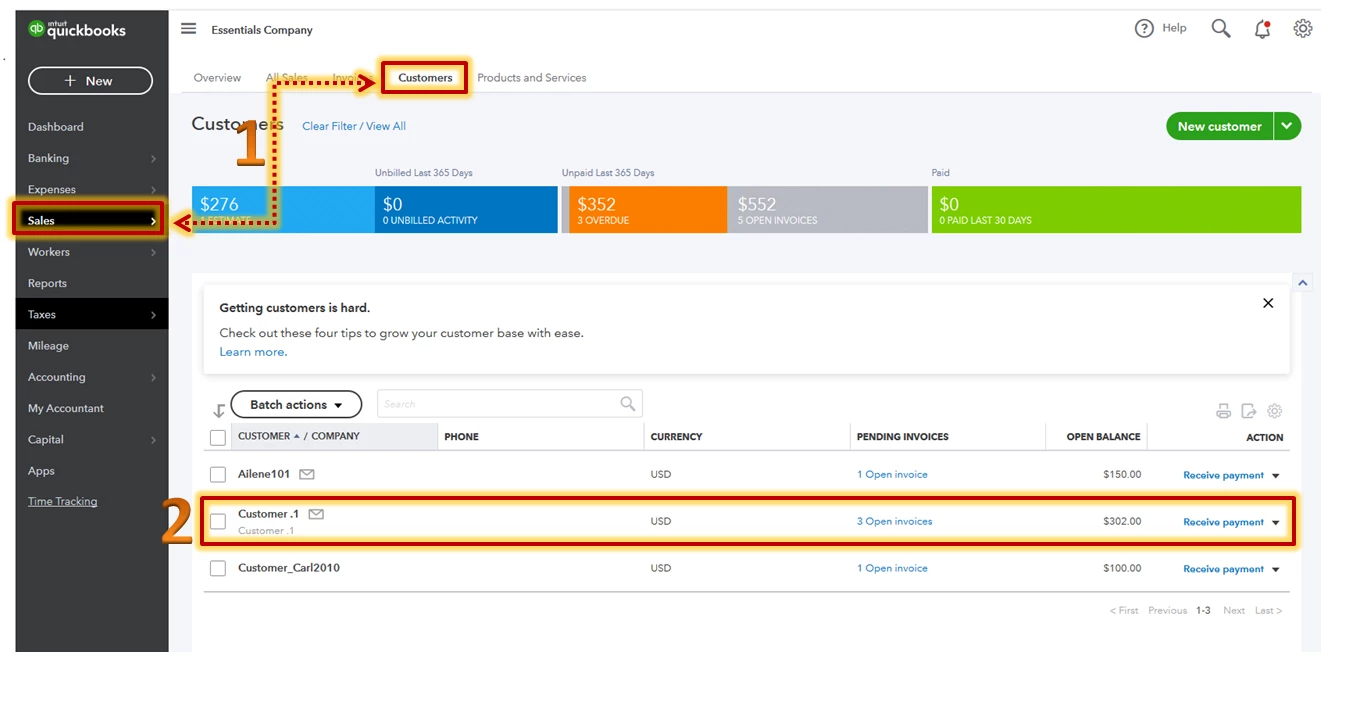
 

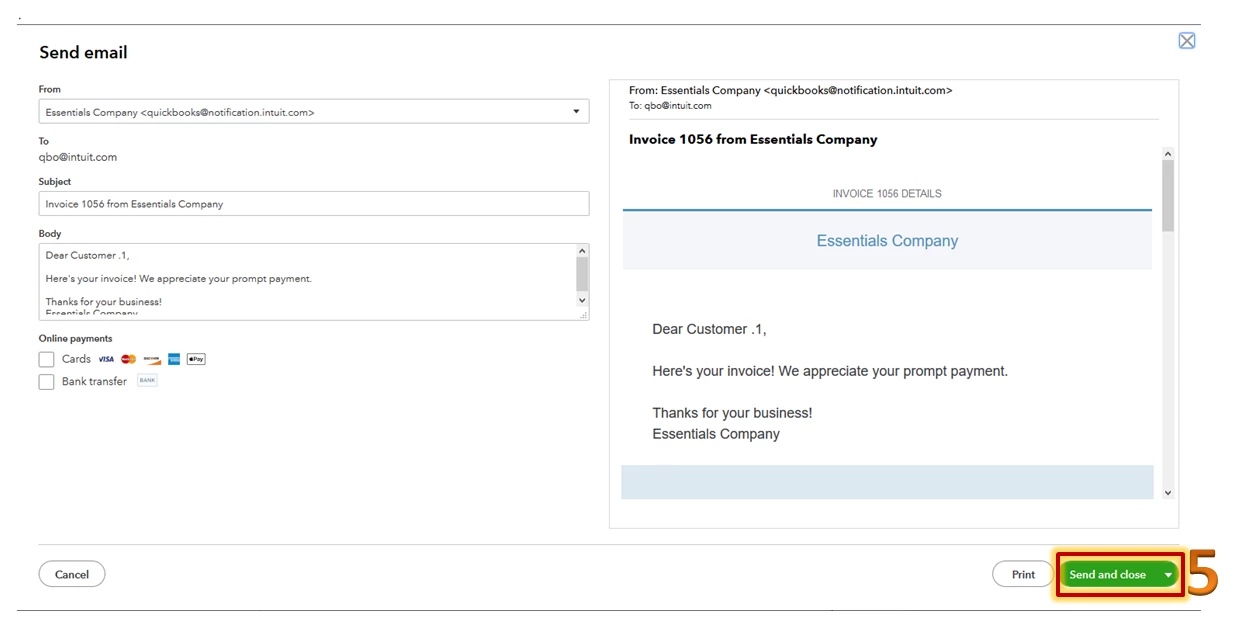
  1. Go to Sales from the left menu and select Customers.
  2. Tap the customer name. Then locate and open the invoice.
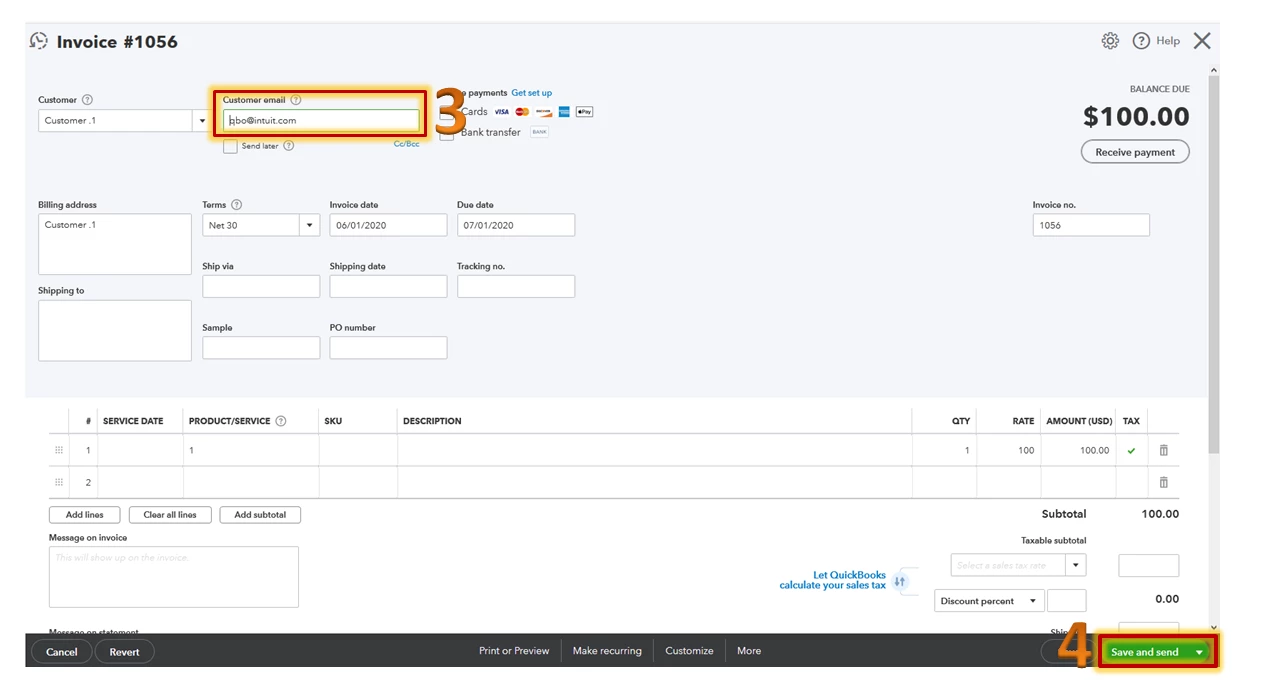
  3. Enter your email address on the right side of the customer name.
  4. Click Save and send.
  5. Press Save and close


Once done, you’ll find the invoice marked as Sent. You may check out this article for your reference: Send an invoice


Just in case you need some helpful references in the future, you can always visit our site: Help articles for QuickBooks Online.


This should get you on your way to marking the invoices as sent. Let me know if you have other questions about invoice transactions. I'm always here to help. Have a great day!

1 reply

AileneAAnswer
June 4, 2020

Hi there, @happyleelawncare


Thank you for choosing QuickBooks as your accounting tools. I can walk you through how to mark an invoice as sent in QuickBooks Online.


You would need to send the invoice to a dummy email or to yourself in order to change the status to Sent. This is the workaround we can use to get the outcome you wanted.


Here’s how: 
 

  1. Go to Sales from the left menu and select Customers.
  2. Tap the customer name. Then locate and open the invoice.
  3. Enter your email address on the right side of the customer name.
  4. Click Save and send.
  5. Press Save and close


Once done, you’ll find the invoice marked as Sent. You may check out this article for your reference: Send an invoice


Just in case you need some helpful references in the future, you can always visit our site: Help articles for QuickBooks Online.


This should get you on your way to marking the invoices as sent. Let me know if you have other questions about invoice transactions. I'm always here to help. Have a great day!

August 3, 2020

I honestly can't believe this is the only way to mark an invoice as sent. Seems ridiculous. There should be a simple way to manually mark invoices as sent. Please consider adding to an update.


Thank you

December 2, 2020

I agree this is absolutely ridiculous! They have also now remove the option to mark an invoice as 'printed' if it is printed in a batch (ie. 'print later' selected when creating invoice, then when a batch of invoices is printed there is no longer an option to update the invoice status to 'printed').

How can they just remove features like this?