January 7, 2018
Solved

How do I print my chart of accounts

  • January 7, 2018
  • 1 reply
  • 0 views
Original commenter did not share additional details
    Best answer by ItsAccrualWorld

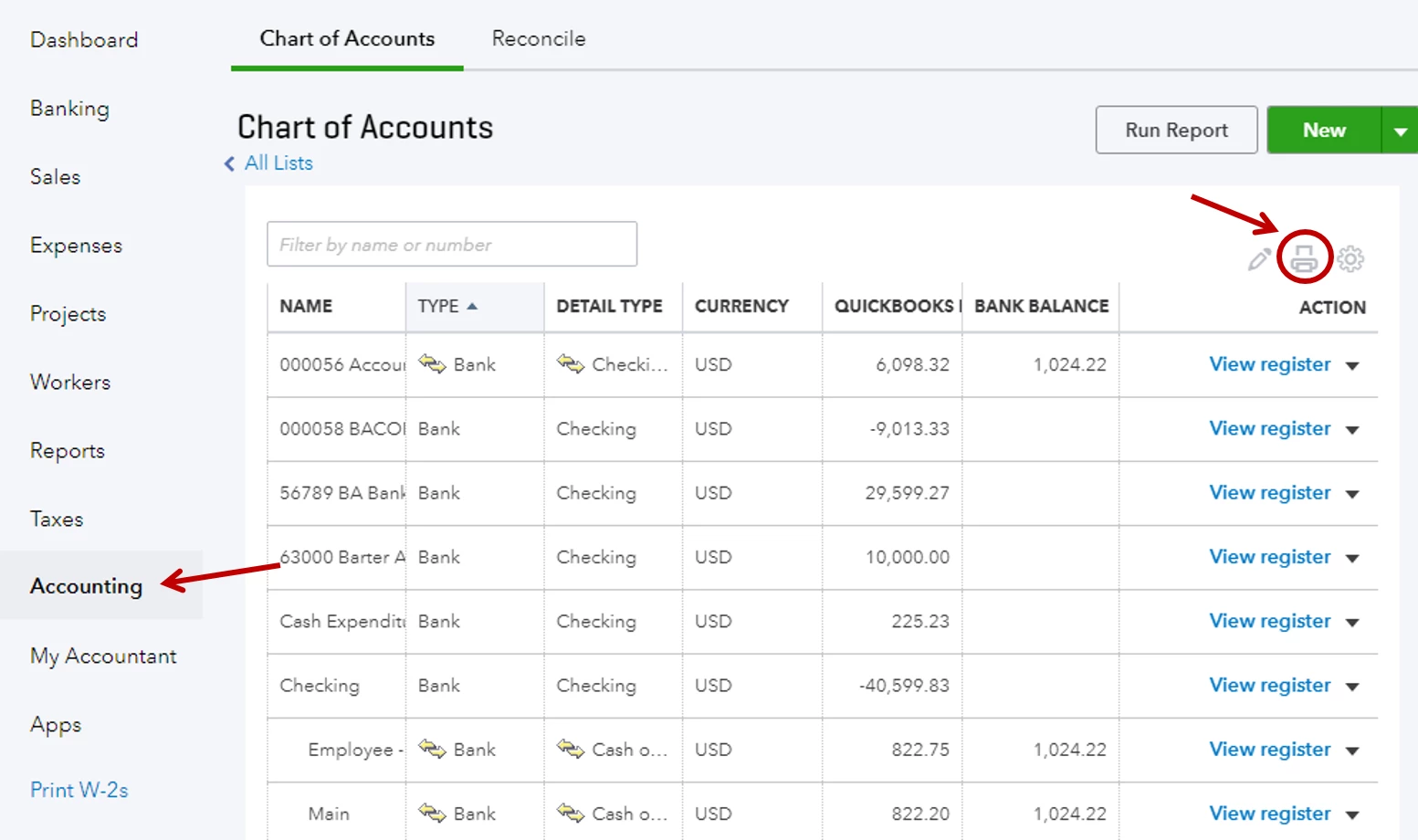
    If you're on Quickbooks Online, click Accounting from the left panel, select  Chart of Accounts at the top, click the Print icon.


    If you're using QB Desktop, go to Reports > Accountant & Taxes > Account Listing.


    :D

    1 reply

    ItsAccrualWorld
    January 8, 2018

    If you're on Quickbooks Online, click Accounting from the left panel, select  Chart of Accounts at the top, click the Print icon.


    If you're using QB Desktop, go to Reports > Accountant & Taxes > Account Listing.


    :D

    June 26, 2018

    I click the print icon and nothing happens. I am allowing pop ups and print is working on all of my reports. Any suggestions?


    MichaelDL
    June 26, 2018

    I'll make sure you're able to print the Chart of Accounts without error, @enfuso.

    A little troubleshooting may be necessary to get the print function working correctly. Does the button act any differently when accessed from a different web browser? I recommend clearing your internet cache to see if that helps, you'll find the steps for doing this in popular browsers from the link here. Also, try double-checking the pop-up blocker and see if it yields any notifications just as you click the Print button.

    Thanks for reaching out, be sure to keep me posted on your results. I'll be watching for your reply.