Solved
How do I reinstate old inventory that has been deleted inadvertantly? I added new catalog numbers and deleted old but should have kept old numbers.
Original commenter did not share additional details


I can help you restore that old inventory in QuickBooks, Jamie.
QuickBooks Online doesn’t totally delete items for good record keeping. If you no longer use or sell the item, you can only make it inactive.
To reinstate your old inventory, you just need to make it active. You can follow the outlined steps below to do it:
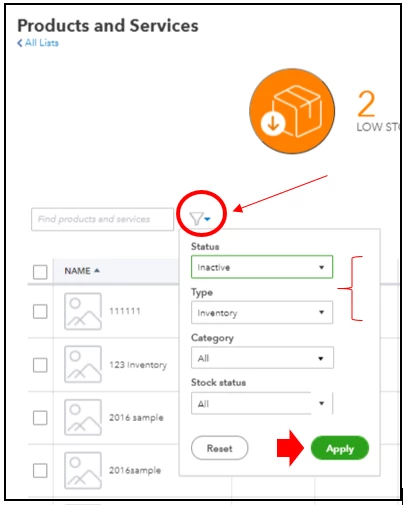
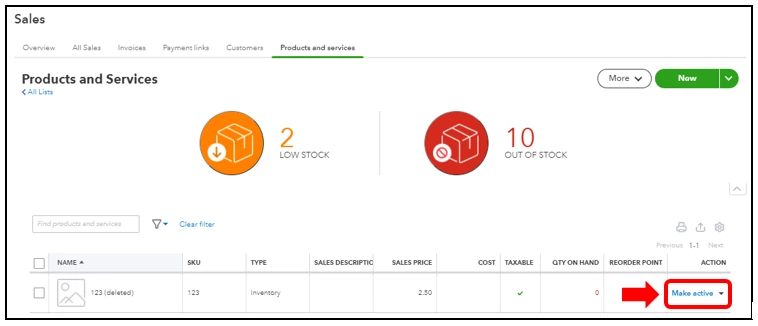
You can visit this reference in case you want to use reports to see your inventory status and performance: Use reports to see your sales and inventory status.
Don’t hesitate to let me know if you have other concerns or questions about managing your inventories. I’m always here to help you out. Take care and have a good day!
Enter your E-mail address. We'll send you an e-mail with instructions to reset your password.