
Solved
How do I remove old offsetting JE in AP aging detail report?
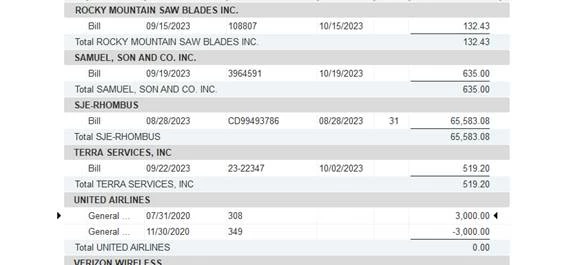


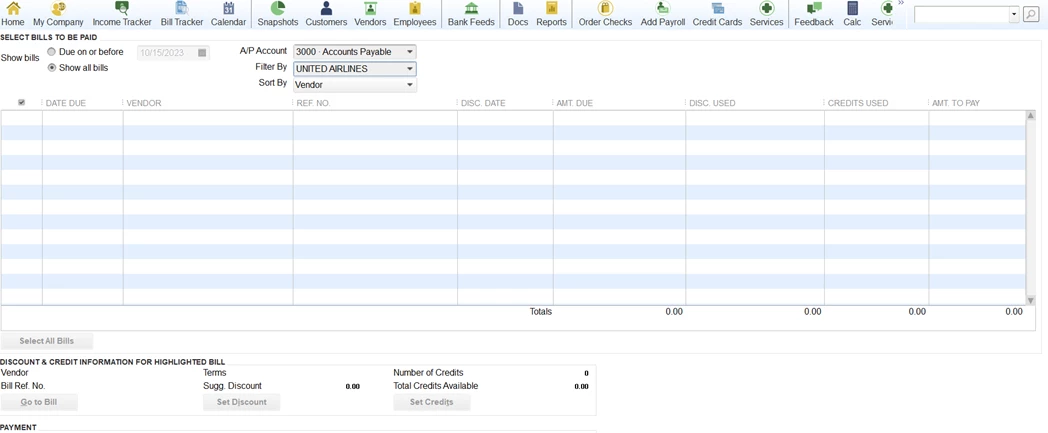
Not sure.
You appear to have more than one AP account, since the AP Account field appears on the Pay Bills window. If you pick one of your other AP accounts, then do you see one of the Journals?
If not, then one way to check to see if the Journals are already applied to each other, or to some other transactions - which would cause them to not appear - is to check to find out if they are 'linked' to each other or other transactions.
Do this by opening the Journal and then clicking the Reports tab at the top and then Transaction History. At that point you'll either get the History window or a message that the transaction isn't linked to any other transactions. The History window will show you the transactions the Journal is linked to.
Enter your E-mail address. We'll send you an e-mail with instructions to reset your password.