December 1, 2022
Solved

How Do I Run A Report On Category Details of An Expense

  • December 1, 2022
  • 1 reply
  • 0 views

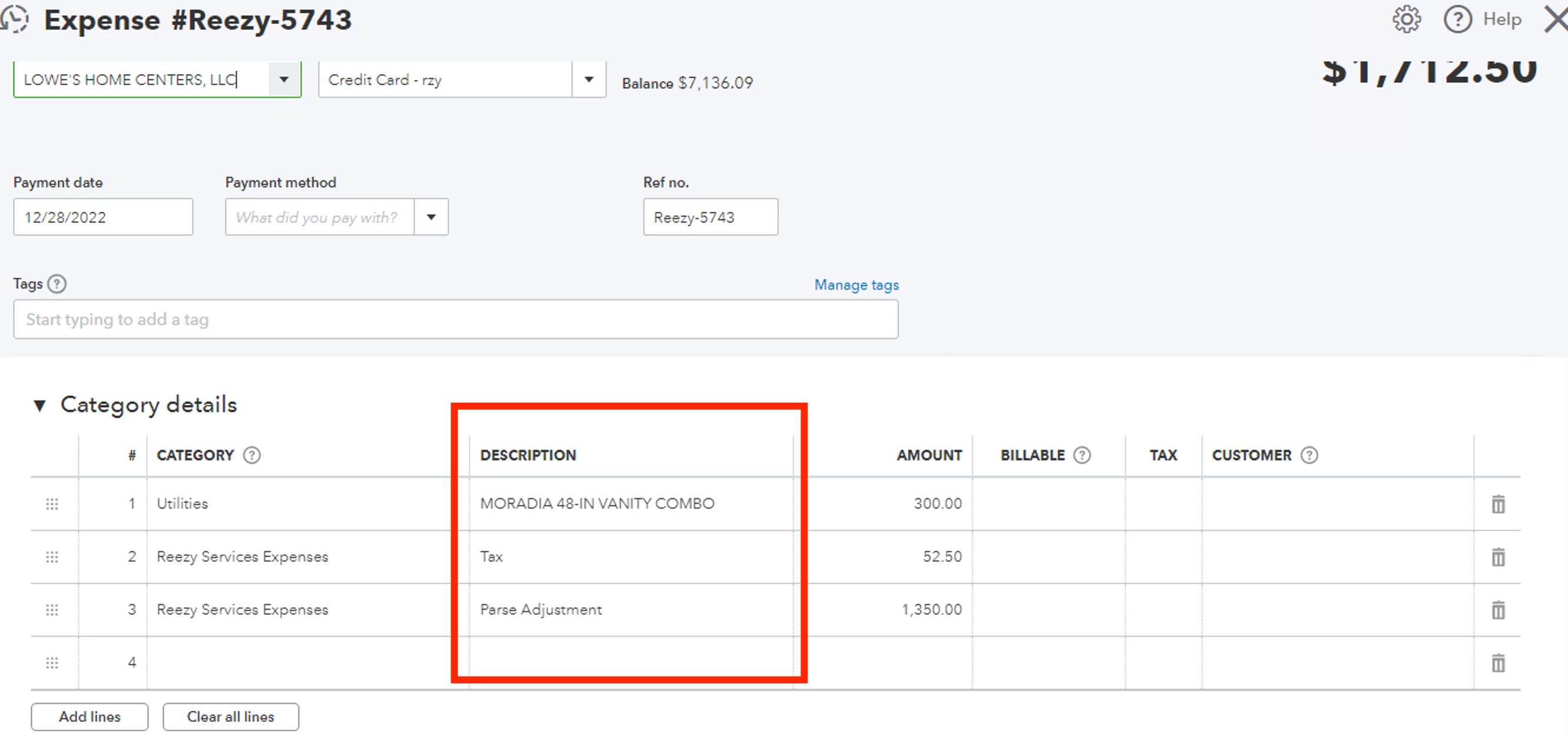
Because I don't have the plus plan, I put the items of an expense transaction in the category details section, where the item name goes into the description column. How do I run a report off the category description section so that I can compile all of my items in one report?

Best answer by Rubielyn_J

Thanks so much for taking the time to respond @MariaSoledadG . My post however was about category details, not item details. So it looks like there might not be a way to run reports off category details - which I find pretty silly.


I appreciate you for trying the steps provided by my colleagues above, @typicole. Let me chime in and share other ways to run a report showing the category detail.


We can generate a Transaction Detail by Account report in your QBO account. Let me show you how:


  1. Select the Reports menu at the left panel.
  2. In the search field, look for Transaction Detail by Account.
  3. Click the Customize button. 
  4. Choose the correct date and under Rows/Columns, click the Memo/Description option.
  5. Under Filter, tick the box next to Vendor.
  6. Once done, select the Run report button.


For visual reference, you can check out the screenshots below:


Additionally, I've attached some relevant articles you can utilize to help personalize and manage reports in QBO:


Keep me posted if you have other questions about running a report showing category detail of an expense in QuickBooks. I'll be happy to help always. Stay safe!


1 reply

December 1, 2022

Hello there, @typicole. I'm here to help pull up a report on a Category Details of An Expense.


We can pull up the Transaction List by Vendor Report report to show the items you put on the Category section of the Expense transaction and then customize it with the details you want to display on that specific report.


Here's how:


  1. Go to the Reports menu, search for Transaction List by Vendor, and click the report to open.
  2. You may filter the date range if needed.
  3. Select Customize.
  4. Once done customizing your report, click Run Report to save changes.


For more details about filtering reports, refer to this article: Customize reports in QuickBooks Online. You can also memorize it to save its current customization settings.


If you want to export the reports and lists into individual Excel files, you can visit this article: Export reports, lists, and other data from QuickBooks Online.


Please don't hesitate to post a reply if you have any clarification on the process or if you have any other concerns. I'll be here for you. Have a pleasant day ahead!

typicoleAuthor
December 1, 2022

Thanks for responding @GebelAlainaM but category detail is still not a column option in the transaction by vendor report. Please reference the screenshot below.


MariaSoledadG
December 1, 2022

I have another way how you can show the information from the description column, typicole.


The information that will show will depend on the report that you're using. You can run the Purchases by Product/Service Detail report. Then, make sure that the details are entered under the Item details section. I've attached a screenshot for your guide: 


Once done, the data in the Description column should show up under the Memo/Description column of the report.


Moreover, learn what are reports included in your subscription. I've added this article for your guide: Reports Included In Your QuickBooks Online Subscription.


Please get back to us if you need additional assistance with reports. The Community is always here to help you all the time.