July 7, 2023
Solved

How do I set off a supplier credit against an invoice. When I raise a pay't the system goes straight to online banking without allowing me to choose either the IN or CN?

  • July 7, 2023
  • 1 reply
  • 0 views
The ledger should allow me to select which invoices and or credit notes to pay and in this way allow me to offset a credit note and invoice. But as soon as I click schedule payment it launches into online billing and there is no opportunity to select items. I can't find a setting to interrupt this workflow. Help!
Best answer by DebSheenD

HI, @neil-elizabeth-o


Allow me to chime in and help clear things out.  


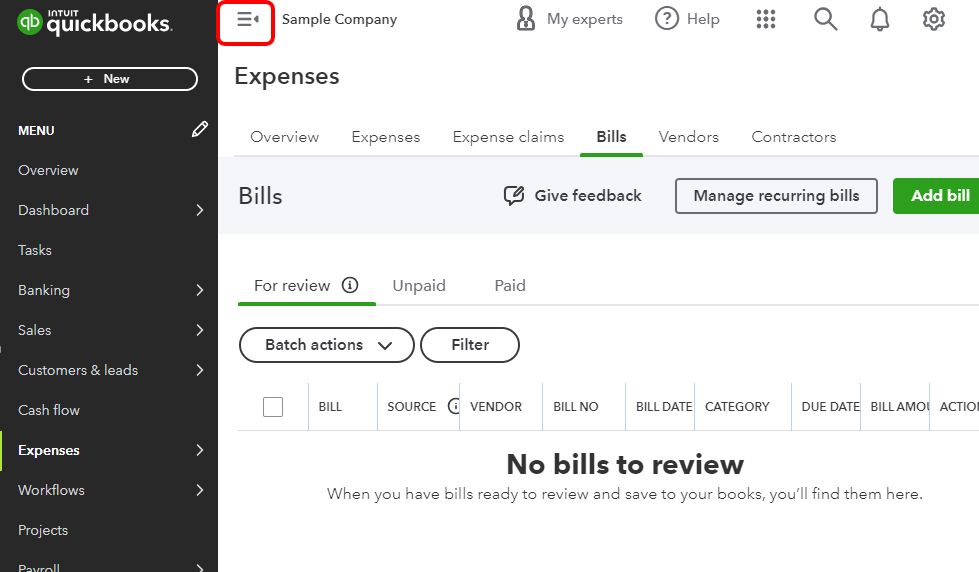
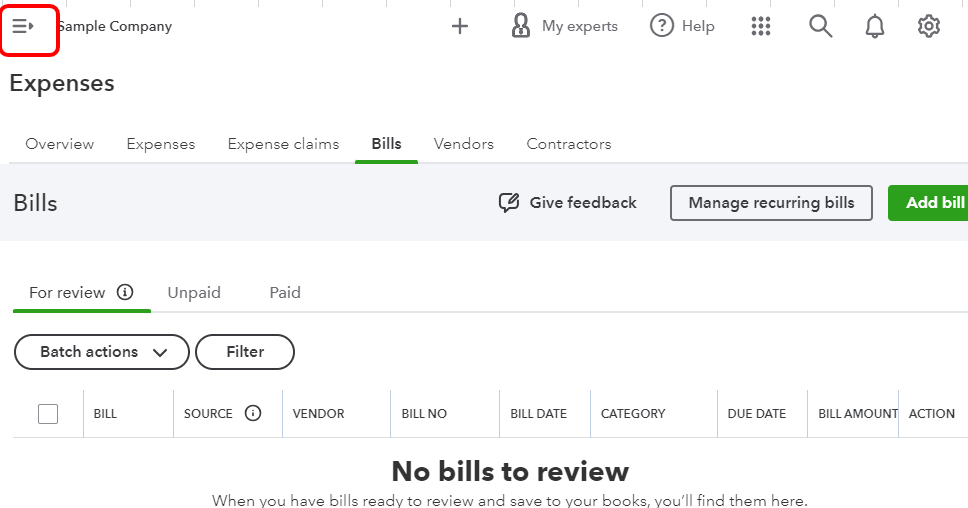
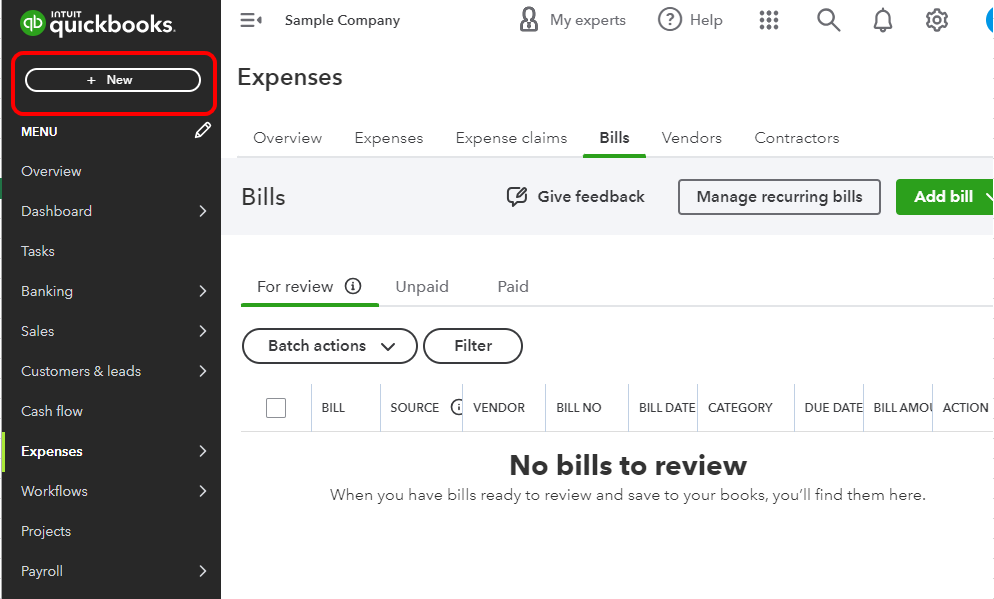
Usually, QuickBooks has a +New button to enter any transactions that you'd like to add to QuickBooks Online (QBO). Ensure to have the Side Bar Menu, this way you'll see the +New option.  However, based on the screenshot you've added the Side Bar Menu is unavailable. You can click on the burger icon forward to view it. Please see the screenshot below for visual preferences.


After the process, you can reconcile your account. I'd recommend performing it every month to keep your books accurate. For the detailed steps, kindly refer to this article: Reconcile an account in QuickBooks Online. It also contains information on how to edit completed reconciliations.
 

Please know that you're always welcome to post any questions you have in this space. Have a great day ahead.

1 reply

Adrian_A
July 7, 2023

Thank you for adding screenshots, Neil.


Based on the screenshot you've provided, it seems you're referring to a supplier invoice (bill). You can use the Pay bills button to offset the supplier credit to the bill. I'm here to guide you through the steps.


Here's how:


  1. From the + New button, select Pay bills.
  2. Select the vendor's name.
  3. The system automatically enters the remaining credit.


  4. Click Schedule payments online.


I've also added this article on how to ensure your bank accounts match your bank and credit card statements: Reconcile an account.


Feel free to visit the Community again if you need help with QuickBooks. We're always here to help.

July 7, 2023

Hello 


Thank you for taking the time to respond however it does not solve my problem. Step 3 of the first part of your instructions does not exist or appear for me so I am unable to do that. I have attached screen shots of the flow that happens - step 3 does not exist


Please help!

Thanks

[removed attachment]