
December 5, 2020
Solved

How do I set the GL account for sales tax that I charge to my customers on their invoices?

  • December 5, 2020
  • 1 reply
  • 0 views
I am using Quickbooks Plus on my desktop.

Best answer by Rasa-LilaM

Thanks for visiting the Community today, kelekonagreen.


QuickBooks Online creates specific default accounts when you set up your company. The Sales tax Payable account is automatically added once the Automated Sales Tax feature is turned on. This is where the sales tax for every transaction is reported since the option to map it is unavailable.


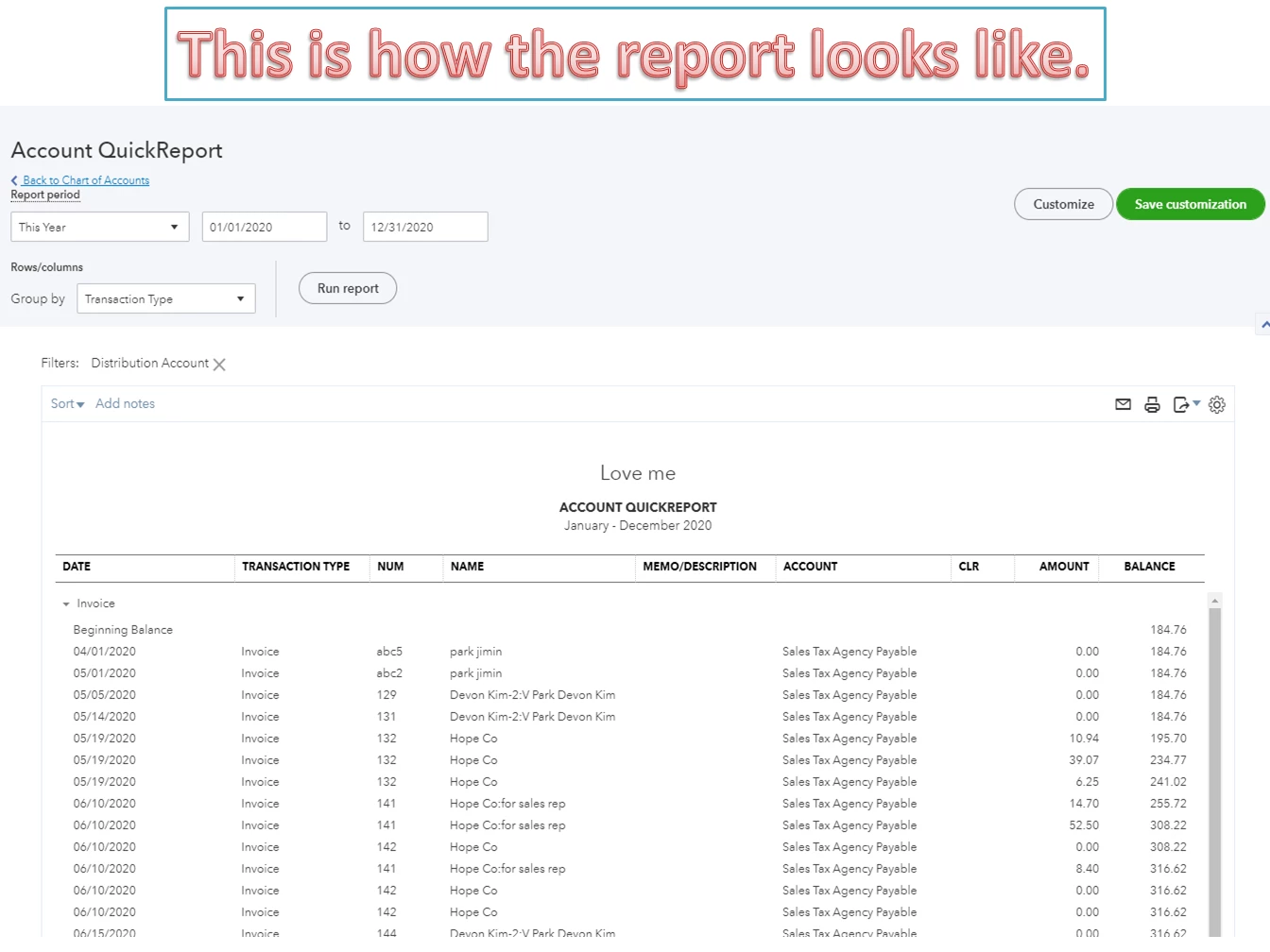
If you wish to check transactions, run an Account QuickReport to view them. You can also drill down each one to see the items used.


Here’s how:
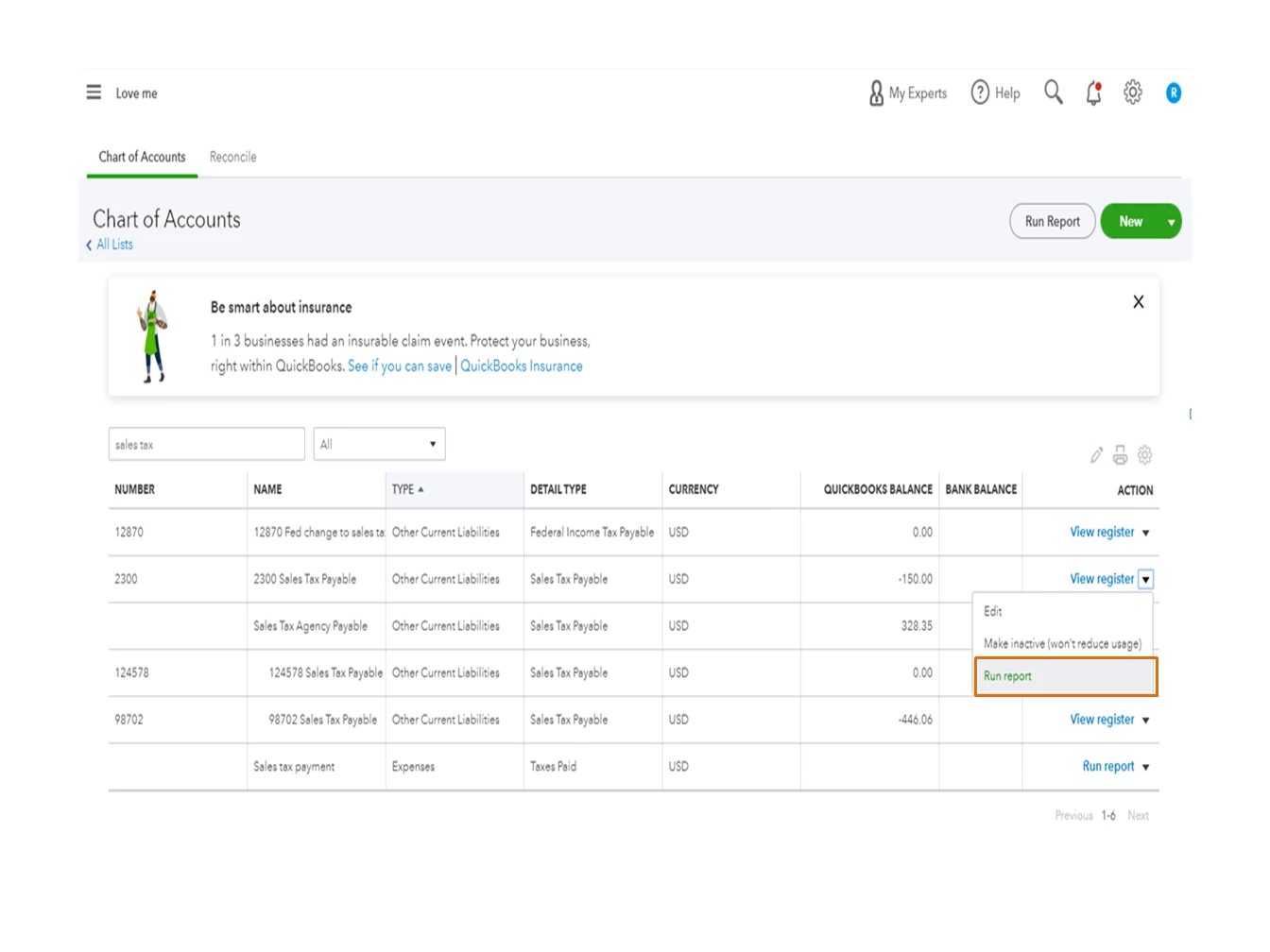
 

  1. Tap the Accounting menu on the left panel and choose Chart of Accounts.
  2. From the list, select your Sales Tax Payable account and hit the View Register drop-down, and pick Run Report.
  3. Set the correct date range from the Report period drop-down.
  4. Press the Customize menu to personalize the data on the report.
  5. Then, click Run Report to view the changes.

For additional resources, these guides provide detailed information on the accounts that can be deleted and merged in QBO. Aside from that, you'll see complete instructions on how to check for sales tax owed.


I'll be around if you have any other questions or concerns about QuickBooks. Click the Reply button to leave a comment. I’ll pop right back in to answer them for you. Enjoy your day.

1 reply

December 5, 2020

Thanks for visiting the Community today, kelekonagreen.


QuickBooks Online creates specific default accounts when you set up your company. The Sales tax Payable account is automatically added once the Automated Sales Tax feature is turned on. This is where the sales tax for every transaction is reported since the option to map it is unavailable.


If you wish to check transactions, run an Account QuickReport to view them. You can also drill down each one to see the items used.


Here’s how:
 

  1. Tap the Accounting menu on the left panel and choose Chart of Accounts.
  2. From the list, select your Sales Tax Payable account and hit the View Register drop-down, and pick Run Report.
  3. Set the correct date range from the Report period drop-down.
  4. Press the Customize menu to personalize the data on the report.
  5. Then, click Run Report to view the changes.

For additional resources, these guides provide detailed information on the accounts that can be deleted and merged in QBO. Aside from that, you'll see complete instructions on how to check for sales tax owed.


I'll be around if you have any other questions or concerns about QuickBooks. Click the Reply button to leave a comment. I’ll pop right back in to answer them for you. Enjoy your day.

December 5, 2020

Perfect! I found what I needed and made the changes. Thank you so much for your help.