Solved
How do I unvoid an invoice and revert it back to the "viewed" stage?
Original commenter did not share additional details


Hello there, @rameet.
I'd be glad to help link the deposit to the open invoice in QuickBooks Online (QBO).
Once done recording the deposit in QBO, you must record a Receive Payment under your customer's name and use the deposit check as a credit on the invoice.
You can see attached screenshots for additional reference.
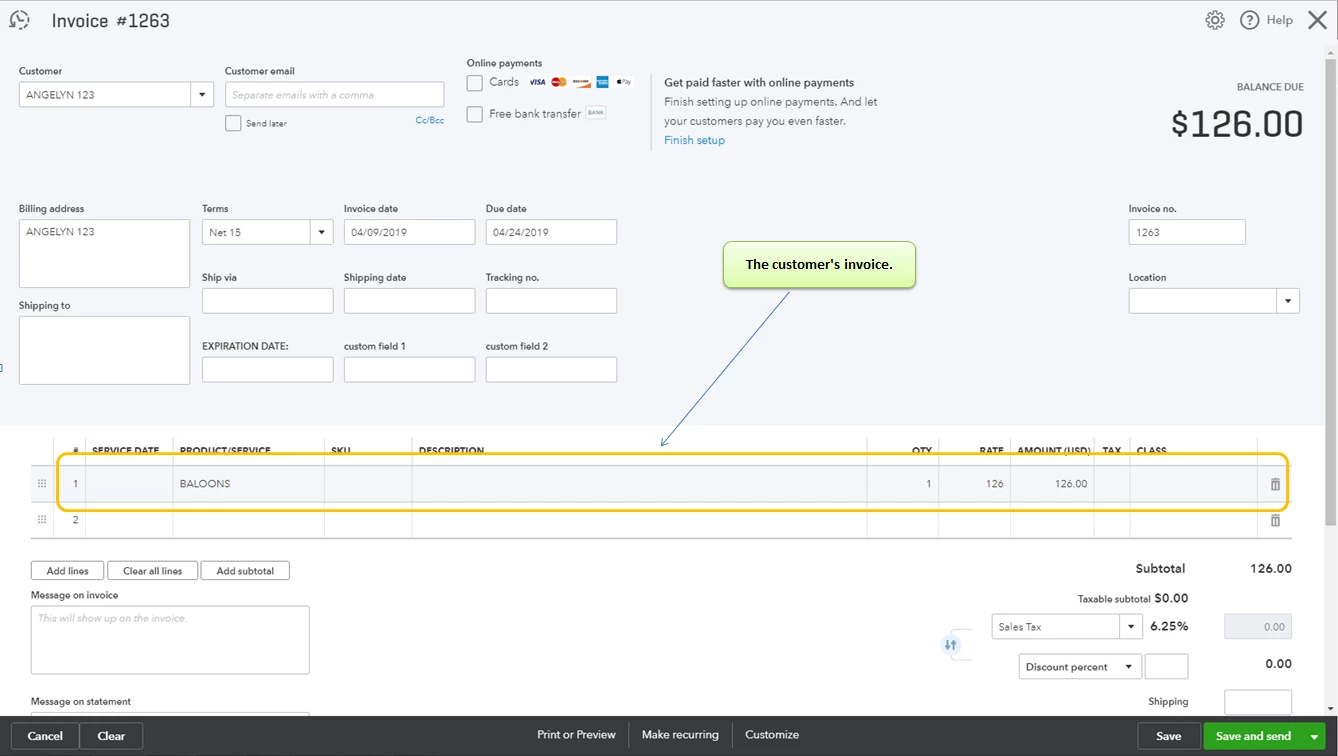
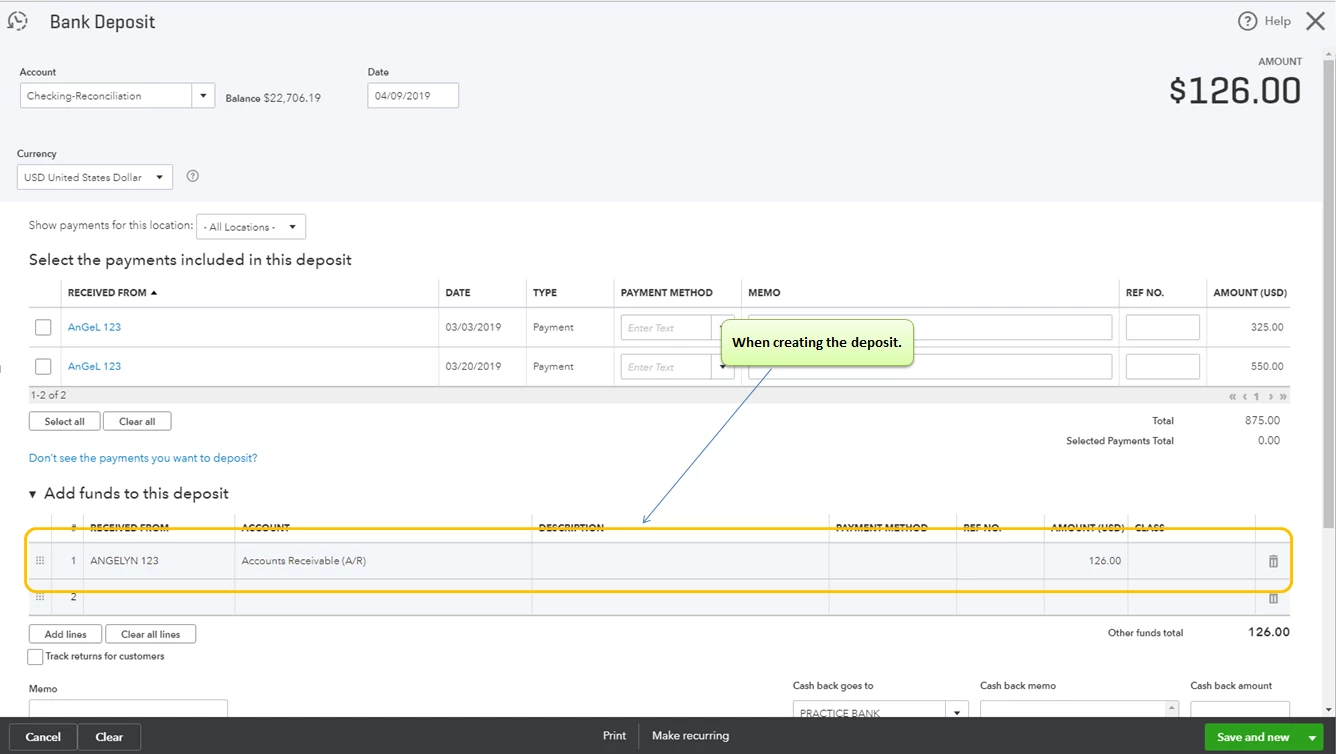
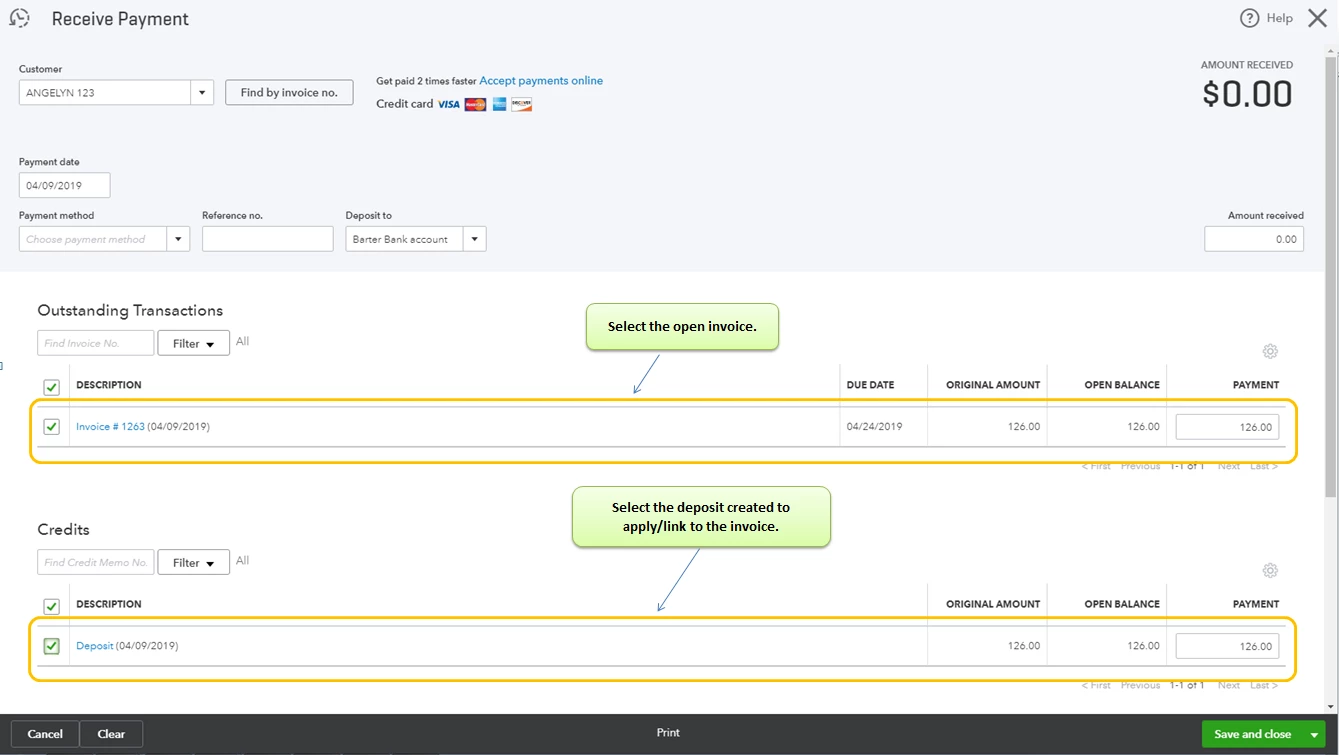
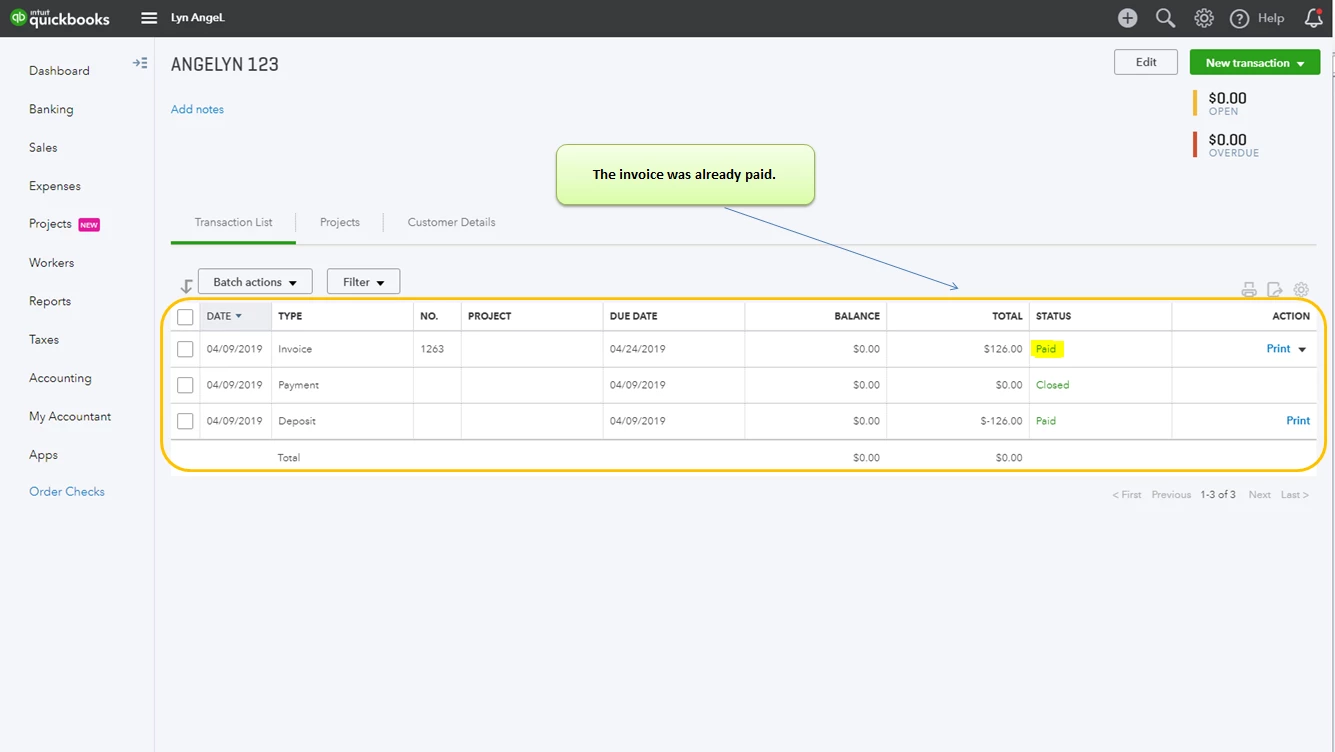
To learn more about linking a deposit to an invoice, you may check this article: How to link a deposit to an invoice.
On the other hand, you can also check our Help articles for your future reference: Help articles for QuickBooks Online.
You can always add a post/comment below if you have any other questions about deposits or invoices. I'm always here to help you!
Enter your E-mail address. We'll send you an e-mail with instructions to reset your password.