Solved
How do you bill customers for wages paid to employees?
I am looking for a way to adjust paychecks to bill customers for employee time that was already paid.


Thanks for getting back to us, @kroehner-yurconi.
Allow me to chime in the provide additional details on how to bill your customer for your employees' wages.
You'll want to edit the timesheet of your employees and mark it as billable. This way, you'll be able to add the billable time to your customer invoice and steer away from modifying your employees' paycheck. Let me show you how:
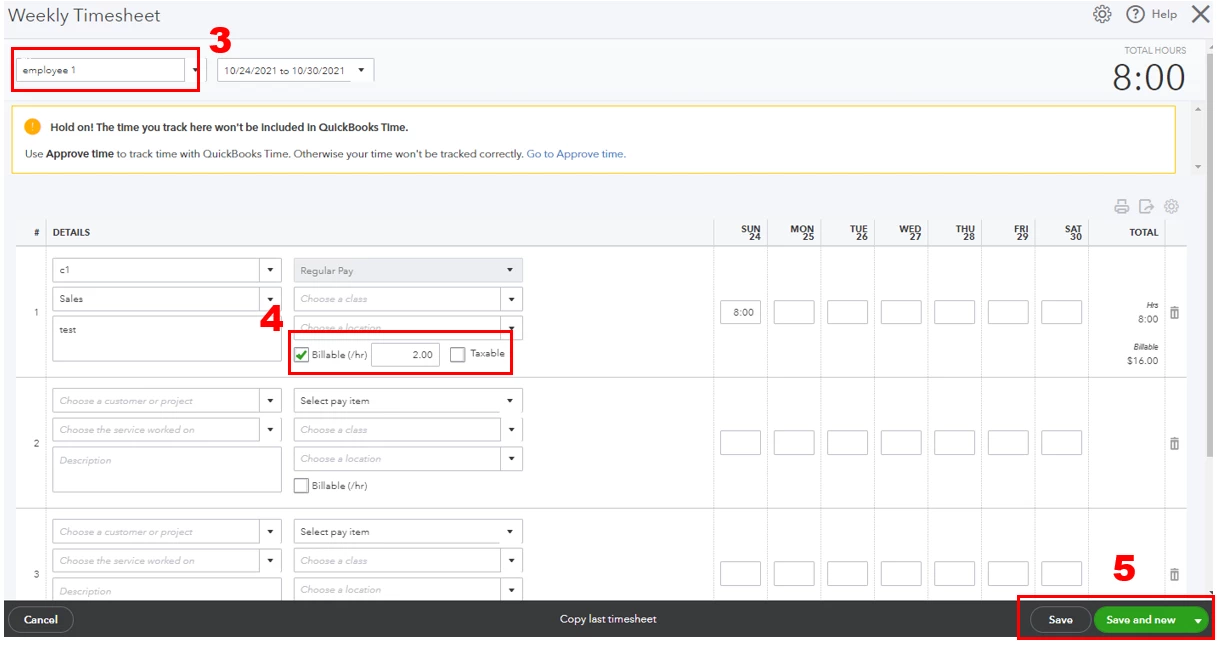
When creating an invoice, ensure to add the billable hours. 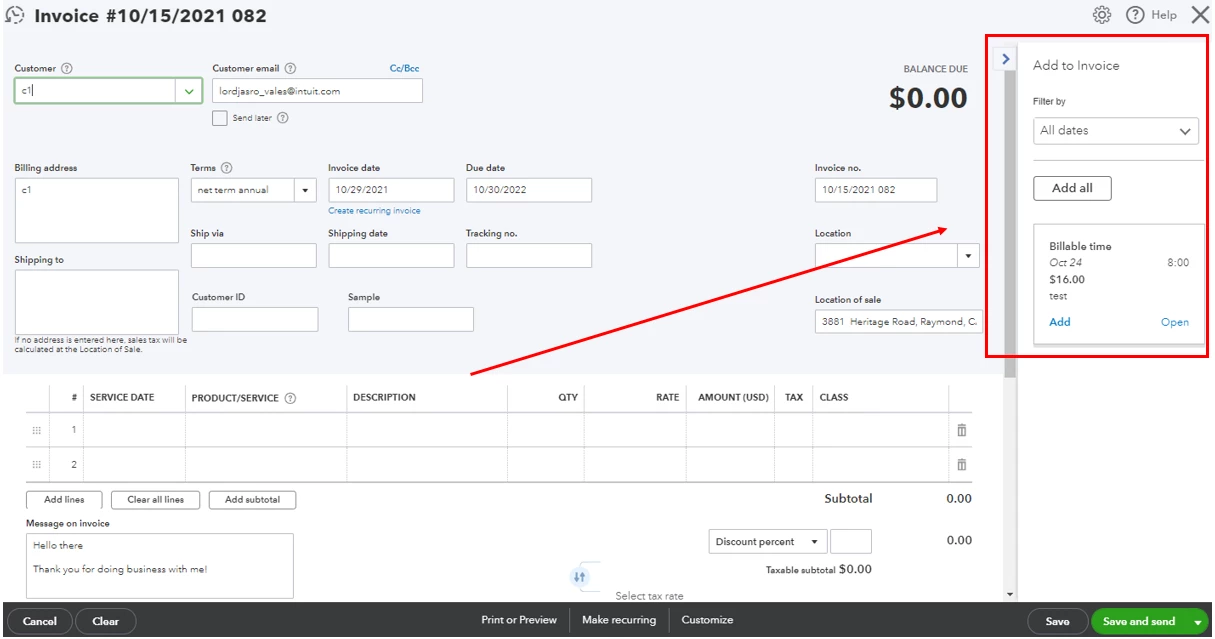
Once you're done, you can now seamlessly process your employees' payroll. Moreover, you might also want to check out this link that can guide you on how to let your employees view their paychecks online: Invite your employees to QuickBooks Workforce to see pay stubs, W-2s and more.
I'm only a post away from you if you need more help with invoices and payroll. I can also answer any QuickBooks concerns you may have. Keep safe and more power to your business!
Enter your E-mail address. We'll send you an e-mail with instructions to reset your password.