
Solved
How do you do snap receipts for payment by check & add the check number?
Original commenter did not share additional details

I understand that you want to snap a receipt for the payment and add the check number, mucksal. I'm here to guide you
As of now the ability to add the check number for a snap receipt in QuickBooks Online is unavailable. As a workaround, you can enter the check number in the Description field. I've added screenshots for your reference.

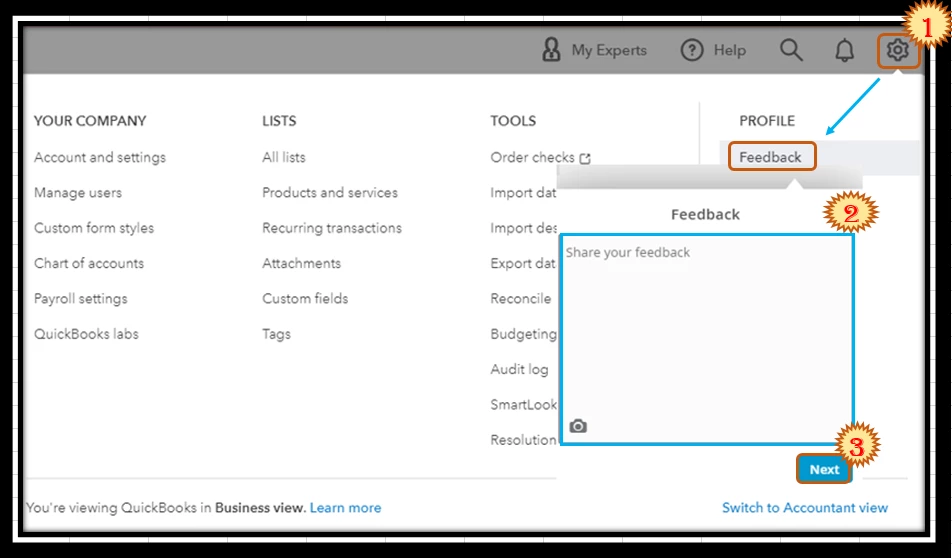
While this option is unavailable, I'd recommend sending a feature request directly to our Product Development team. This helps us improve your experience and the features of the program.
Here's how:
Additionally, you can check out this link to help you manage any receipts that will be added to your For Review tab: Categorize and match online bank transactions in QuickBooks Online.
Feel free to come back to this thread if you have other concerns about snap receipts. I'll be here to help. Keep safe!
Enter your E-mail address. We'll send you an e-mail with instructions to reset your password.