Solved
How should I categorize my bank deposits if I have already applied each individual check to it's corresponding invoice and now I am depositing several checks at once?
Original commenter did not share additional details


I'd be glad to help you categorize bank deposits in QuickBooks Online, @mdncnsn.
If the several checks are downloaded as a single transaction, you can find the match and then select all invoices that are covered in that one particular downloaded entry.
Here's how:

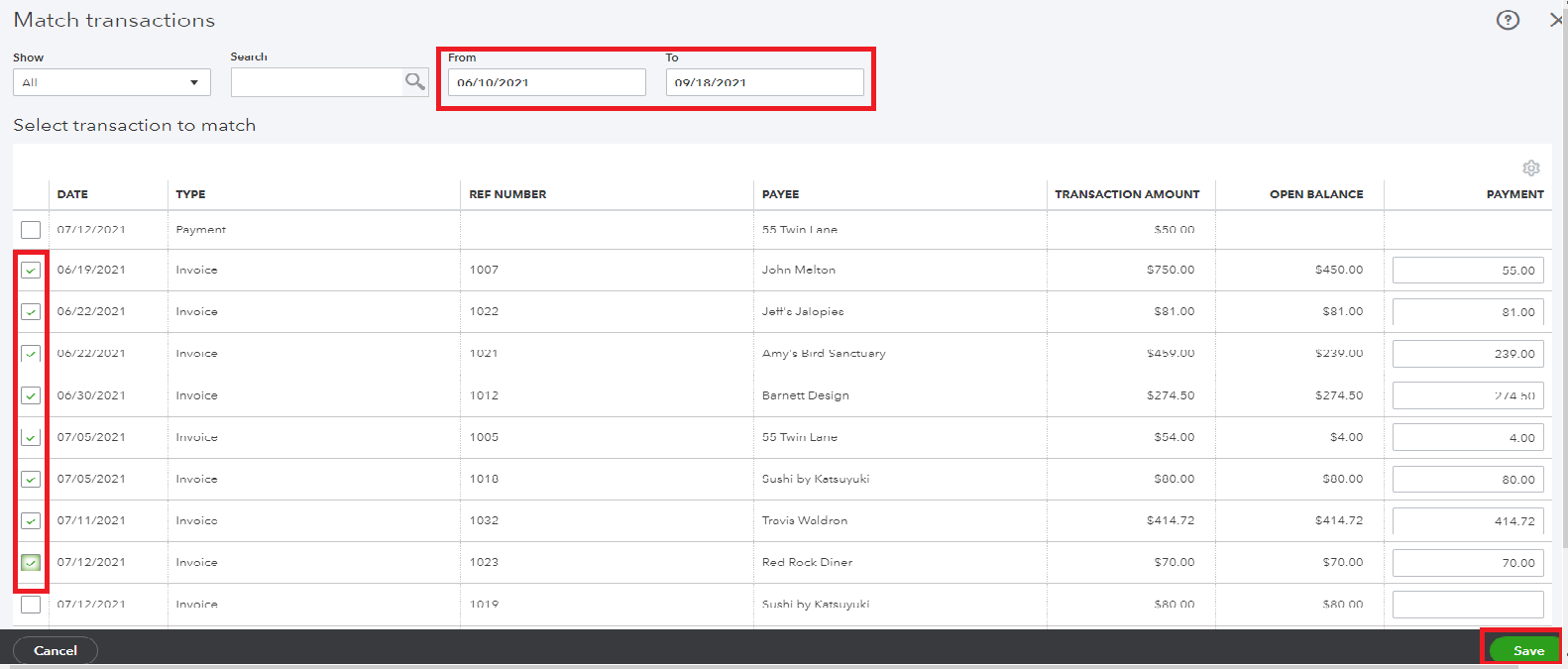
If each check is downloaded, you can match it to the applied payment. For more information about categorizing transactions in QuickBooks, feel free to open this resource: Review the downloaded bank and credit card entry.
In addition, I've attached this article to help you reconcile your account in QuickBooks Online. This is to ensure that they match your bank and credit card statements.
Keep in touch if you have other questions about categorizing deposits in QuickBooks. I'll be happy to assist you again. Stay safe and take care.
Enter your E-mail address. We'll send you an e-mail with instructions to reset your password.