Hi SmartTe!
I hope you're having a great morning! It's good your client noticed that something needs to be changed on your invoice before having it paid. I'll guide you through canceling the invoice and sending it with an updated status.
What we can do is void the invoice to show that it has been cancelled. Then, download the PDF copy with the VOID status and email it to your client.
- Open the invoice and click More.
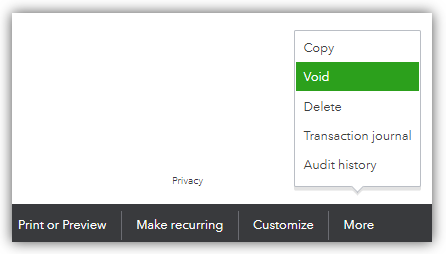
- Choose Void and choose Yes, void transaction.
- Open the invoice voided invoice.
- Choose Print or Preview and select Print or Preview.
- Click the download icon to save a PDF copy.
You can also give your client a statement so they know their balance. Please refer to this article: Create and send customer statements in QuickBooks Online.
Feel free to reply to my answer if you have any other questions about issuing a canceled invoice to your client. I'm just around to help.


