Solved
How to I edit my invoices with self-employed online? There is no option to select "edit work info" like every tutorial suggests.
Original commenter did not share additional details


Thanks for getting back here in the thread, @bdrickards.
You can change your invoice by clicking the Edit work info and it's located in the invoice toolbar at the bottom part.
Let me walk you through the steps on how:
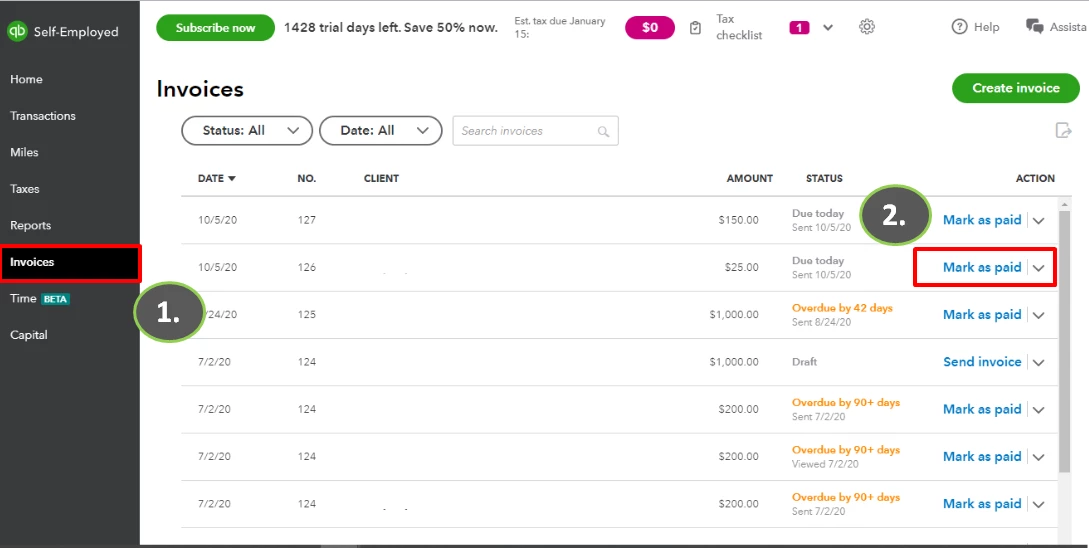
3. Select the Edit option.
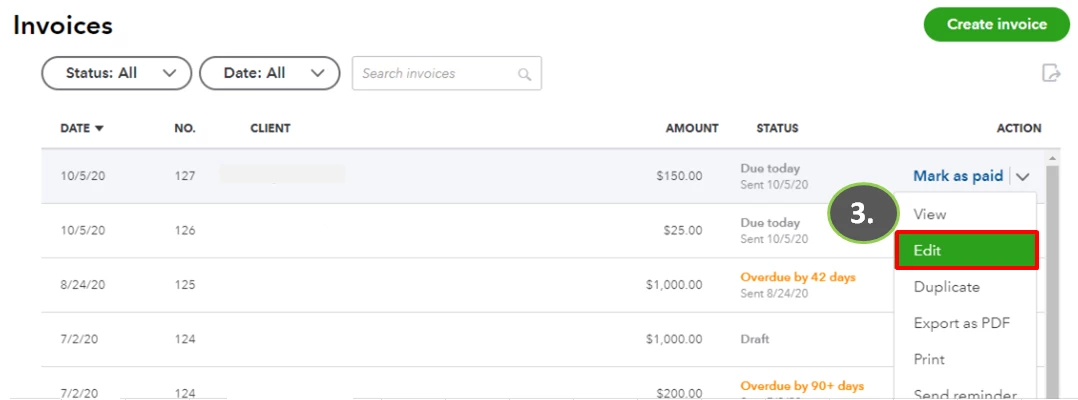
4. At the bottom part of your invoice, choose the Edit work info.
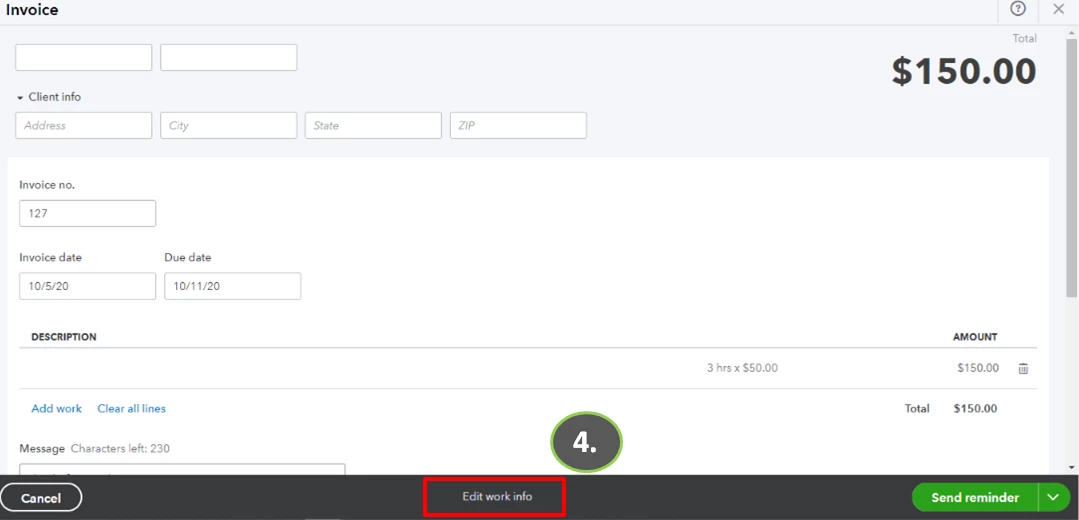
5. Edit your invoice.
6. Once done, save the modified invoice.
If you weren't able to see the Edit work info button, you can contact our QuickBooks Support. This way, they can check your account and investigate why the edit button is not showing on your invoice page.
If you have additional questions, please don't hesitate to leave a message in the comment section.
Enter your E-mail address. We'll send you an e-mail with instructions to reset your password.