Question
How to Keep Invoice Rows in Same Order When in Print or Preview Mode - QB Online
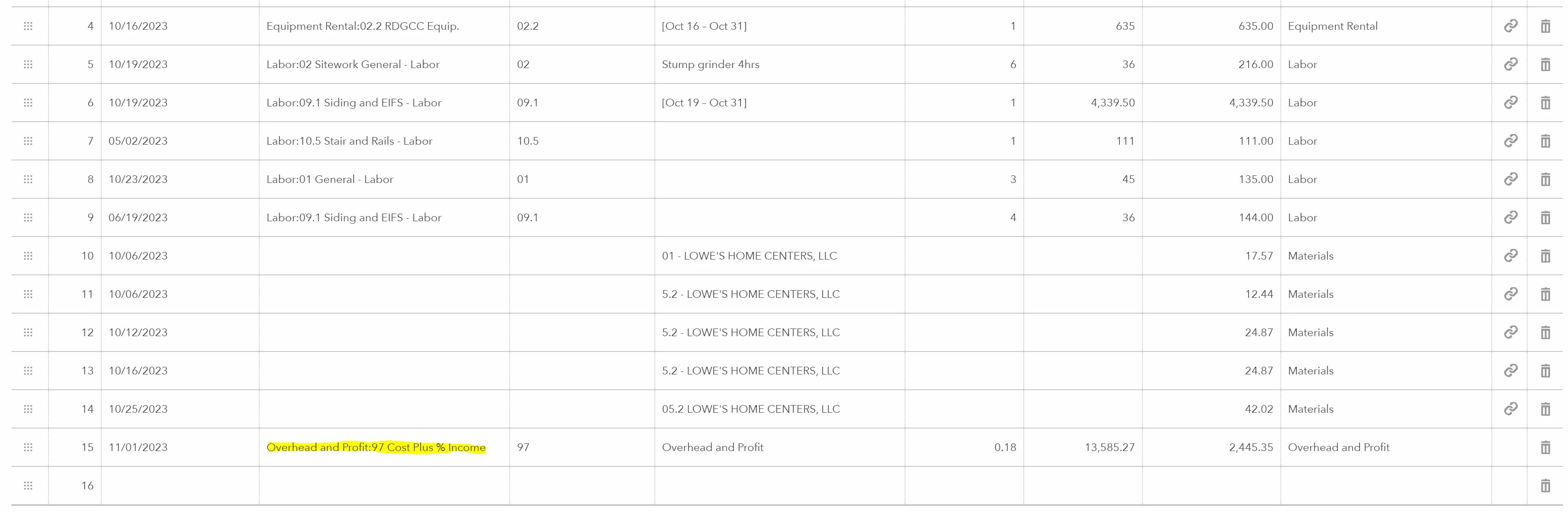
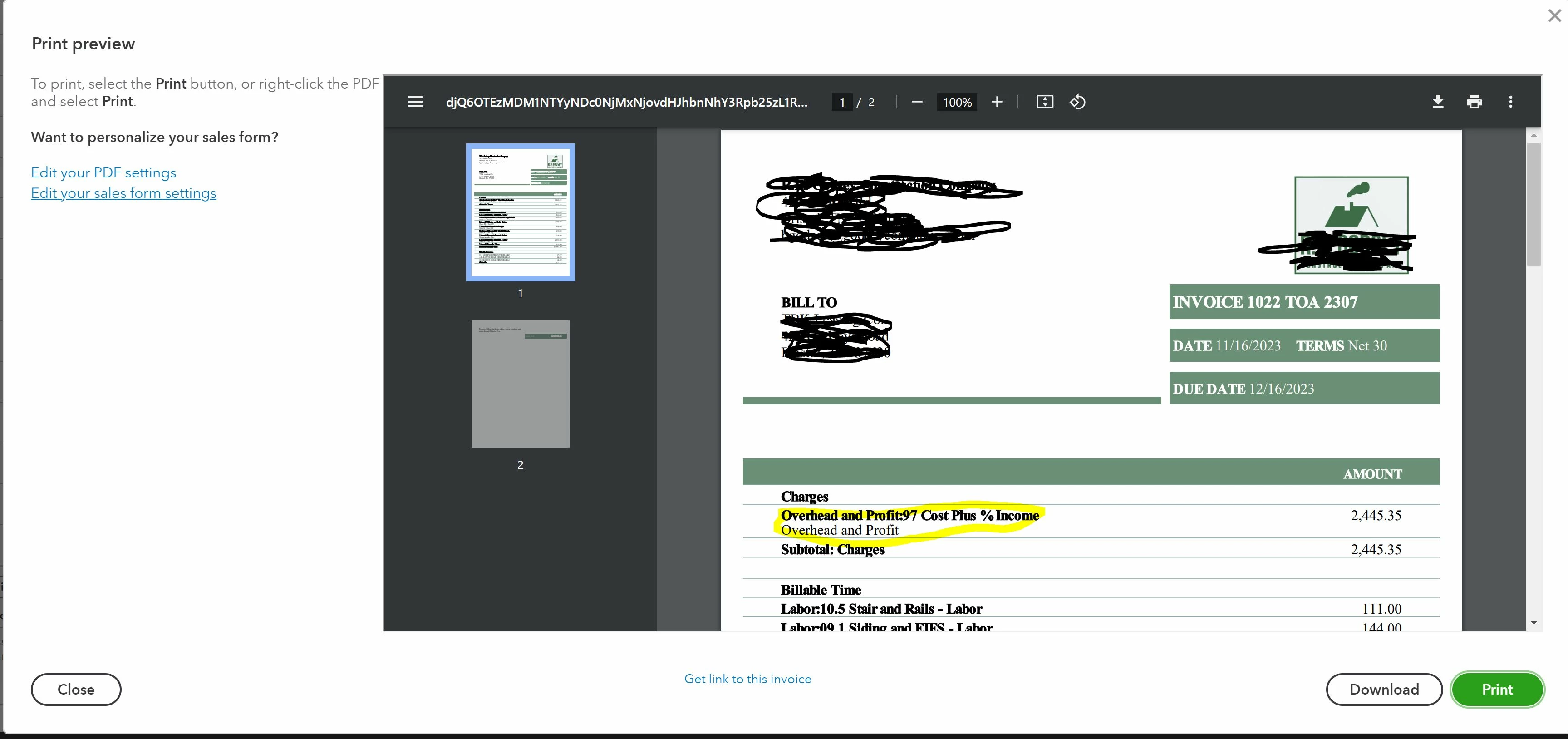
I am trying to keep my line items within an invoice in a certain order, but when I go to print said invoice, they have all moved to different places. Is there a way to ensure that my Time, Expenses, and Charges do not move when I go to print and deliver to the customer. For example: my Overhead and Profit is classified as "Charges," while my labor items are classified as "Billable Time." I like to have Overhead and Profit at the end because it is a summation of all the other items with a percentage markup. Therefore, I click the drag option on the left to bring the Overhead and Profit to the bottom, but when I go to print it appears at the top. What is my best course of action to solve this? (see attached photos for further information)