Hello there, @Minhaz_786. I appreciate you for sharing the details of your concern about correctly showing the income account in your profit and loss report. Let me help you achieve this goal seamlessly.
In QuickBooks Online (QBO), once you've successfully modified the account types and detail types in your COA, it should also update the data shown in your reports. You can check out these articles for more insights about COA:
Since this isn't your case, I'll share some troubleshooting steps to solve this issue. We can start by logging out of your account and logging back in, as it will help refresh the data in your account. After refreshing your company file, I suggest reviewing the account in question to verify if it is correctly set up as an income account. Then, open your profit and loss report to see if it's now showing correctly.
If the issue persists, I recommend accessing your QBO account through an incognito window. The private window will not save any history, making it a good place to identify browser problems. Here are the shortcut keys:
- Google Chrome: press Ctrl + Shift + N
- Mozilla Firefox: press Ctrl + Shift + P
- Safari: press Command + Shift + N
Once you're in incognito mode, visit the website again to log into your QBO account. If it works, you can go back to your regular browser and clear the cache to improve the program's performance. Otherwise, using other supported browsers can be a good alternative too.
Regarding the negative balance of your account, please note that its balance will depend on the transactions you have associated with the corresponding account. If you want to display the full details of the transaction, simply click the negative amounts in the Account QuickReport.
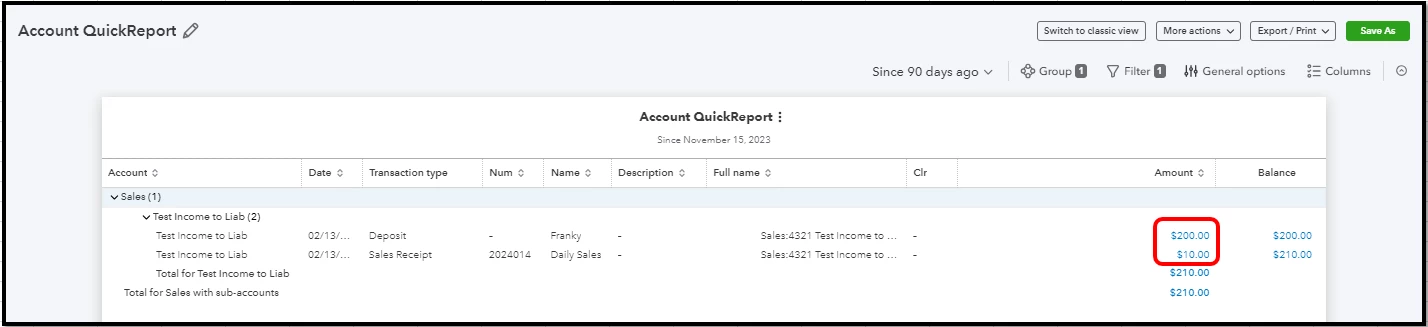
Additionally, you can focus on the details that matter the most to you when you pull up reports in QBO. If you wish to know more about this process, I'd recommend checking out this article: Customize reports in QuickBooks Online.
That should do it! Please let me know how it goes or if I can be of additional assistance with running your reports by leaving a comment. I'm more than happy to lend a helping hand. Have a great day ahead!

