
Solved
I accidentally marked an invoice as paid. How can I undo it?
Original commenter did not share additional details

Welcome to the Community, amydbreslow.
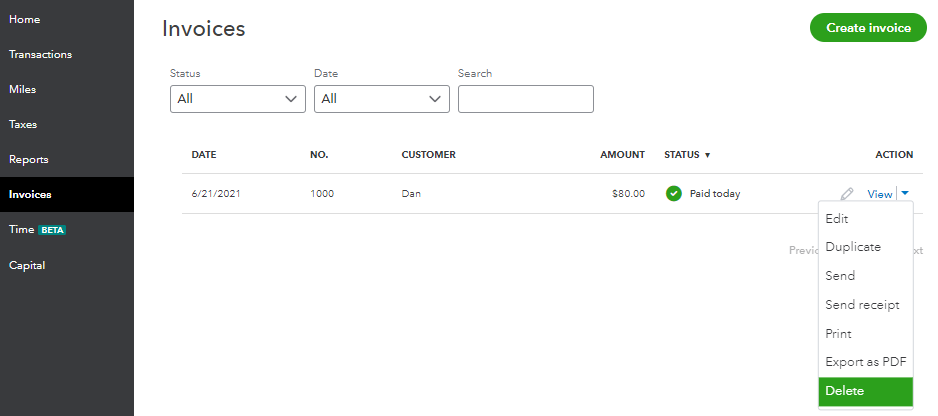
In QuickBooks Self-Employed (QBSE), once an invoice is marked as paid, there isn't a way to undo it. Thus, you'll need to delete the invoice and recreate it.
Here's how to delete the paid invoice:
All you need to know about managing invoices can be found in this article: Create invoices in QuickBooks Self-Employed.
Also, let me share these easy-to-access articles, webinars, and video tutorials that will help you in familiarizing the different tasks, features, and functions of QBSE. Below are the following:
The Community is always open if you have other questions while working on invoices. I'll be around to help. Wishing you a great day ahead!
Enter your E-mail address. We'll send you an e-mail with instructions to reset your password.