October 22, 2021
Solved

I'm trying to pay a bill. After clicking "copy to bill" I do not see "print checks". All I see is "schedule payment. How can I remove schedule payment and pay by check

  • October 22, 2021
  • 1 reply
  • 0 views
I do not want to pay the bill online. I want the bill to show up in "print checks"
Best answer by Mark_R

Hi there, @Jennifer529.


I want to make sure you can print checks when paying bills in QuickBooks Online (QBO).


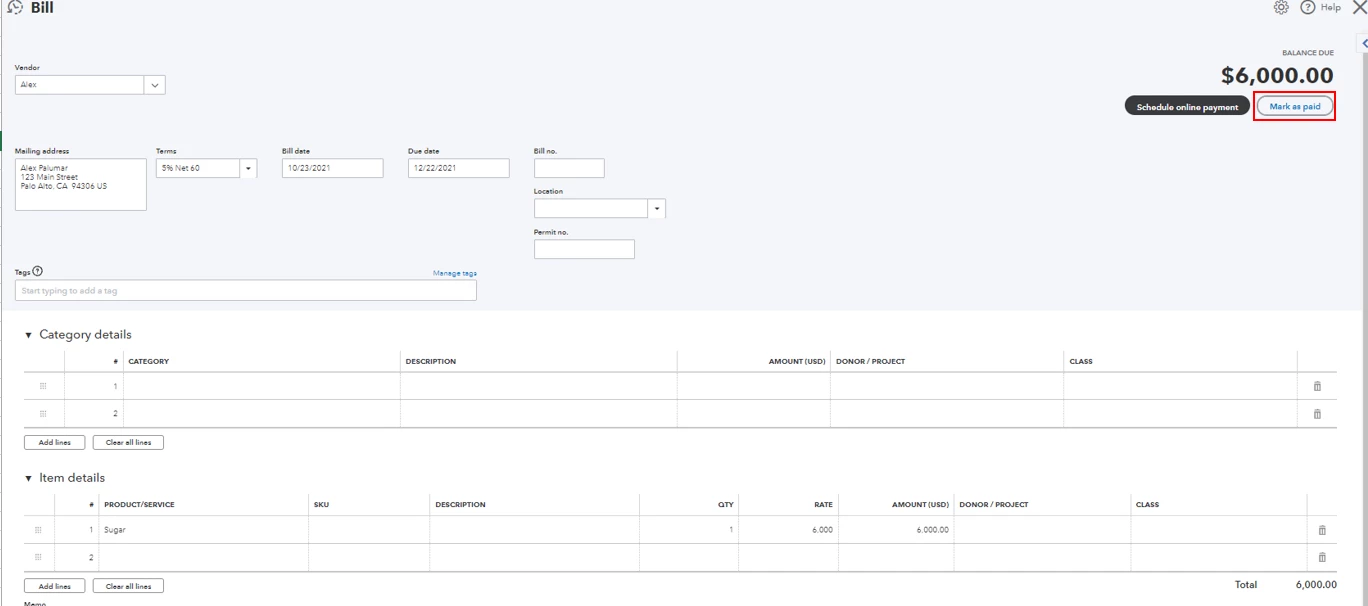
Before anything else, please know that the Schedule online payment option is a new feature in QBO. However, you can still pay your bills through checks. You'll just need to click the Mark as paid button. This will route you to the Bill Payment window. From there, select the bills you want to pay and select Print check at the bottom of the page. I'll attach screenshots below for your visual reference.
I'm also adding these articles for more guidance:


You might want to review all your vendor transactions in the future. You can go to the Expenses menu and select Vendor. From the Transactions List tab, you'll see all your transactions for a specific vendor.


It’s nice to work with you, @Jennifer529. Don't hesitate to click the Reply button below if you need further assistance paying bills in QBO. I'm always around if you need any help.

1 reply

Mark_RAnswer
October 22, 2021

Hi there, @Jennifer529.


I want to make sure you can print checks when paying bills in QuickBooks Online (QBO).


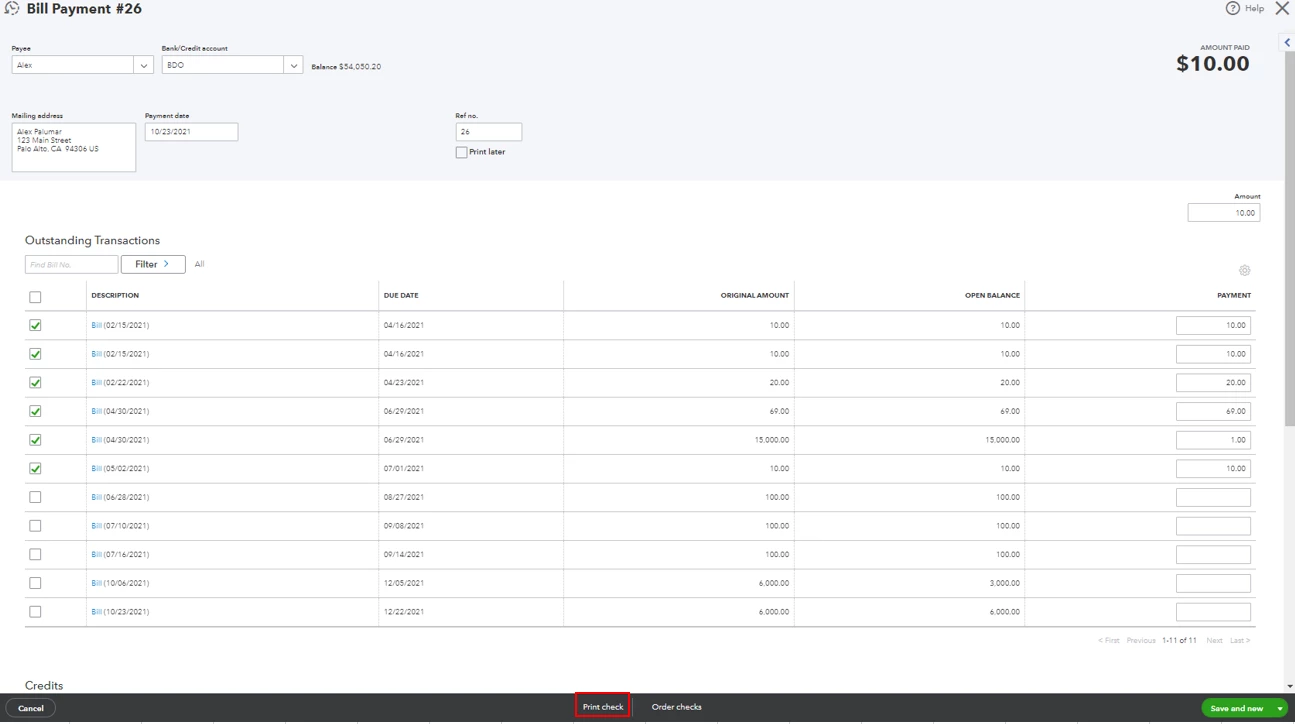
Before anything else, please know that the Schedule online payment option is a new feature in QBO. However, you can still pay your bills through checks. You'll just need to click the Mark as paid button. This will route you to the Bill Payment window. From there, select the bills you want to pay and select Print check at the bottom of the page. I'll attach screenshots below for your visual reference.
I'm also adding these articles for more guidance:


You might want to review all your vendor transactions in the future. You can go to the Expenses menu and select Vendor. From the Transactions List tab, you'll see all your transactions for a specific vendor.


It’s nice to work with you, @Jennifer529. Don't hesitate to click the Reply button below if you need further assistance paying bills in QBO. I'm always around if you need any help.


October 24, 2021

It worked.  Thank you so much