March 5, 2019
Solved

Is it possible to add a line item that was inadvertently left out of an existing budget in QB 2016?

  • March 5, 2019
  • 1 reply
  • 0 views

We created our FY 18-19 budget in Quickbooks 2016 on July 1, 2018. We are just now discovering that we needed an additional line item under our Material & Services to reflect "Outside District Services". Is it possible to ADD a line item to an existing budget?


Thank you for any assistance you can provide. I am losing my mind trying to find the answer. 

Best answer by Angelyn_T

Hi there, @RR36452.


It's my pleasure to help you add an account line to your existing budget in QuickBooks Desktop (QBDT).


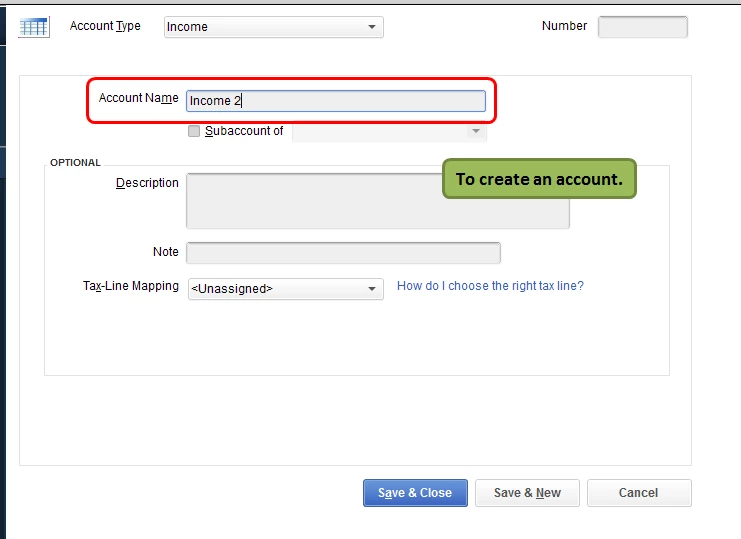
If you're referring to adding an account line to your existing budget, you may create a new account in the Chart of Accounts if the account wasn't added yet.


  1. Go to Lists.
  2. Select Chart of Accounts.
  3. Click New.

To add the account line, you may edit the budget created.


  1. Go to Company.
  2. Select Planning and Budgeting.
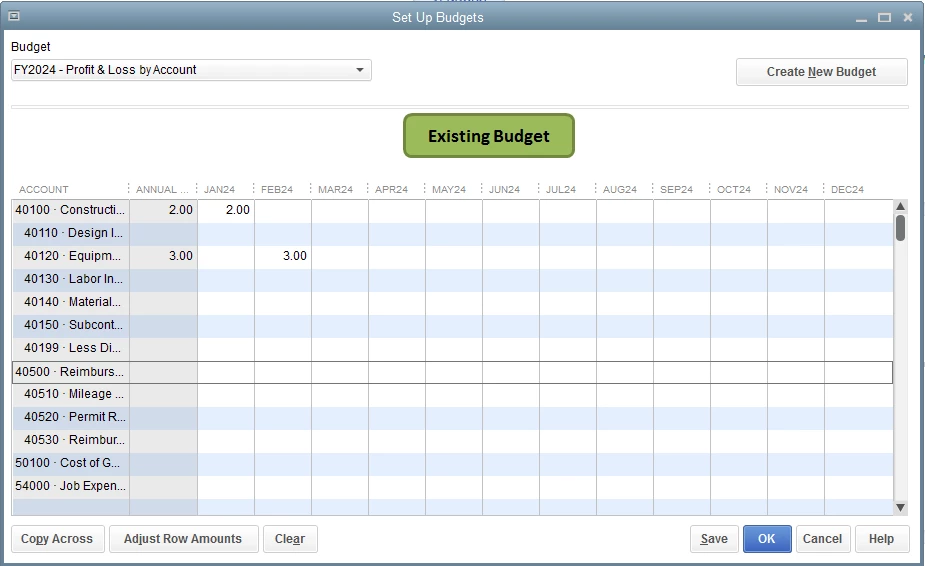
  3. Click on Set up Budgets.
  4. Select the budget created.
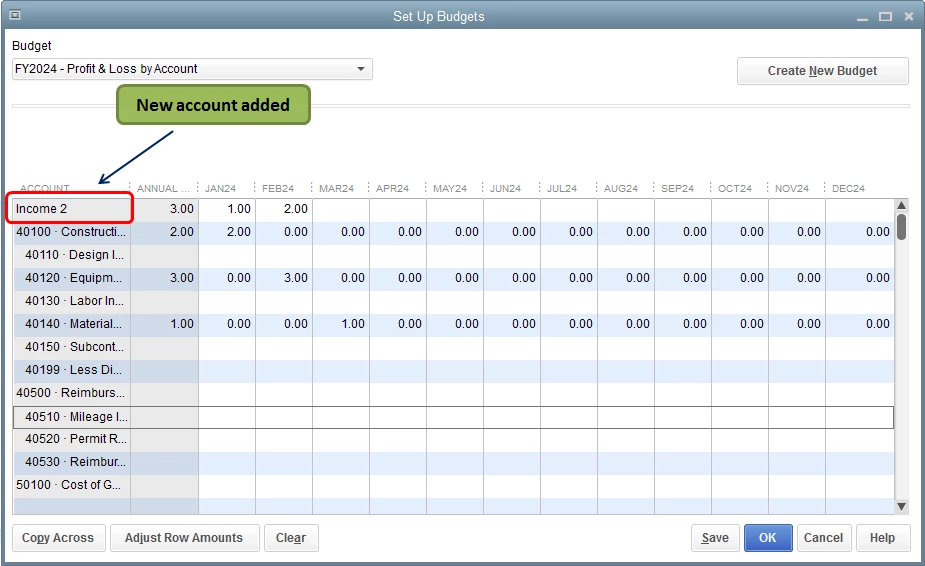
  5. The new account created was now added under the Account column.

To know more about creating budgets in QBDT, you can check this article: Create a budget or forecast in QuickBooks Desktop.


Keep me posted if you have any other questions about budgets, I'll be right here to help you. Have a good one!

1 reply

Angelyn_T
Angelyn_TAnswer
March 5, 2019

Hi there, @RR36452.


It's my pleasure to help you add an account line to your existing budget in QuickBooks Desktop (QBDT).


If you're referring to adding an account line to your existing budget, you may create a new account in the Chart of Accounts if the account wasn't added yet.


  1. Go to Lists.
  2. Select Chart of Accounts.
  3. Click New.

To add the account line, you may edit the budget created.


  1. Go to Company.
  2. Select Planning and Budgeting.
  3. Click on Set up Budgets.
  4. Select the budget created.
  5. The new account created was now added under the Account column.

To know more about creating budgets in QBDT, you can check this article: Create a budget or forecast in QuickBooks Desktop.


Keep me posted if you have any other questions about budgets, I'll be right here to help you. Have a good one!

RR36452Author
March 5, 2019

Oh my gosh! I'm a noob! lol THANK YOU SO MUCH!!!! You and Lynda, both, saved my sanity! :) I am forever grateful!