
Solved
Is there a field to have the clients email address show on invoices?
Original commenter did not share additional details

Thanks for dropping by the Community, @nicole11.
I can help add your client’s email address on an invoice in QuickBooks Online.
At this time, there is no automatic way to add the customer’s email address on a transaction. You have to manually enter it when creating an invoice.
There are two ways to do this: Set up a custom field or input the email information on the Billing address section.
The first workaround is to add the details on the customer’s profile. Here’s how:
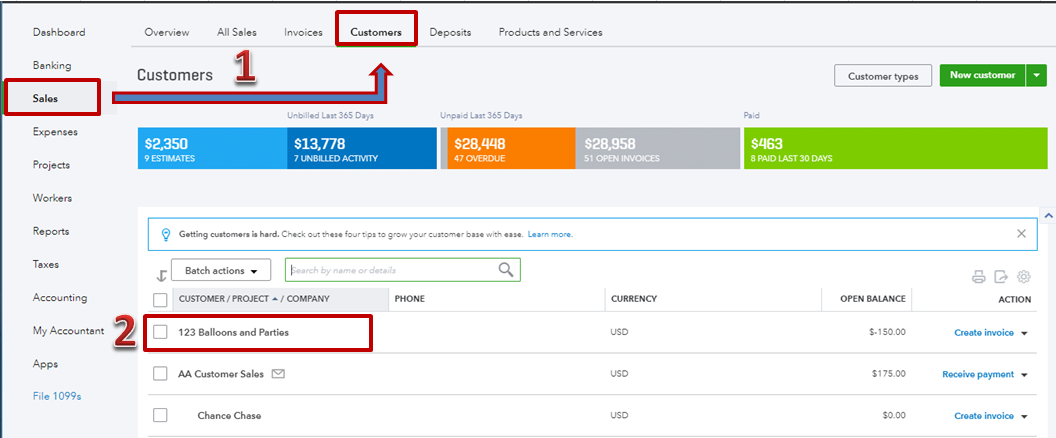


The other option is to create a separate field for the email address. Let me show you how:

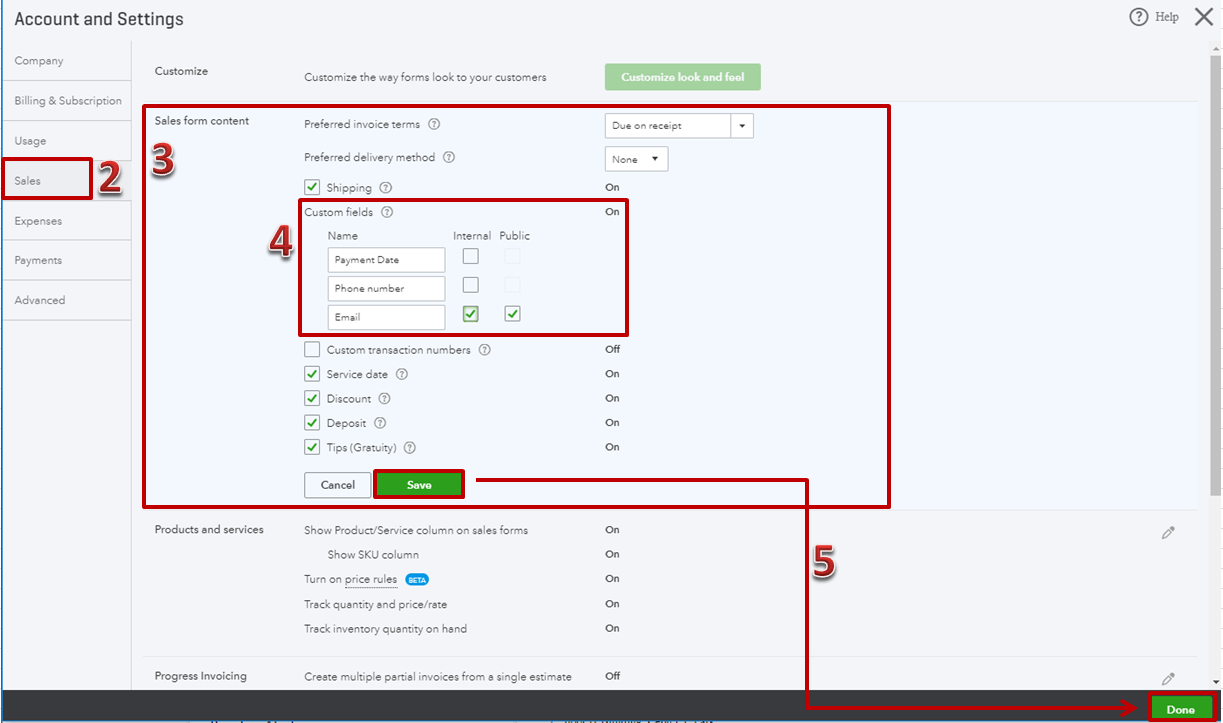
For more information, check out this article: Add custom fields to invoices.
That should do it. Touch base with me here if you have any questions, I’m more than happy to help. Cheering you to continued success!
Enter your E-mail address. We'll send you an e-mail with instructions to reset your password.