Solved
Is there a way to make my customized invoice the default invoice when I use the quick invoice link under the new tab?
Also, can I shut off the payment methods or do I have to turn them off every time I create an invoice?


Yes, there is, @msalamone-buholt.
You'd be glad to know that it only takes a few clicks to make your customized template your default template for your invoice. I'd be delighted to guide you through the steps.
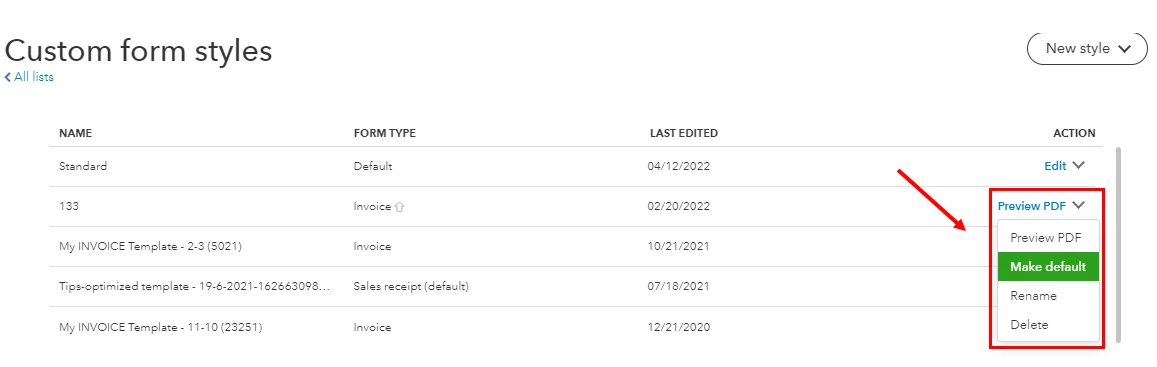
You can also check Step 7 in this article for more details about this: Customize invoices, estimates, and sales receipts in QuickBooks Online.
In regards to turning off your payments methods, you can refer to the steps outlined in this resource for guidance: Add, edit, or disable a credit card.
Once you're all good to go, you might want to utilize this article that can help you manage your customer payments: Record invoice payments in QuickBooks Online.
I'm always here if you need more help with your invoice and QBO. Simply tag me in your reply and I'll get back to you as soon as I can. Have a wonderful day ahead!
Enter your E-mail address. We'll send you an e-mail with instructions to reset your password.