Solved
Is there a way to see indication of attachment to vendor/transactions without opening the transaction or the edit vendor screen?
Original commenter did not share additional details


It's nice to have you here in the Community, @kroehner-yurconi.
Yes, there's an indication of attachments that are linked to your transactions or vendor names. You can identify it without opening your transaction or the vendor profile through the Attachments column. I'll guide you on how.
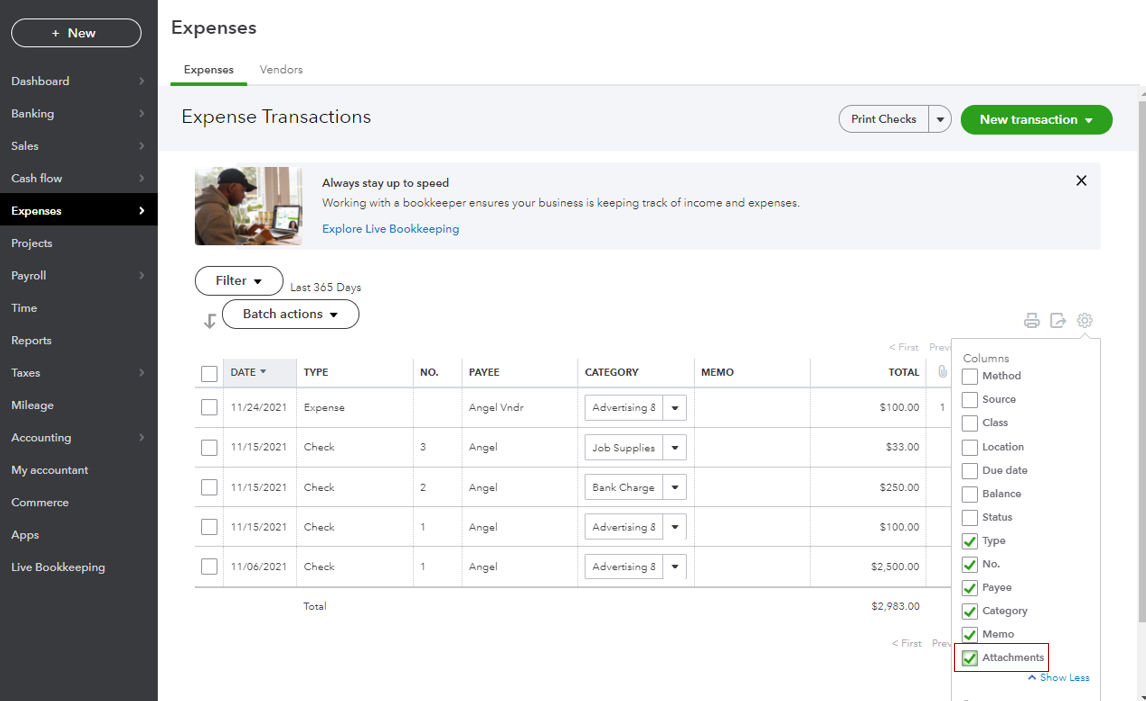
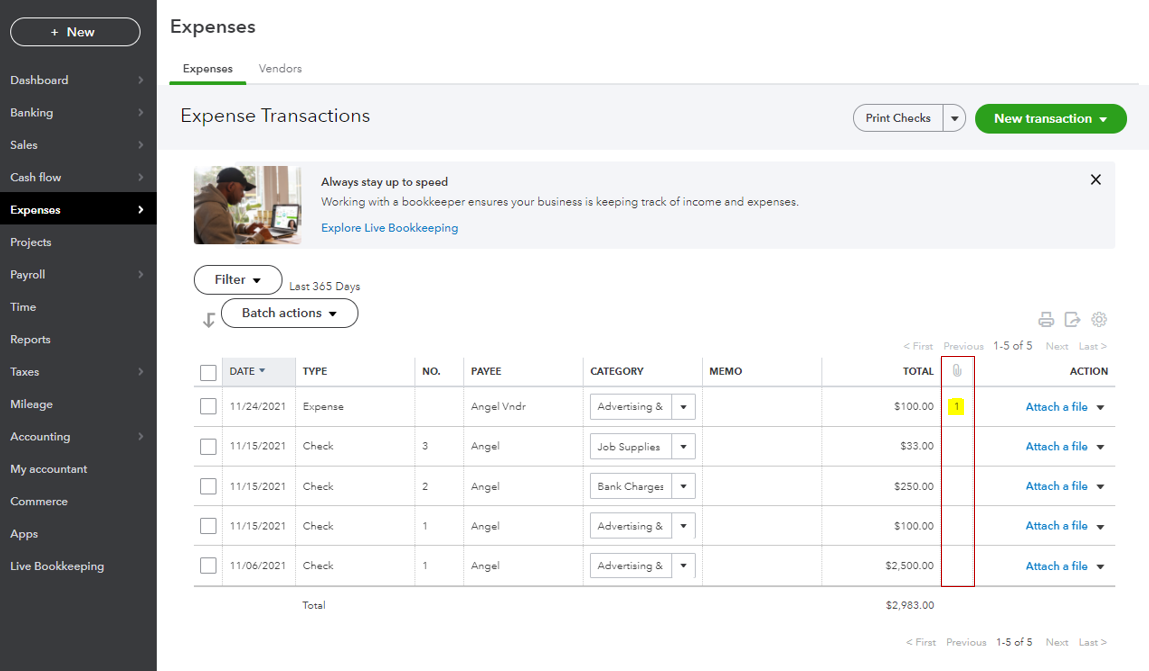
Once done, add the same column for your vendor lists.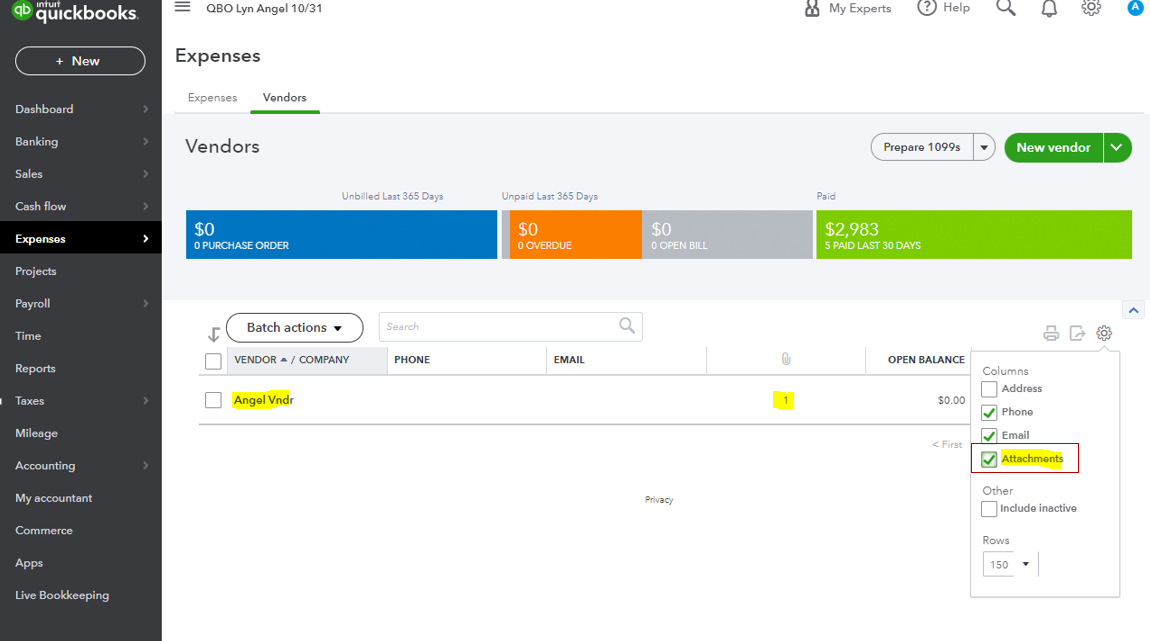
I'm adding this link to learn more about attachments: Attachments in QuickBooks Online.
On the other hand, here's how you can keep track of your expenses and other vendor entries in the future: Enter expenses, pay bills, write checks, and manage suppliers.
If you have any other questions about the attachments indications' to your transactions or vendor profiles, let me know by adding a comment below. I'm more than happy to help. Wishing you a good one!
Enter your E-mail address. We'll send you an e-mail with instructions to reset your password.