

January 3, 2024
Question

Issue Categorizing PayPal Transactions

  • January 3, 2024
  • 1 reply
  • 0 views

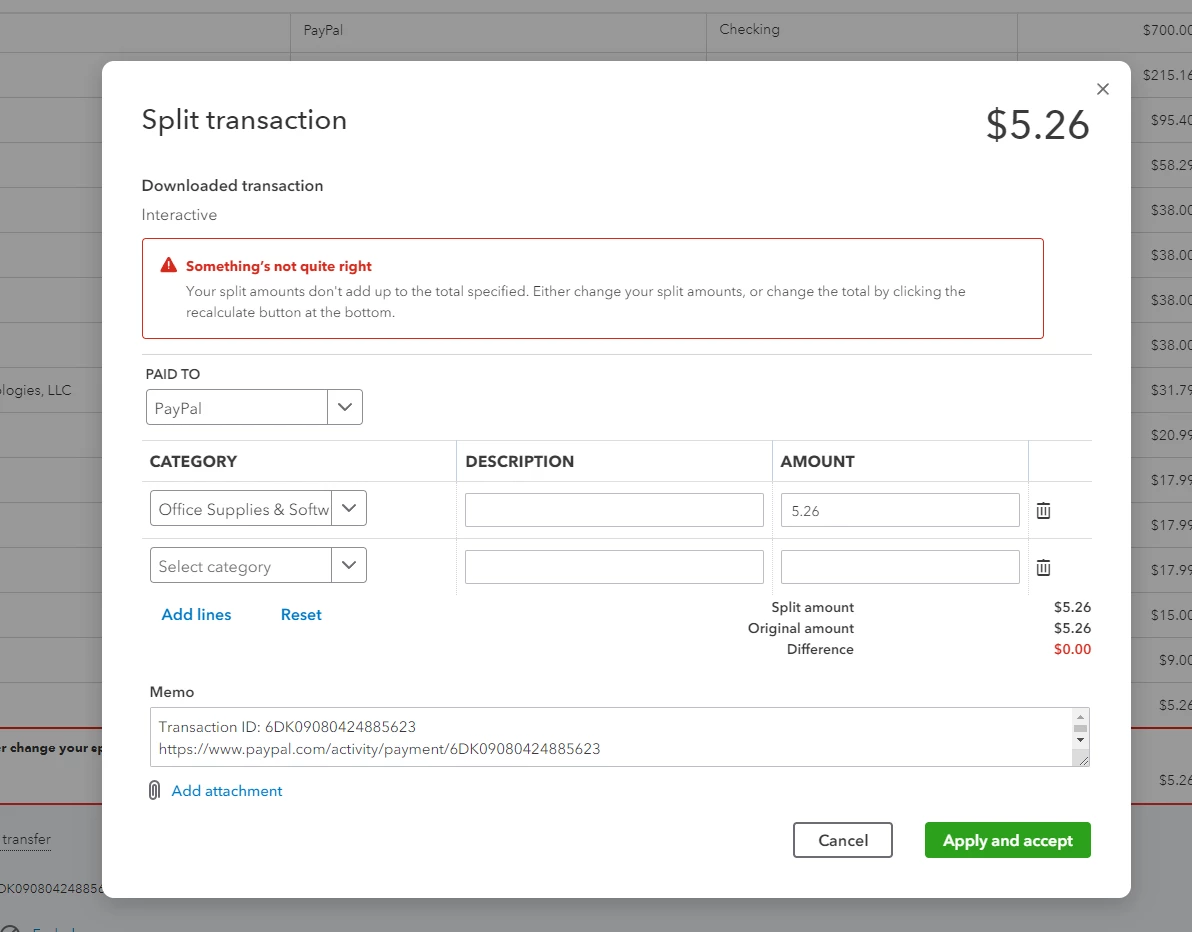
I stumbled across a weird issue on Quickbooks with my PayPal transactions for both of my businesses books.


Trying to categorize some transactions pop up with this error "Your split amounts don't add up to the total specified. I then proceed to edit the split and it shows that the numbers match but it still throws the same error. 


Any insight on this would be appreciated.
 

1 reply

Clark_B
January 3, 2024

Welcome to the Community, @ToastyMatt.


Currently, we have an ongoing investigation (INV-96772) about Split PayPal Transactions that are not categorizing the way they were added. Rest assured that our engineers are doing their best to fix it as soon as possible.


 I understand the importance of categorizing PayPal Transactions in QuickBooks Online (QBO). For now, it is best to contact our QuickBooks Online Support Team so they can include you in the list of affected users. This way, they will be able to notify you as soon as any solution is available.


Here's how:


  1. Go to Help.
  2. Select the Search tab, then choose Contact Us.
  3. Type in your issue or concern in the field.
  4. Hit Continue.
  5. Click the Chat or Callback option.


You can contact us from Mondays to Fridays, 6 AM to 6 PM PT, and Saturdays, 6 AM to 3 PM PT.


For more detailed steps, please refer to this article: QuickBooks Online Support.


I will also add this article to guide you in matching your bank and credit card statements: Reconcile an account in QuickBooks Online.


Please feel free to leave a comment below, if you have further concerns about Split Transactions or other QBO-related concerns. I'll be here to assist you.
