January 24, 2023
Solved

My business is online, I do not own a vehicle and do not need to.Tax filing seems to have a mandatory step with a pre vehicle configured. How can I remove it?

  • January 24, 2023
  • 1 reply
  • 0 views
Original commenter did not share additional details
Best answer by KlentB

Thanks for checking out the Community space, thomas-seillan-g. I'm here to ensure that you can file taxes smoothly.


Currently, there isn't a way to bypass this process. QuickBooks Self-Employed requires you to enter vehicle information to complete your tax return. 


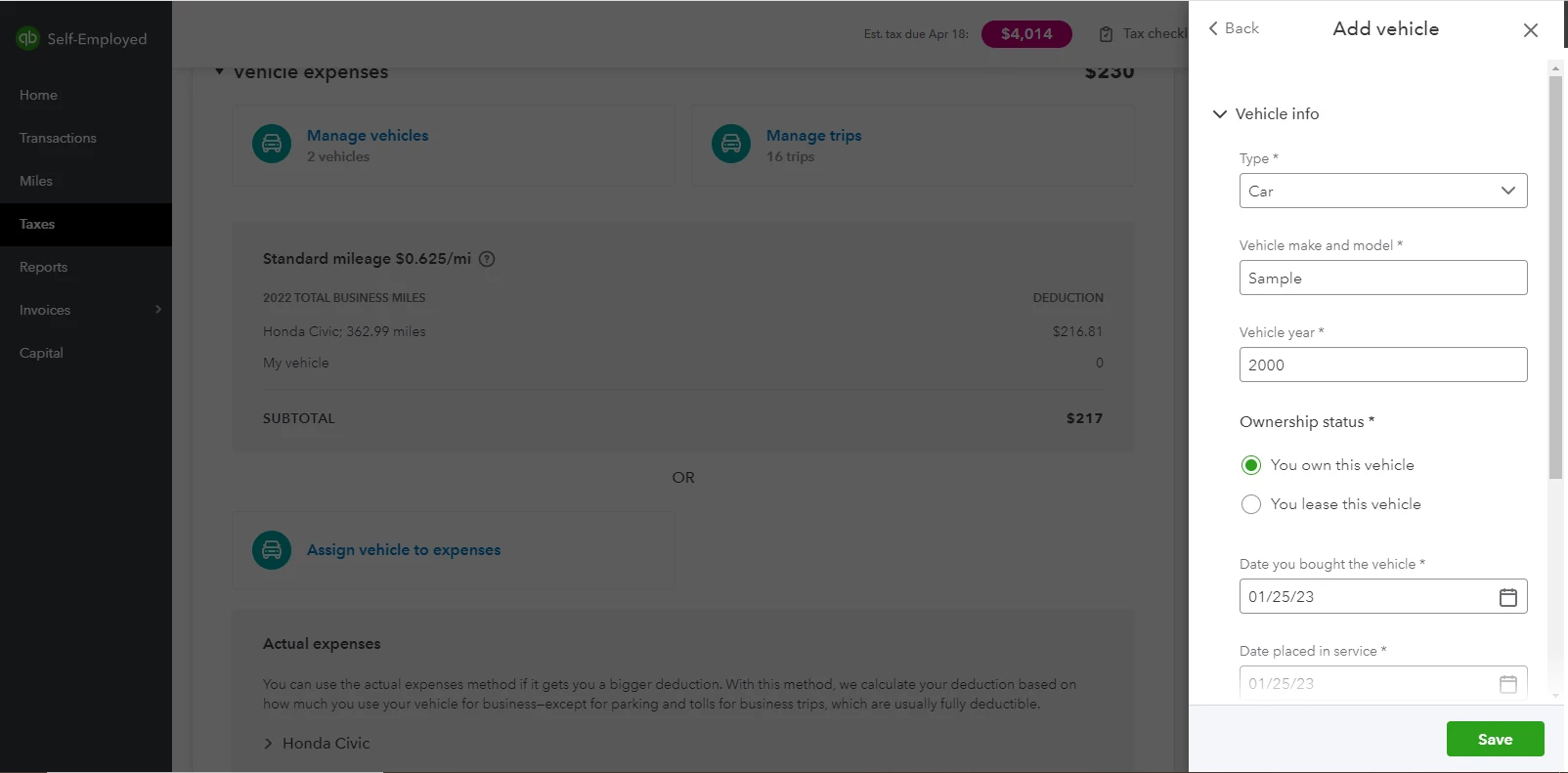
Since you don't use or own one, you'll want to enter sample or dummy details. This won't affect your estimated taxes since there are no vehicle-related expenses categorized and trips entered in the program. Here's how:


  1. Click the Profile icon, then choose Vehicle info.
  2. Pick a tax year, then add the name and year of the vehicle.
  3. Set the cost and estimated business miles to zero.
  4. Select an ownership status, then fill out the other necessary fields.
  5. When you're done, hit Save.


Additionally,  I recommend reading our QuickBooks Self-Employed Annual Tax Guide for self-employed individuals, freelancers, and independent contractors to help you prepare for the tax season.


You can ask for further questions about year-end activities by leaving a message on this thread. I'm always here to assist you. Have a nice day, thomas-seillan-g!


1 reply

KlentB
KlentBAnswer
January 24, 2023

Thanks for checking out the Community space, thomas-seillan-g. I'm here to ensure that you can file taxes smoothly.


Currently, there isn't a way to bypass this process. QuickBooks Self-Employed requires you to enter vehicle information to complete your tax return. 


Since you don't use or own one, you'll want to enter sample or dummy details. This won't affect your estimated taxes since there are no vehicle-related expenses categorized and trips entered in the program. Here's how:


  1. Click the Profile icon, then choose Vehicle info.
  2. Pick a tax year, then add the name and year of the vehicle.
  3. Set the cost and estimated business miles to zero.
  4. Select an ownership status, then fill out the other necessary fields.
  5. When you're done, hit Save.


Additionally,  I recommend reading our QuickBooks Self-Employed Annual Tax Guide for self-employed individuals, freelancers, and independent contractors to help you prepare for the tax season.


You can ask for further questions about year-end activities by leaving a message on this thread. I'm always here to assist you. Have a nice day, thomas-seillan-g!

January 26, 2023

Thank you for your answer @KlentB I could finish the process. Have a nice day as well!

KlentB
January 26, 2023

You're always welcome, thomas-seillan-g.
 

I'm glad that my recommendation was able to help you get through your current situation. It warms our hearts when we receive positive messages from our valued customers.


The QuickBooks Community will always be around to lend you a hand any time you need guidance. Looking forward to assisting you again.