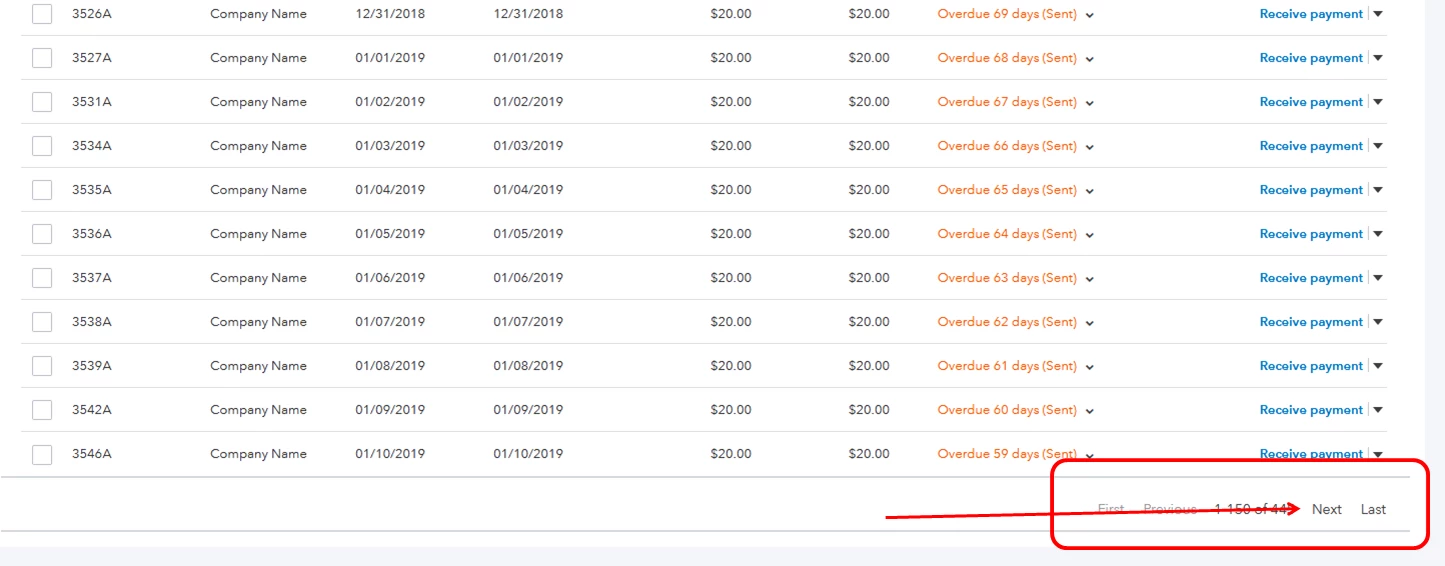
You can go to the next page to see the rest of the invoices, cindyalmon.
If you're in the Invoices tab under the Sales menu, scroll down to the bottom of the page and click Next or Last. That will give you the remaining invoices that aren't shown in the first page.
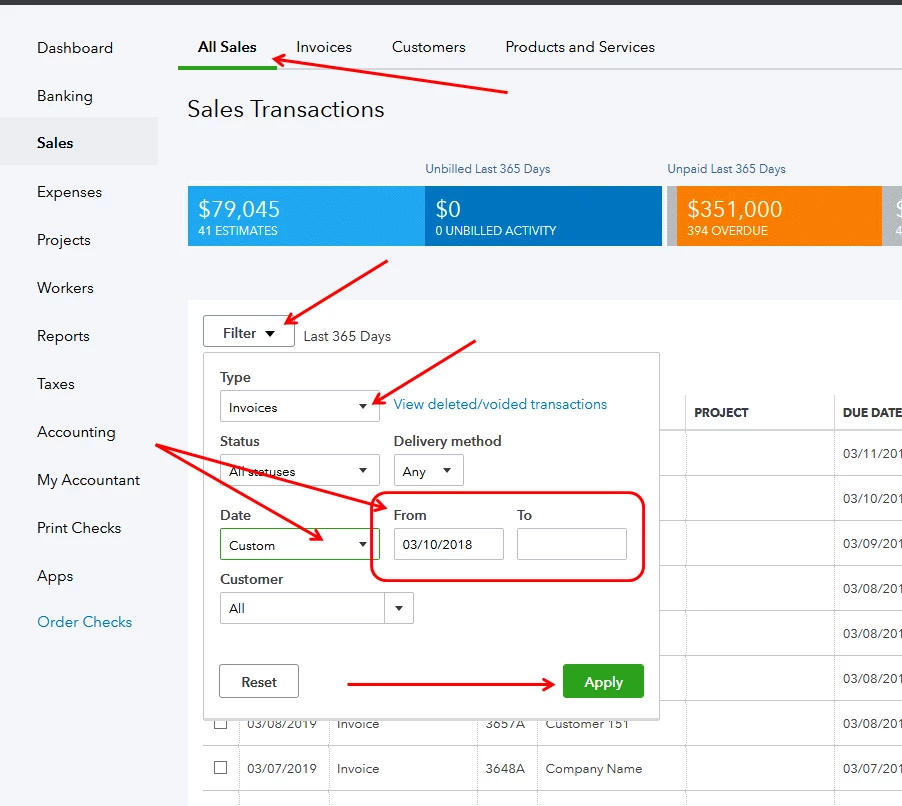
You can also go the All Sales tab and filter the view to show all invoices. Here's how:
- Click the drop-down list for Filter.
- Select Invoices under Type, then select Custom under Date.
- Enter the desired dates and click Apply.
You can also view the screenshots below for more details. Let me know if you need anything else.