
May 4, 2021
Solved

New vendor report

  • May 4, 2021
  • 1 reply
  • 0 views

Is there a report to run in QBO Advanced to show new vendors added?

Best answer by JoesemM

I want to officially welcome you to the Community space, @JayB14.


Yes, you can run the Vendor Contact List report and filter the created date. This way, you can view the newly added vendor. Let me guide you how:
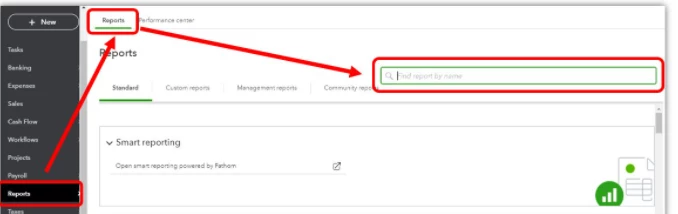
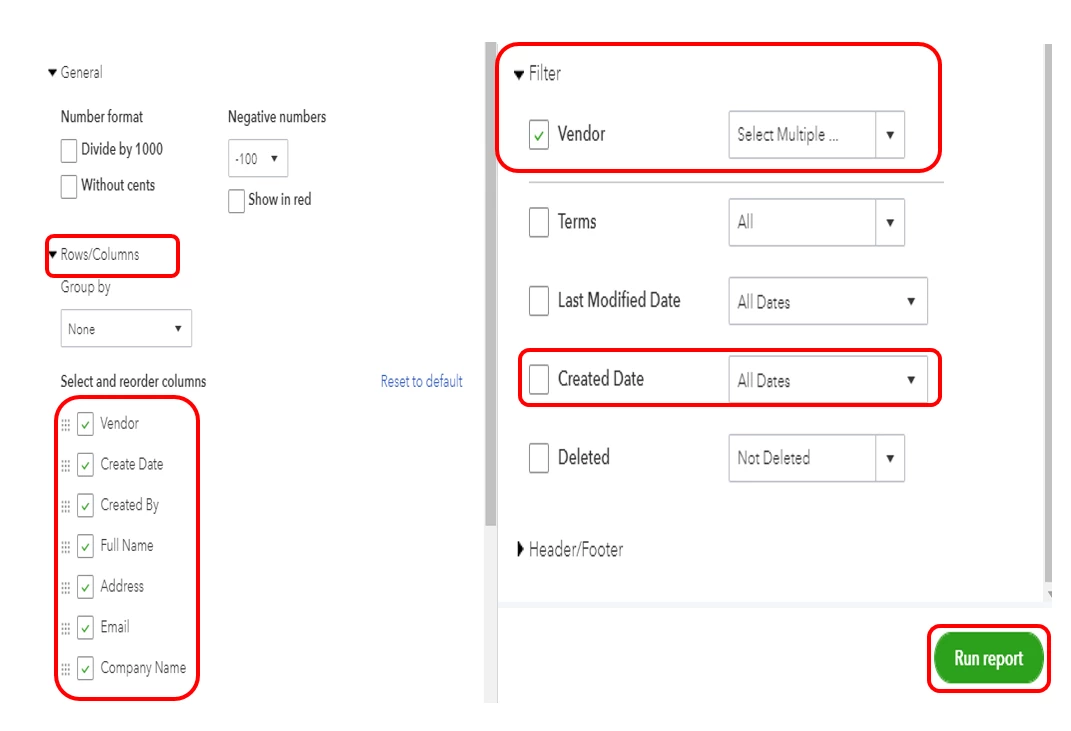
 

  1. Go to the Reports menu and search Vendor Contact List in the search box.
  2. Click the Customize button.
  3. In the Rows/Columns, select Create Date and other columns.
  4. In the Filter column choose Vendor.
  5. Select the newly created vendor.
  6. Hit Run report.

I'm adding this article for more information: Run reports in QuickBooks Online.


You might also want to check out this article to learn more about customizing reports in QuickBooks Online: Customize reports in QuickBooks Online.


Also, you can check this article to learn how to view your transactions with your vendors: View vendor transactions.


Please visit our Community forums again if you have other questions for QuickBooks Online, managing vendors, and running reports. I'm always around if you need any help. Have a great day!

1 reply

JoesemM
JoesemMAnswer
May 4, 2021

I want to officially welcome you to the Community space, @JayB14.


Yes, you can run the Vendor Contact List report and filter the created date. This way, you can view the newly added vendor. Let me guide you how:
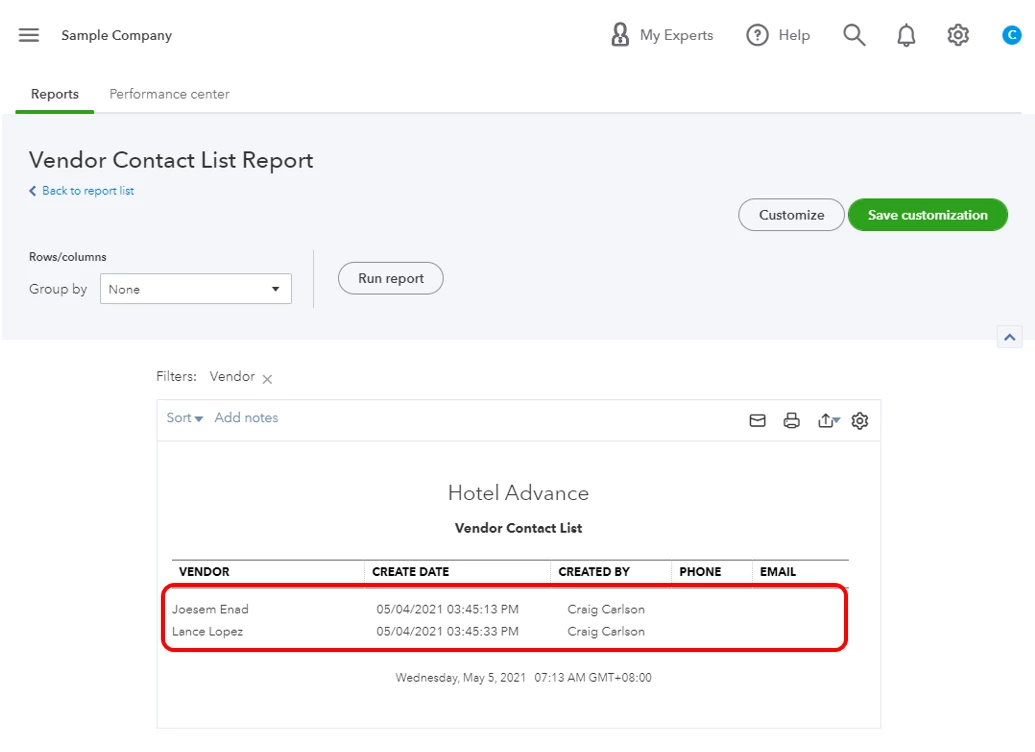
 

  1. Go to the Reports menu and search Vendor Contact List in the search box.
  2. Click the Customize button.
  3. In the Rows/Columns, select Create Date and other columns.
  4. In the Filter column choose Vendor.
  5. Select the newly created vendor.
  6. Hit Run report.

I'm adding this article for more information: Run reports in QuickBooks Online.


You might also want to check out this article to learn more about customizing reports in QuickBooks Online: Customize reports in QuickBooks Online.


Also, you can check this article to learn how to view your transactions with your vendors: View vendor transactions.


Please visit our Community forums again if you have other questions for QuickBooks Online, managing vendors, and running reports. I'm always around if you need any help. Have a great day!

JayB14Author
May 6, 2021

Thanks, the additional filtering information by the Create date is what i needed to finalize my customization.  Appreciate the very detailed and visual steps.
