October 21, 2020
Solved

Payroll reports won't generate?

  • October 21, 2020
  • 2 replies
  • 0 views

New to QBO and also new to using a Mac. I am trying to generate a tax and wage summary. When I select it, it has the "spinner" like it's working, but then the screen is just blank? I can run other reports. I am an admin, but wondered if it's an access issue? Any help is appreciated!

Best answer by Rose-A

Hi, MelanieAStinson.


I've checked and verified that we have reported issues with other users being unable to generate payroll reports.

We've already submitted a ticket about this issue and our Payroll Team is all hands on deck working together for an immediate fix to sort everything out.


While they do, I'd suggest getting in touch with our QuickBooks Desktop Support. This way our engineers can add your account information to the list of affected users and attach your case to the investigation. Any progress will be communicated via email.


In the meantime, as a workaround, you can log into QuickBooks Online via a web browser and access the reports from there.
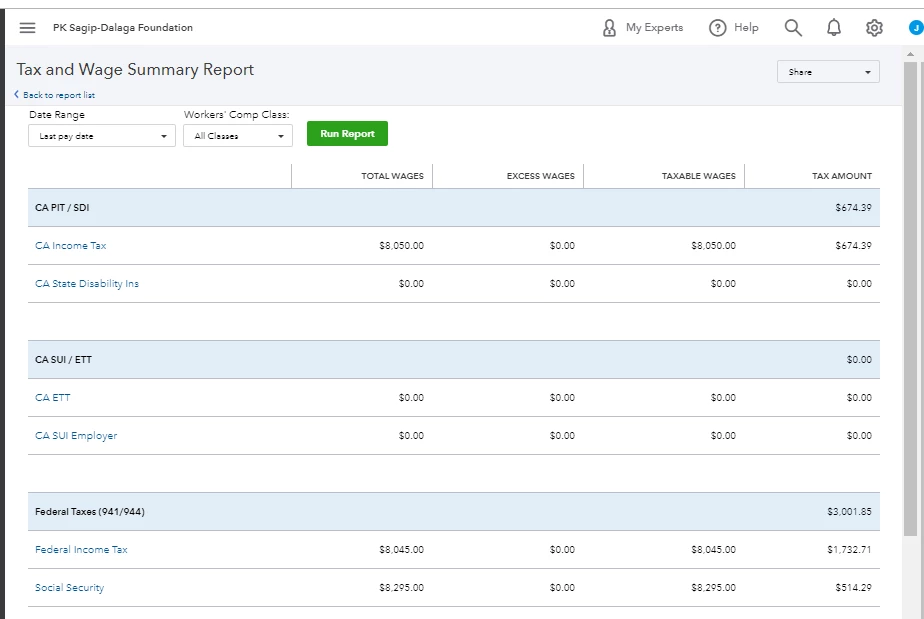


You might the following resources interesting. These will provide you steps on how to print and mark a report as a favorite in QuickBooks Online: Run payroll reports.


Please extend your patience while we're working for the permanent fix. Don't hesitate to drop me a line if you have other QuickBooks concerns. Have a good one.


2 replies

Rose-A
Rose-AAnswer
October 21, 2020

Hi, MelanieAStinson.


I've checked and verified that we have reported issues with other users being unable to generate payroll reports.

We've already submitted a ticket about this issue and our Payroll Team is all hands on deck working together for an immediate fix to sort everything out.


While they do, I'd suggest getting in touch with our QuickBooks Desktop Support. This way our engineers can add your account information to the list of affected users and attach your case to the investigation. Any progress will be communicated via email.


In the meantime, as a workaround, you can log into QuickBooks Online via a web browser and access the reports from there.


You might the following resources interesting. These will provide you steps on how to print and mark a report as a favorite in QuickBooks Online: Run payroll reports.


Please extend your patience while we're working for the permanent fix. Don't hesitate to drop me a line if you have other QuickBooks concerns. Have a good one.

October 27, 2020

I am having the issue in Quickbooks Online where the Payroll report will not generate.  Is there a work around for this issue.  Need to do quarterly payroll taxes.

October 27, 2020

I've got steps and info to ensure you can generate payroll reports in QuickBooks Online (QBO), @kolson0327.


Are you using the QBO desktop app? If so, we have an ongoing investigation (INV-50385) about being unable to generate your payroll reports. Rest assured, our product engineers are actively working to get you back up and running.


For now, you can log in to your account using a web browser as also mentioned by my peer above.

To make sure you'll get added to the list of affected users, I recommend contacting our payroll support team. This way, you'll get updates via email once the fix is available. Before doing so, please check out our support hours guide so they can assist you right away.


If not, please access your account as the Master or Company Admin using a private window. This is to rule out the possibility of a browser-related issue due to stored cache. You can use the shortcut keys below to access one:

  • Ctrl+ Shift + N for Google Chrome .
  • Ctrl + Shift + P for Mozilla Firefox  and Microsoft Edge .
  • Command + Shift + N for Safari

Once done, access your payroll reports again. If it works this time, please clear your browser's cache to delete the piled up files that cause unusual QBO responses. 

Then, go back to your regular browser and do the normal task again. If you get the same outcome, you can use another supported browser instead.


If you want to keep a copy of your payroll reports for future use, you can print or export them. To accomplish this, select either the Export to Excel or Printer Friendly option from the Share drop-down.


I'm always around to lend a hand if you have more questions about managing your payroll reports in QBO. Just tag my name in the comment section so I can assist you further. Take care and have a good one.

February 28, 2021

Any updates?  Just did a fresh install of the latest and greatest Mac version of the desktop QB Online version still will not generate some reports,Payroll Deductions/Contributions,Payroll Summary by Employee, Payroll Details, etc.  

February 28, 2021

Hello there, txgatorboy1.


All reports will generate using the Mac version of QuickBooks Online. To get this sorted out, I suggest resetting the app to refresh the connection. The steps below will guide you through the process of completing the task:


  1. Click Help on the navigation bar at the top.
  2. Select on Reset App Data.
  3. Allow a moment for the process to complete, and then close the app.
  4. Be sure to right-click the app and Run as Administrator when re-opening.


If it persists, let's go ahead uninstalling and reinstalling the application to reload the data. 


To learn more about the payroll report that you can run in QBO, check here


Please comment again if you have any other concerns related to QuickBooks. Take care always.

February 28, 2021

I have uninstalled and reinstalled the mac version 10 times now, did the reset app data 10 times and the reports still will not generate. It spins for a few seconds and then just goes blank.  Other reports work but the ones listed in my post do not.  Also, right clicking on the app using a mac does not provide any option to run as an administrator.  I am using my own computer and this is my business, not farming the QB work out to anyone.