Greetings, @498399.
There's a possibility that the set up of columns and rows is changed. I'd be glad to help you to back your Profit and Loss up and running.
Here's how:
- Go to the Reports tab located on the left side.
- Type Profit and Loss by Class in the search box, then enter.
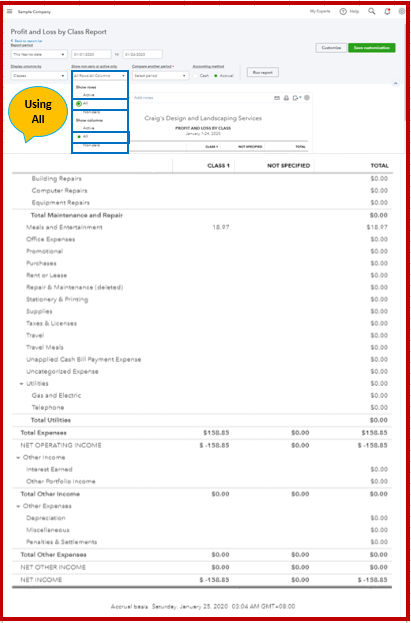
- Click Show non-zero or active only drop-down arrow, then select Active both rows and columns.
- Hit Run Report.
I've attached a screenshot for your reference:

For additional guidance about customizing, please check out this article: Customize report.
To learn more about exporting, you may use this article for your future reference: Export your reports to Excel from QuickBooks Online.
Leave a comment below if you have follow up questions in your account. I'm always here to help. Take good care always!