October 30, 2018
Solved

Profit and Loss report doesn't make sense

  • October 30, 2018
  • 1 reply
  • 0 views

Hello,

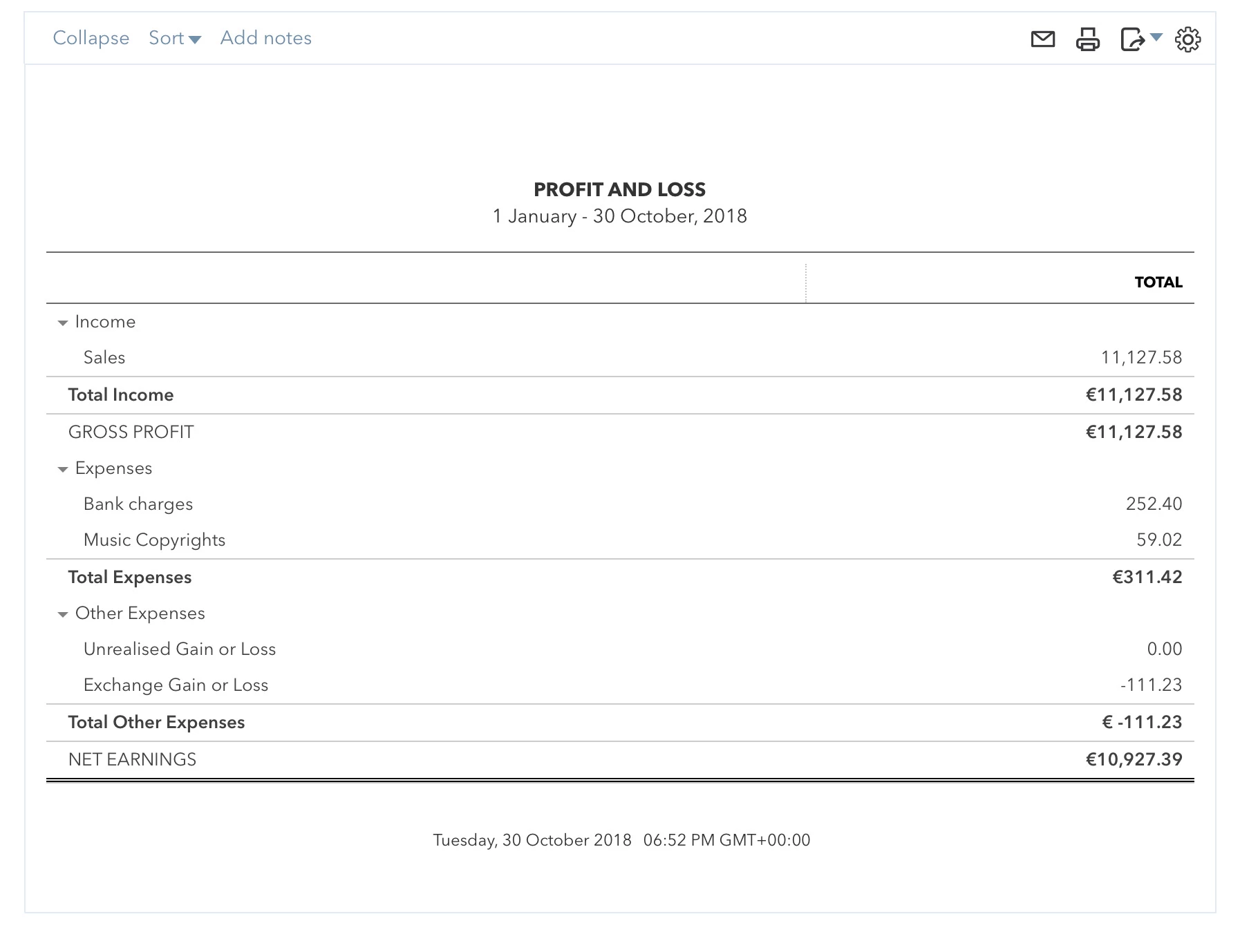
I'm starting to add my invoices, payments and expenses to quickbooks but when I run the Profit and Loss report, it doesn't make any sense... 

If you notice, some of the expenses like (Bank charges, Music Copyrights) don't appear with a negative sign (-). And then it shows Other Expenses that I don't know what they are (those have a negative sign). 

And then the total doesn't make any sense with the numbers showed before.  Am I doing something wrong? Why are my Expenses not showing as negative? If they are expenses they should be negative no? 


Best answer by Rustler
Hi MichaelDL,
 
Thanks for your reply!
 
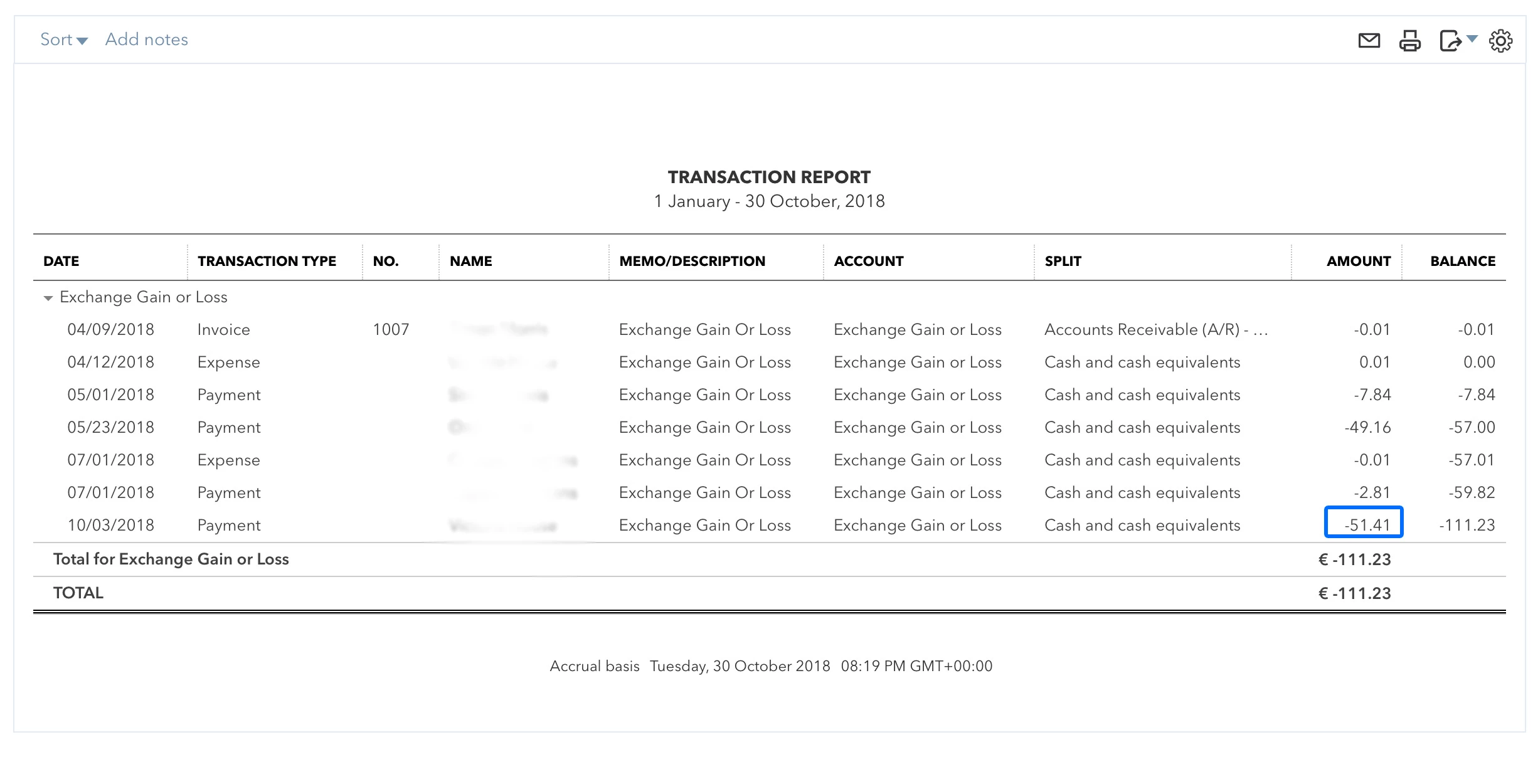
Well I've clicked on those expenses and I get this (sorry I blurred the clients names):


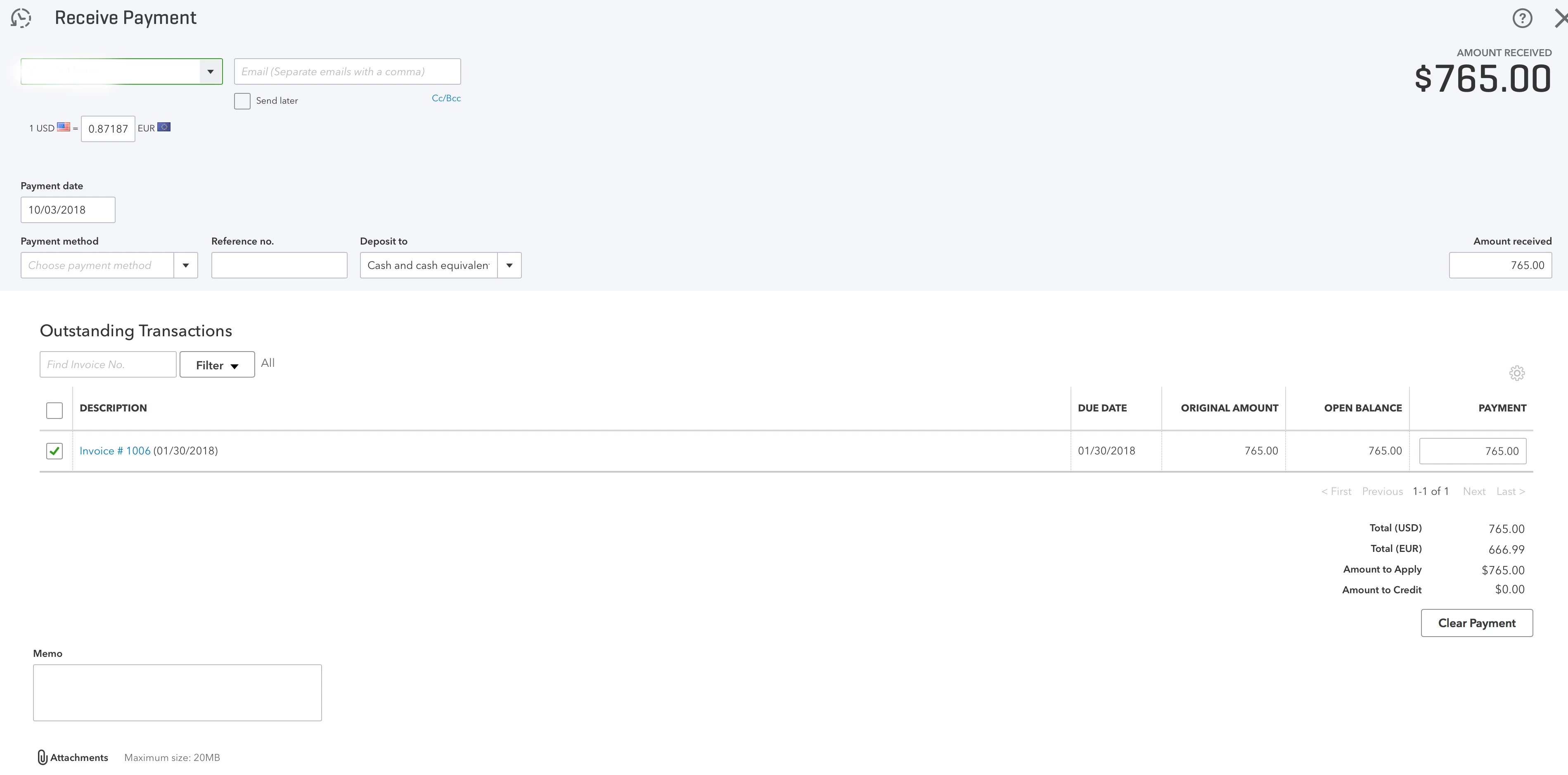
Now I don't recognise any of the transactions. And when I click for example on the last one in Blue it shows this:
 
 
So this invoice doesn't have a anywhere, so why is this showing? 
 
Thanks again for your time Michael!

A negative expense is income, in that account, exchange gain or loss, a negative means you made money on the exchange rate.


that the final balance is negative, means the same thing, the overall effect of the exchange rate made you money

1 reply

DuarteDAuthor
October 30, 2018
This post has been deleted.

Well I'm from Portugal, I believe that would be an expensive call. 

MichaelDL
October 30, 2018

You've come to the right place, @DuarteD.


I have some clarification to provide about the numbers you're seeing in that Profit and Loss report. Due to the nature of double-entry accounting, Expenses are reported as a positive number but the Net Income section of the statement still assumes the Total Income (credit) minus the Total Expenses (debit) will yield total profit.


The negative value appearing next to Total Other Expenses means that there are Expense transactions (or perhaps Journal Entries) either crediting an expense account or debiting it for a negative value. Here's how you can verify this:


  1. In QuickBooks Online, navigate to the Reports tab. In the Business Overview section, click on the Profit and Loss report.
  2. On the line with the negative or strange value, click the number to open a Transaction Report detailing the items feeding that amount.
  3. From this report, you can open and review any transaction by clicking on it.

I'm including a brief video that helps to display the process:


This will allow you to drill into any report information you're curious about and see what's feeding the amounts listed there. Please don't hesitate to stay in touch with me here if you have any additional questions or concerns, I want to ensure your success. Thanks for coming to the Community, wishing you a wonderful rest of your day.