Solved


Thanks for reaching out to the Community, @rmattos. I'm here to guide you in pulling up a report that shows the total sales by customer in QuickBooks Online (QBO).
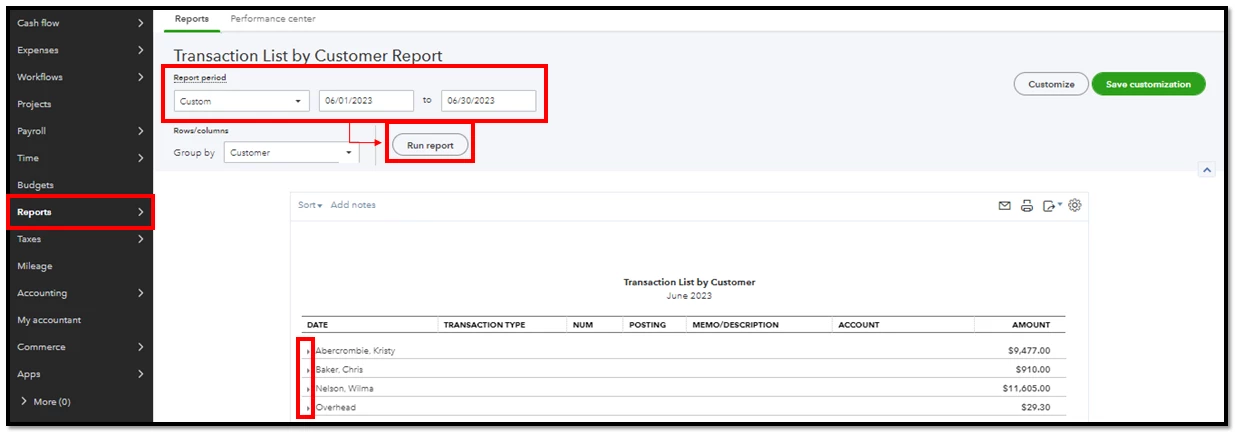
In QBO, you can generate the Transaction List by Customer report to display all activity and sales associated with each customer. To do that:
- Go to Reports and search for Transaction List by Customer.
- Set the Report period and click Run report.
- If you want to hide the breakdown and show only the total amount, click the small arrow beside the customer's name.
For additional reference, I'm adding some articles on how you can filter out the data from your reports and save its customization settings for future use:
Let me know in the comments below whenever you have clarification about running a report in QBO. The Community is here to help whenever you need it. Stay safe and have a wonderful day!
Enter your E-mail address. We'll send you an e-mail with instructions to reset your password.