Hi, @Arbooks1. I appreciate you for reaching out to us.
When running payroll reports in QuickBooks Online, we can customize them to include all three items you mentioned except for the Employee SSN. As shown in the sample screenshot below, I run a Payroll Summary report. To focus on the things you want to see, click the Customize button. From there, you can decide what to include in your report. Then, click on Run report.
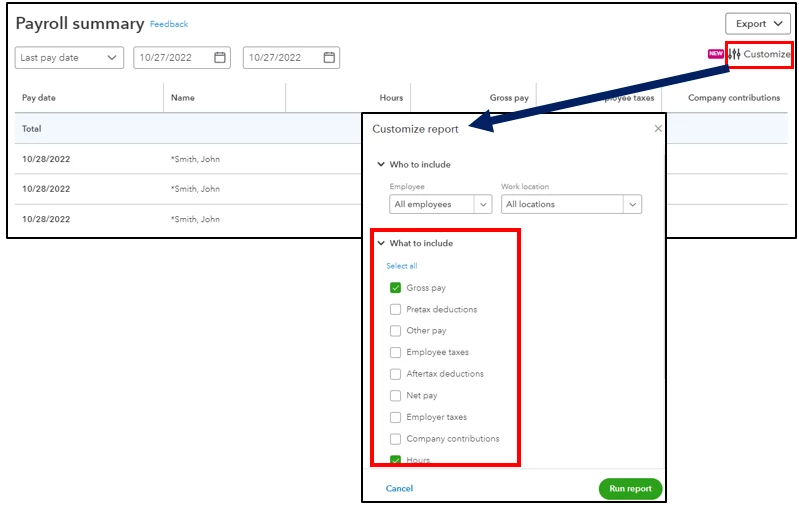
Since there's no Employee SSN to include, you'll want to export it to Excel and manually add the SSN as a workaround.
Moreover, I'm adding this article for more information about payroll reports: Learn about reports to use to enter prior payroll.
Don't hesitate to comment if you have other questions about quarterly reports in QuickBooks. We're right here to help you get the data you need. Stay safe and take care.


