Solved
QBO: Other > Inventory Adjustment. Auto creates account called Inventory Shrinkage if it does not already exist. Even if I choose a different account. Bug/Feature?
Original commenter did not share additional details


Hello there, @wz-lieberman.
It's my pleasure to help you share information about inventory adjustments in QuickBooks Online (QBO).
Once inventory tracking is enabled on your QBO account, when creating an inventory adjustment, QuickBooks automatically creates the Inventory Shrinkage account. This is how QBO works and it is part of the QBO feature.
If you wish to select another account when creating adjustment, you can simply click on the drop-down arrow under Inventory adjustment account and select the correct account you want.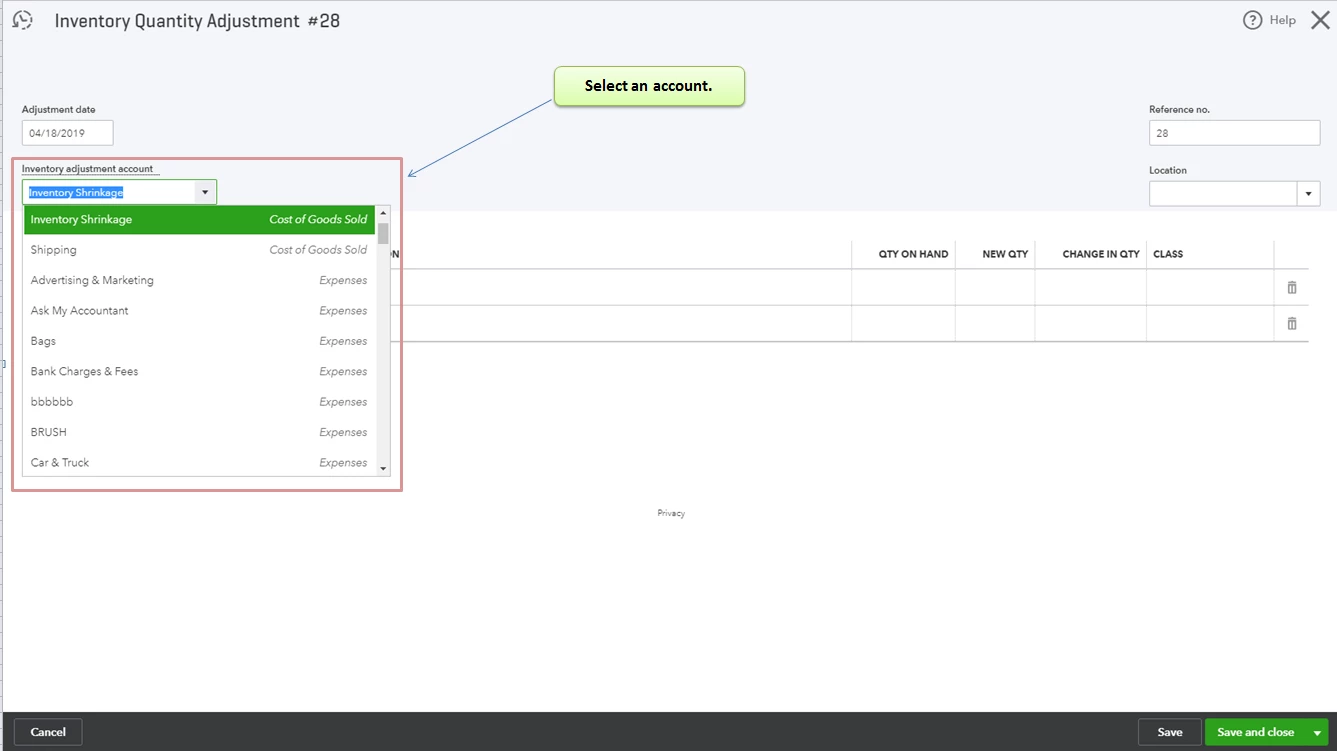
You can read these articles to learn more about inventory tracking in QBO:
Please feel free to add a comment below if you have any other questions about inventory, I'll be always here to help you. Wishing you the best!
Enter your E-mail address. We'll send you an e-mail with instructions to reset your password.