Hi Madara. I can share with you some information about the C and R function showing up in each line of your account.
The C and R under the ✓ column on your Chart of Accounts are reconciliation status. C means cleared through the bank and checked off but not reconciled. On the other hand, R means reconciled. Transactions with R status will no longer show up on the next reconciliation screen at all.
If you want to modify the transaction's status, you can tap on the checkbox to change the letter. Once it shows blank, the transaction is not reconciled or was removed from reconciliation.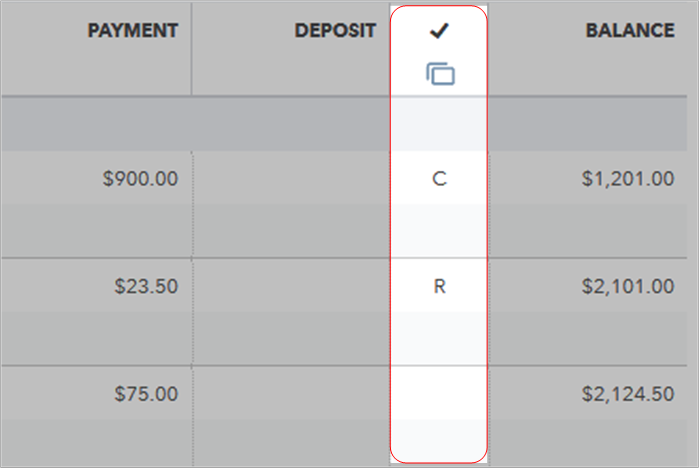
For more tips about reconciliation, you can check out these articles:
Aside from reconciliation, you can also get more hints while handling your other banking transactions through this link: Find help with bank feeds and reconciling accounts.
Let me know if you have any other questions about the C and R letters showing up on your register. I'm more than happy to provide additional assistance. Keep safe!

