Thanks for dropping by the Community, DS57.
I appreciate all your efforts in trying to resolve the discrepancy on the company snapshot. Let’s create a home currency adjustment to resolve the issue.
The process will change the home currency value of your foreign balances. Since it affects your balance sheet accounts, I suggest consulting an accountant to ensure your records are in order.
Let me guide you through the process of how to perform the adjustment. Here’s how:
- Go to the Company menu to select Manage Currency and Home Currency Adjustment.
- Enter the date and choose AUD in the Currency drop-down.
- If necessary, update the currency's exchange rate. QuickBooks uses this rate to recalculate your home currency balances. By default, QuickBooks uses the latest exchange rate listed in the currency list.
- Click the Calculate Adjustment button.
- QuickBooks displays the balances you have for accounts in the selected currency.
- Press Save & Close to keep the changes.
For more information about home currency adjustment, check out our built-in articles in your company. I’ll show you the steps on how to get there.
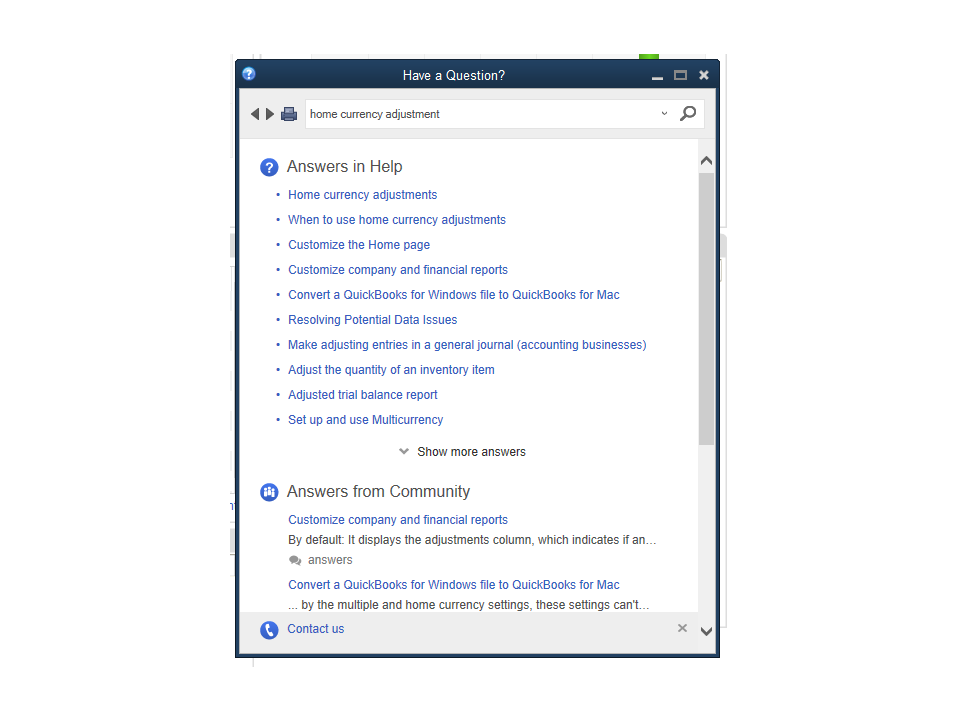
- Tap the Help menu at the top bar and select QuickBooks Desktop Help F1.
- Type a keyword in the search field. For example, currency adjustment.
- This will display a list of related articles.
- Click on the topic to view the complete details.
Additionally, this guide provides an overview of how to handle different currencies in QuickBooks Desktop: Set up and use Multicurrency.
If you still need help when working in QuickBooks, leave a comment below. I’ll be around to assist further. Have a good one.

