It is a General Ledger report, with a filter of multiple accounts in the 3000 -3200 range, but I'm getting all the accounts, and with detail on each instead of just the account or sub-account total. I saw a message that said something about the default was to condense the listing and if I wanted to expand I should click on an option on the "report toolbar", and I have been unable to find anything on a "report toolbar".
I appreciate your elaboration about filtering the general ledger report to display the accounts selected only, @Deadwood Al. I'm here to share a way to get the data you need conveniently.
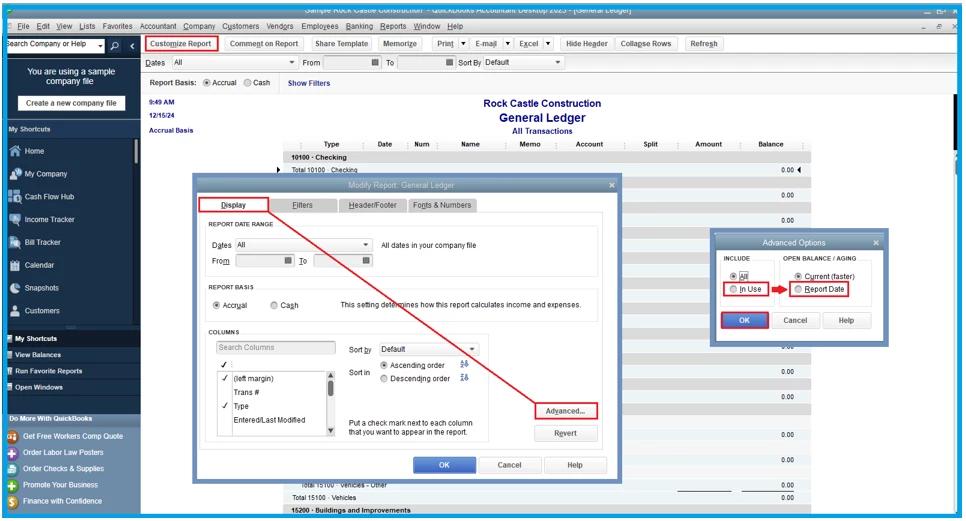
Once you open the General Ledger report and filter it to multiple accounts (3000 -3200) accordingly, select the Advanced button on the Display window. It will open the Advanced Options window where you choose to Include In Use and Report Date under Open Balance/Aging.
I'm adding snippets below for reference:
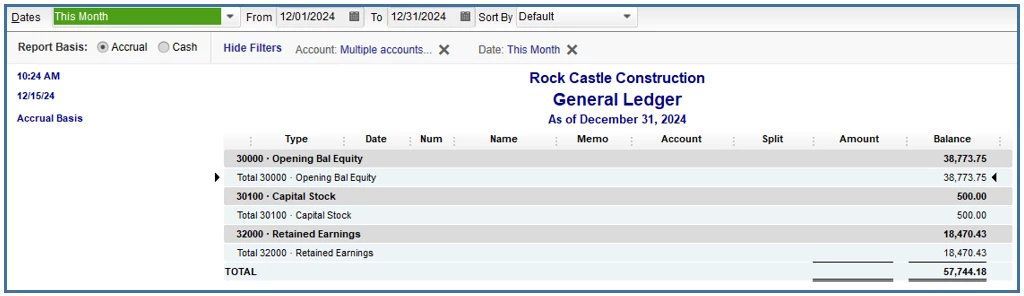
For the subtotal, this feature is unavailable in the Columns and Filters. However, you can click the total balance of each account if you need to see the detailed transactions involved.
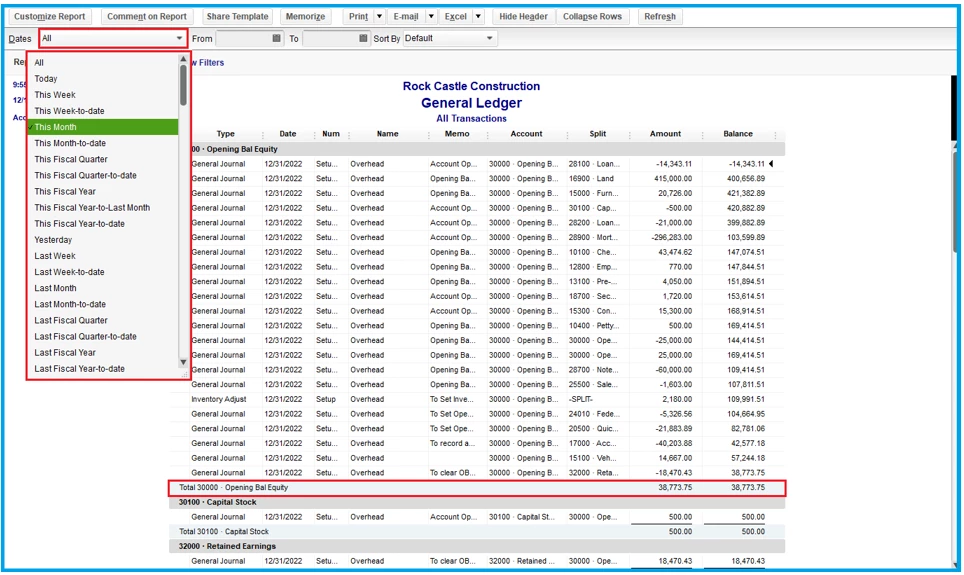
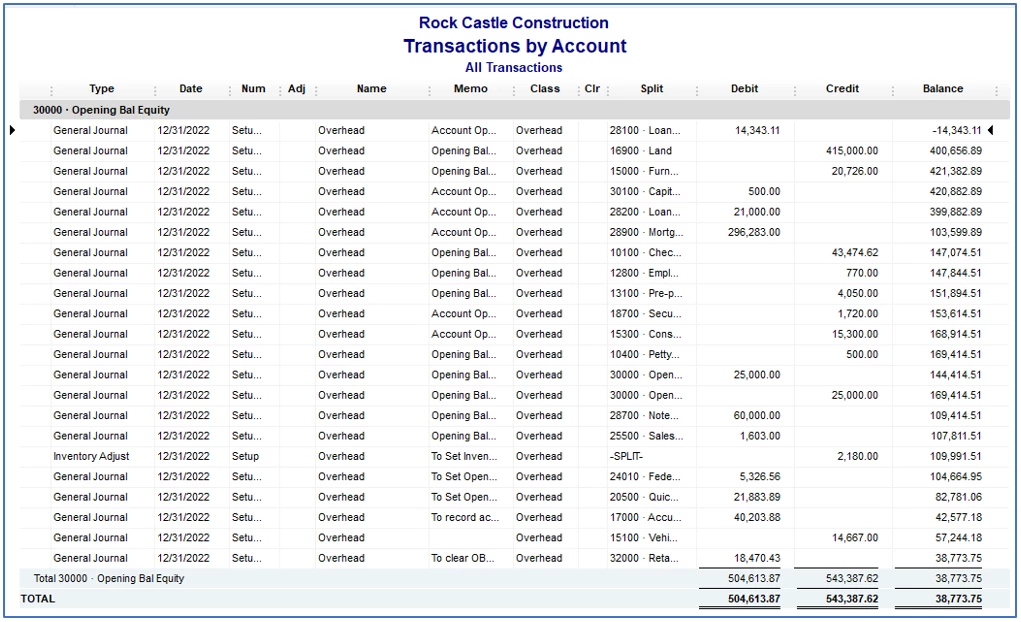
Visit this link to learn more about this report: Accounting ledgers: A beginner’s guide to ledgers for 2023.
Feel free to check out this reference for more tips on enhancing data, columns, header/footer, font, and style: Customize reports in QuickBooks Desktop.
With this data, you should be able to generate a general ledger report according to the multiple accounts you selected. If you need more help in personalizing it, add the below. It'll be my pleasure to assist you further.

