Sage 50 "Payments" Producing Incorrect Aging Records after Conversion
- January 13, 2022
- 1 reply
- 0 views
We recently converted our Sage 50 data to QuickBooks. One of the issues we need to clean up in our QuickBooks data is related to the way Sage handles customer credit memos vs. QuickBooks.
Here is some background on how Sage does this to provide some context.
To enter and process a customer credit memo in Sage, the following is required:
1. Enter customer credit memo referencing the customer account and the items/values
2. Create a "Payment" record to show the outgoing money to the customer (DEBIT to AR Sales, CREDIT from Cash Account)
3. Process a "Receive Money". This step matches the Customer Credit to the Payment and closes the process
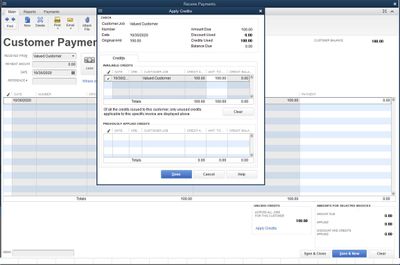
When the data was converted from Sage 50 to QuickBooks, I now have the Customer Credit Memos appearing (representing step 1 above) and also a "Check" payment showing (representing step 2 above). However, these appear on our AR Aging report (as 0.00 amounts because the negative credit amount and positive check amount cancel each other out - see screenshots) and I would like to clear those up so they don't appear on the AR Aging report anymore.
Is there a way to match these two transactions together to emulate step 3 above? It's ok if not, but I do need to know how to get these transactions to disappear from my AR Aging report.
Can someone feedback on what I can do to clear these transactions up?