Solved
Sales Quantity and/or Amount totals by Customer (using parent items)
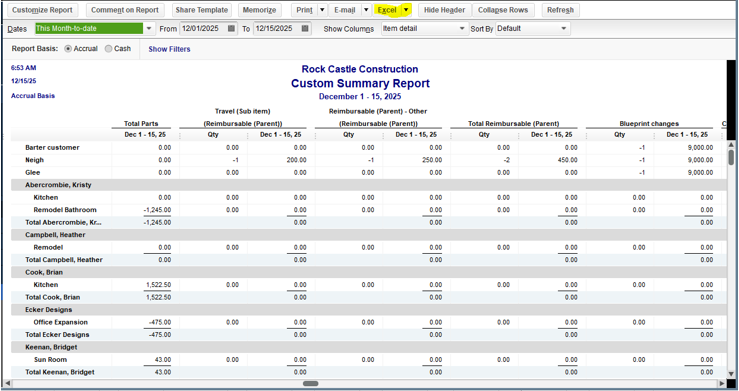
I would like a report of item quantity and dollar amount total Sales by Customer. I would like this report to show the totals by "parent" item (i.e. summarized by totaling all of the "sub-items" of a parent item). The following instructions seem to get close, but if I customize the report and select the parent item only, the form contains no data.
- In your QuickBooks, go to the Reports menu.
- Choose Custom Reports and then select Summary.
- In the Display tab, go to the Columns section.
- In the Display columns by drop-down, select Item detail.
- Choose Customer in the Display rows by drop-down.
- Under Display columns for, select the Quantity radio button.
- Once done, click OK.