Welcome to the Community space, PercivalB. We appreciate you for posting your concern here about categorizing your sales receipt transactions in QuickBooks Online (QBO).
There's no need for you to create an invoice to categorize your sales receipt transaction in your Profit and Loss report. Your sales transaction will appear in the report based on the account of your item in the sales receipt. Ensure to check the income account that is linked to the item in your sales receipt.
Here's how:
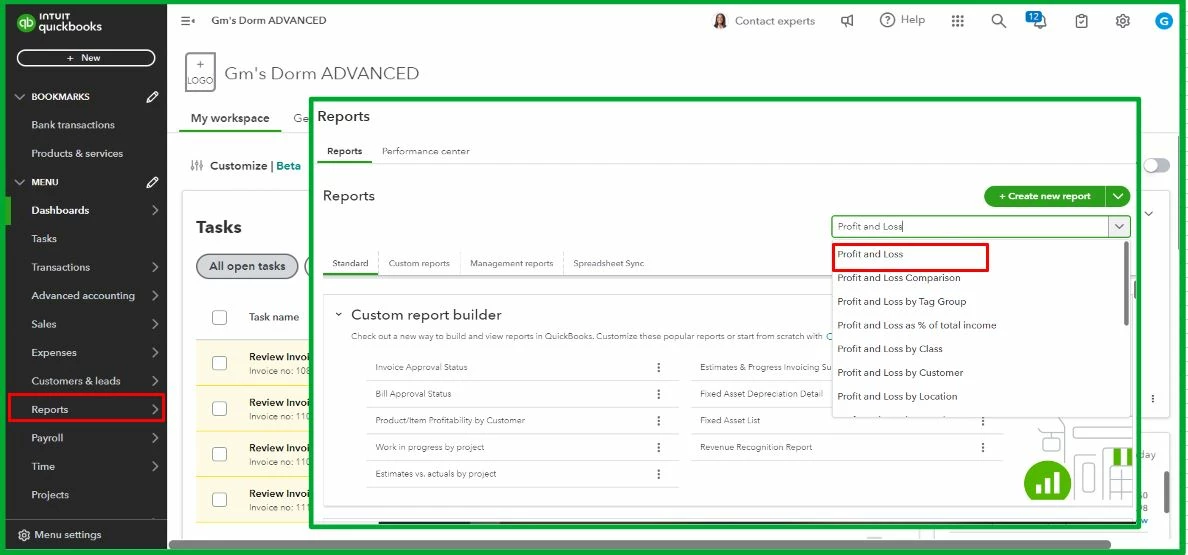
- Go to the Reports, then search for the Profit and Loss report.
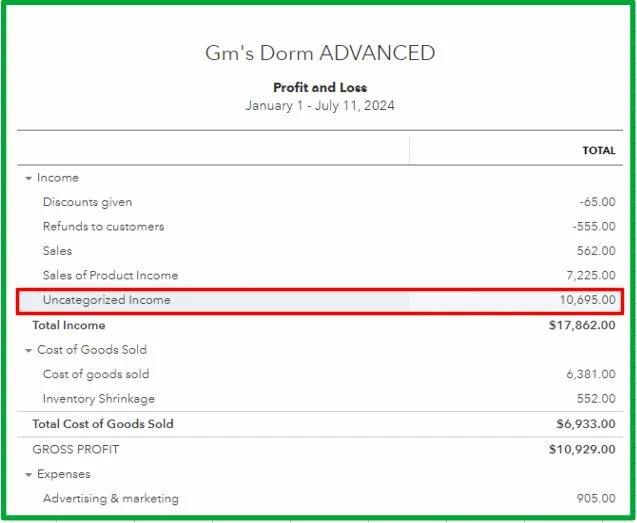
- Open the sales receipt transaction under the Uncategorized income.
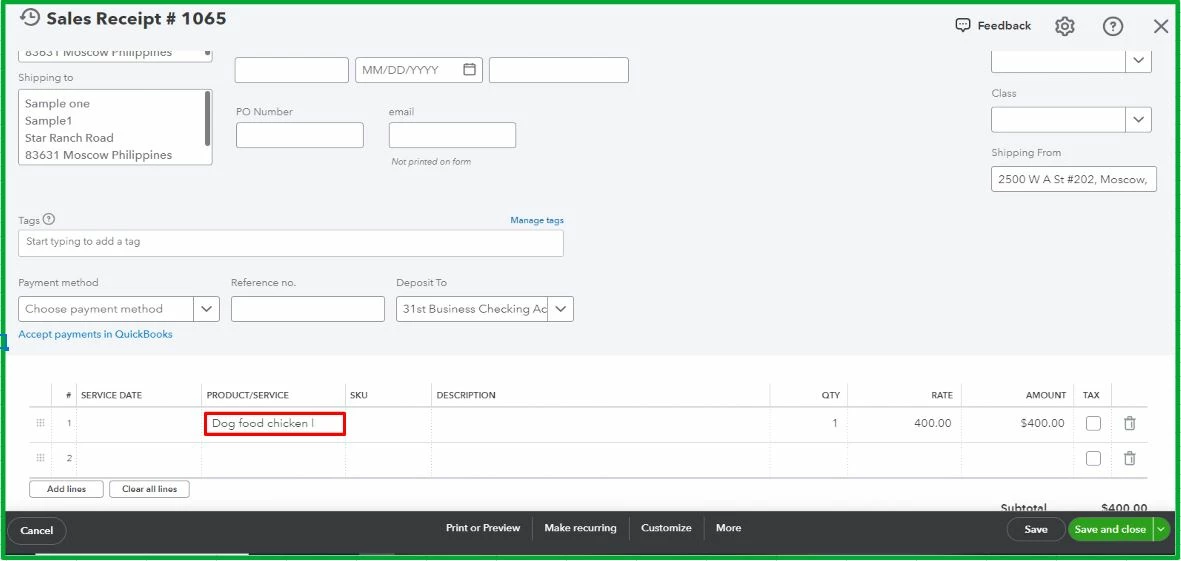
- Review the transaction's item by clicking the amount.
- Review the item in the Products and Services.
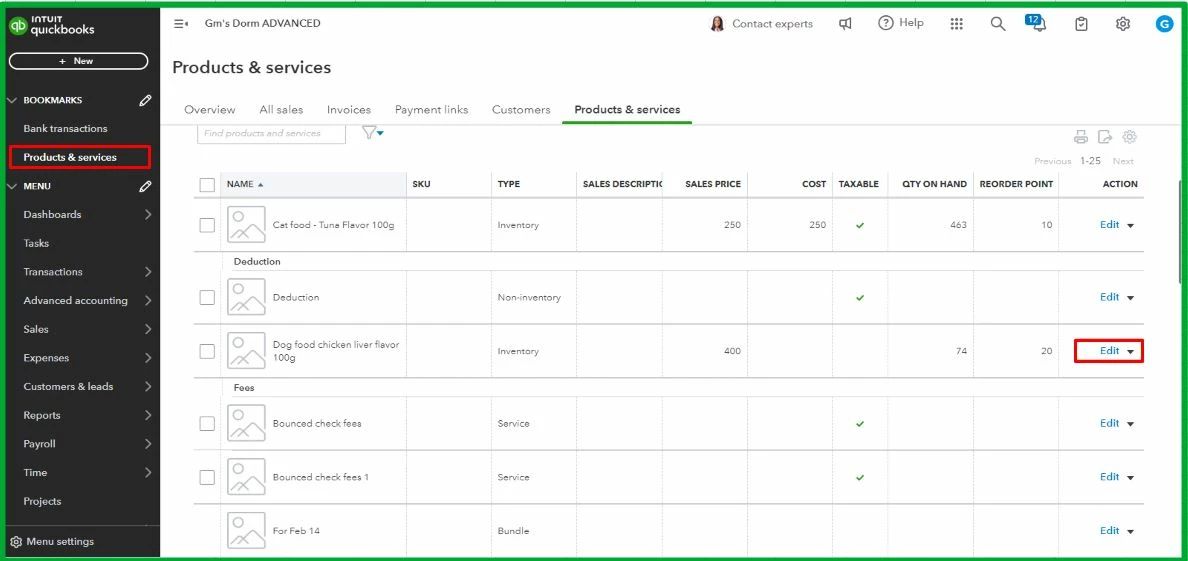
- Select the item under the sales receipt transaction, then click Edit.
- Scroll down and check if the Income account falls to Uncategorized income.
- Change it to the nearest category of your item.
- Once done, click Save and close.
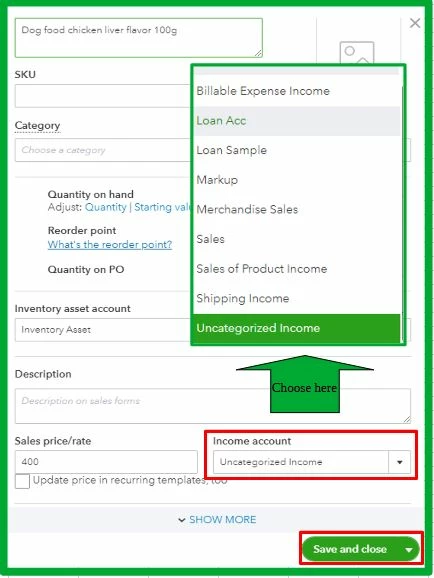
With that, your sales receipt transaction won't appear as Uncategorized income.
Moreover, I've added this article as your reference for customizing reports: Customize reports in QuickBooks Online.
It's always a pleasure to assist you, PercivalB. Shoot me a reply if you need further assistance with your financial workflow and reports in QuickBooks. I'll be sure to be around to offer support and guide you throughout the process. Have a great rest of the week!

