Hi @Candice C ,
Thank you for your reply, but even with Transaction List by Customer name I still can't find the report.
Please see below:
I appreciate your prompt response and for performing the steps above, ixAmjadxi. Let me provide detailed insight to make sure you'll get to review each contribution received from a donor during a specific period.
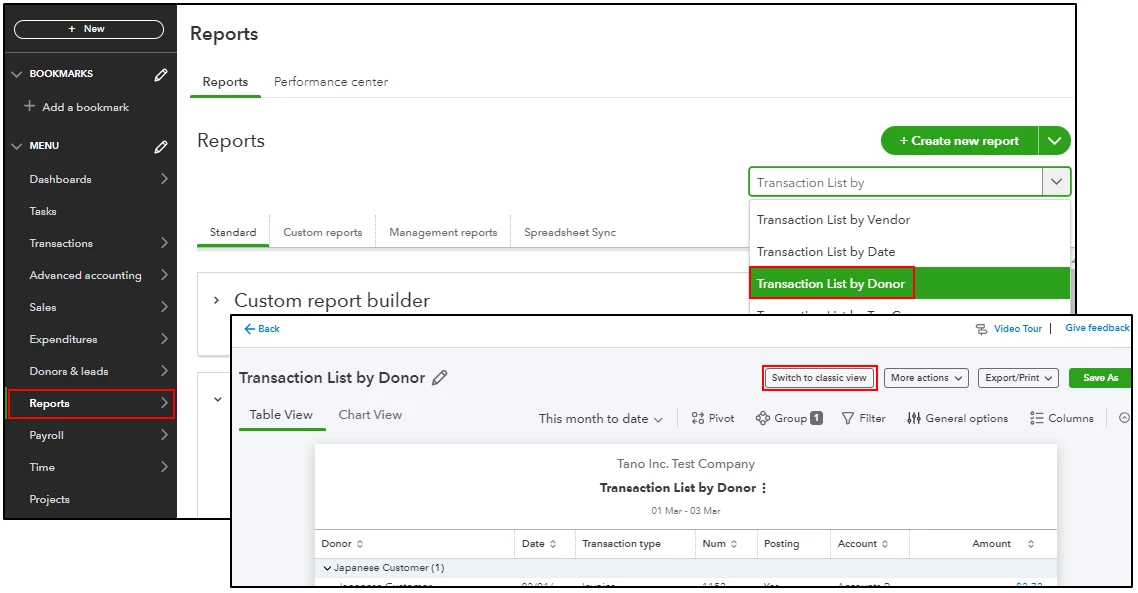
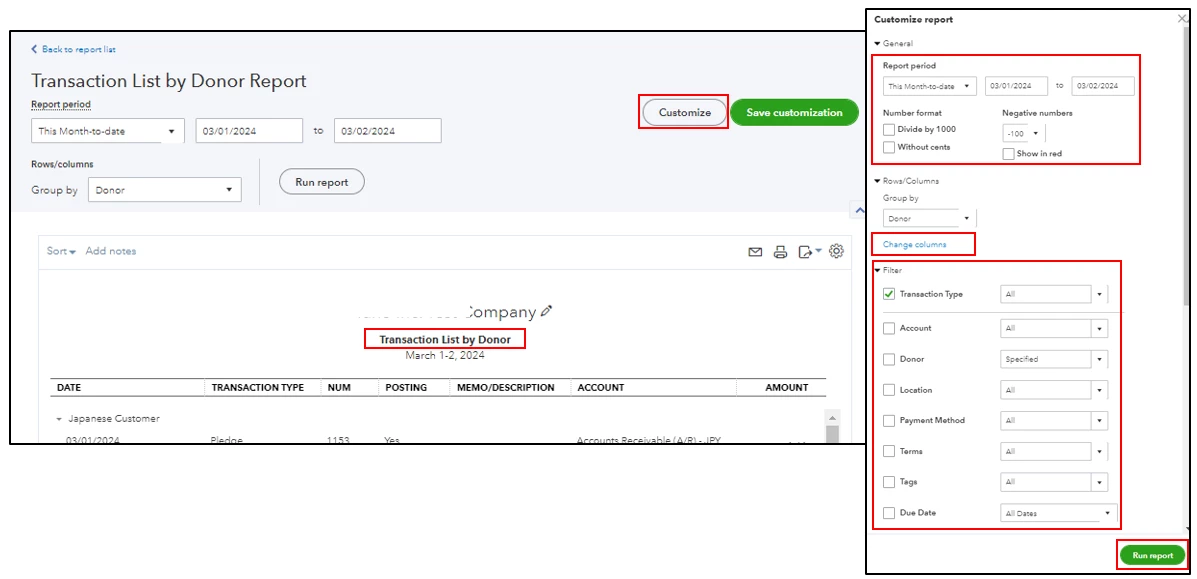
As shared by my colleague CharleneMaeF above, the steps and information are the details you need to view each contribution you receive. However, this data is shown under the Transaction List by Donor report. To guide you with the process, I've included screenshots for your reference:
- In your QBO account, go to Reports and enter Transaction List by Donor report from the search field section.
- Click on the Switch to Classic View button for an easier process.
- Select the Customize icon and enter a specific date under the Report period section.
- From the Change Columns section, choose how you want to display the data.
- Under the Filter dropdown, modify all specific information you need.
- Review all details and click Run Report.
If you want to save all customizations made to your reports, you can memorize them and export these data to an Excel file.
I'll be leaving this forum available, so you can always reply to this post whenever you require additional assistance managing business finances in your account. Just let me know anytime, and I'll ensure to get you covered. Keep safe and have a good one!

