January 25, 2020
Solved

Subcontractor payments aren't showing up in P/L unless they're recorded as expense & not bills. expense increases their balance for some reason.Any help plz? thanks.

  • January 25, 2020
  • 1 reply
  • 0 views
Original commenter did not share additional details
Best answer by vpcontroller

@husnain 


First of all, let's understand the difference between Expense and Bill in QBO.


Expense transaction means you've already paid by bank card/ATM or Credit Card. This is Cash transaction so when you run the P&L report, you will see it as an expense item.


Bill transaction means you're entering expense for something you have not paid yet and pay later. It means you're creating Accounts Payable (A/R) or liability. This is not a Cash transaction yet so it will not show up on the P&L if you're running a Cash basis method report. It will show as an expense item when you run the Accrual basis method report. Once you Pay this bill then it will show up on the P&L report.


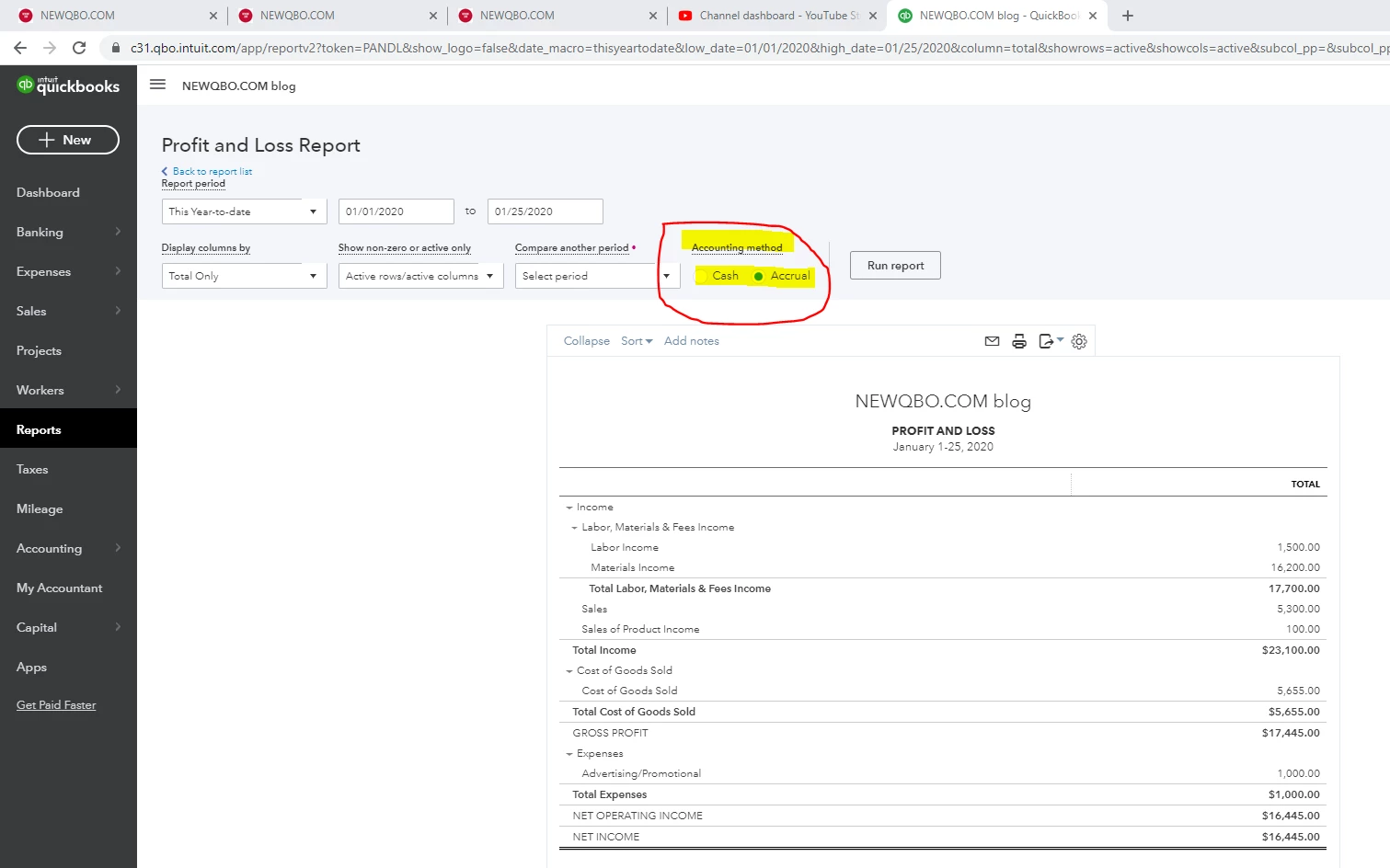
So, Run the Profit and Loss report and change to ACCRUAL basic method, you will see the entered Bill as an expense item.


Hope this helps!


1 reply

vpcontroller
January 25, 2020

@husnain 


First of all, let's understand the difference between Expense and Bill in QBO.


Expense transaction means you've already paid by bank card/ATM or Credit Card. This is Cash transaction so when you run the P&L report, you will see it as an expense item.


Bill transaction means you're entering expense for something you have not paid yet and pay later. It means you're creating Accounts Payable (A/R) or liability. This is not a Cash transaction yet so it will not show up on the P&L if you're running a Cash basis method report. It will show as an expense item when you run the Accrual basis method report. Once you Pay this bill then it will show up on the P&L report.


So, Run the Profit and Loss report and change to ACCRUAL basic method, you will see the entered Bill as an expense item.


Hope this helps!



husnainAuthor
January 26, 2020

@vpcontroller 


Thank you for the reply. 


I have it figured it out. Thank you alot.