time entries not matching the report
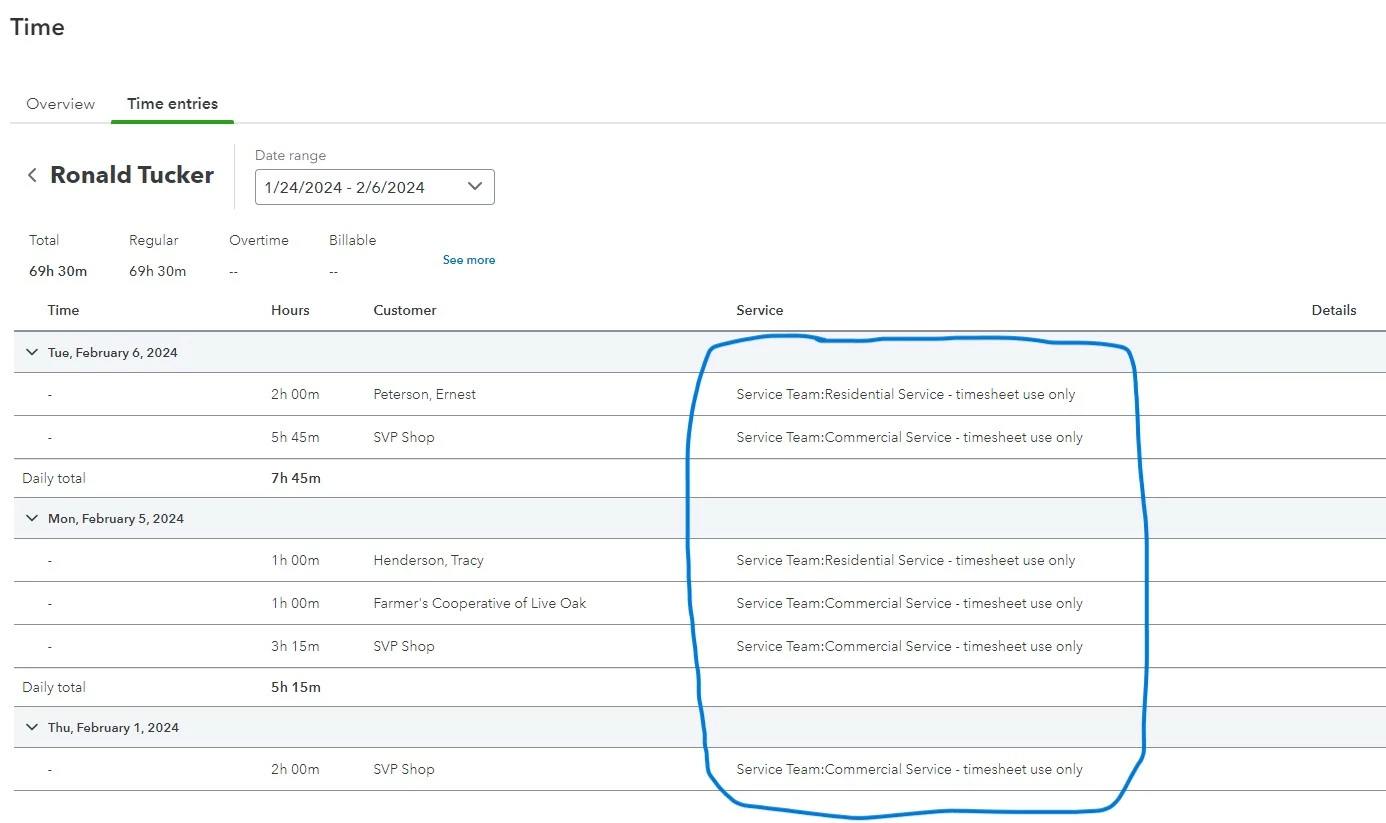
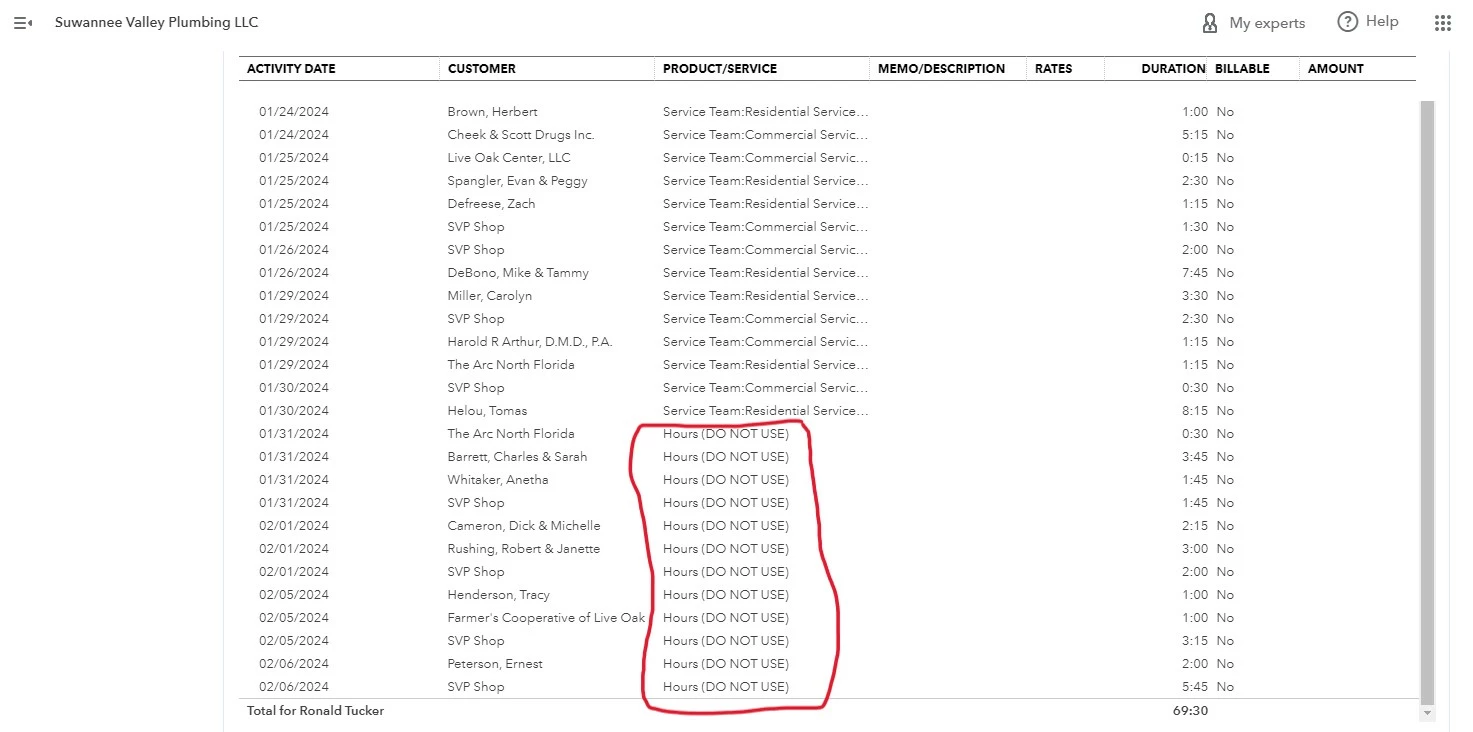
We are a plumbing company and need a report that shows employees time by the customer/project. We originally set up categories for each of our groups, which help with our annual audit because we are charged based on our payroll and it's divided between commercial and residential jobs. So my categories are very specific. Last week, when I finished keying in timesheets for the week, even though I selected specific categories, my report is showing "Hours" which we do not ever use and I've even labeled it "do not use" so it's not accidentally selected from the drop down (because QBO won't let me delete or make inactive). If you look at the 2 screenshots, you can obviously see I chose my categories but the report is showing what I didn't choose. I spent over an hour on support and the only success is to do a work-around but that doesn't solve the mystery of why or how to fix it. Just thought I'd see if anyone else had a suggestion. Support originally wanted me to delete all my categories and then create new ones. That would mean re-entering 6 months of timesheets which I'm not interested in doing.