Hello there, @spkhsq,
Currently, removing the time stamp on the reconciliation report is unavailable in QuickBooks Online (QBO). I'd suggest exporting it to Excel so you can manually delete the said info. I'll guide you how.
- Open the reconciliation report again.
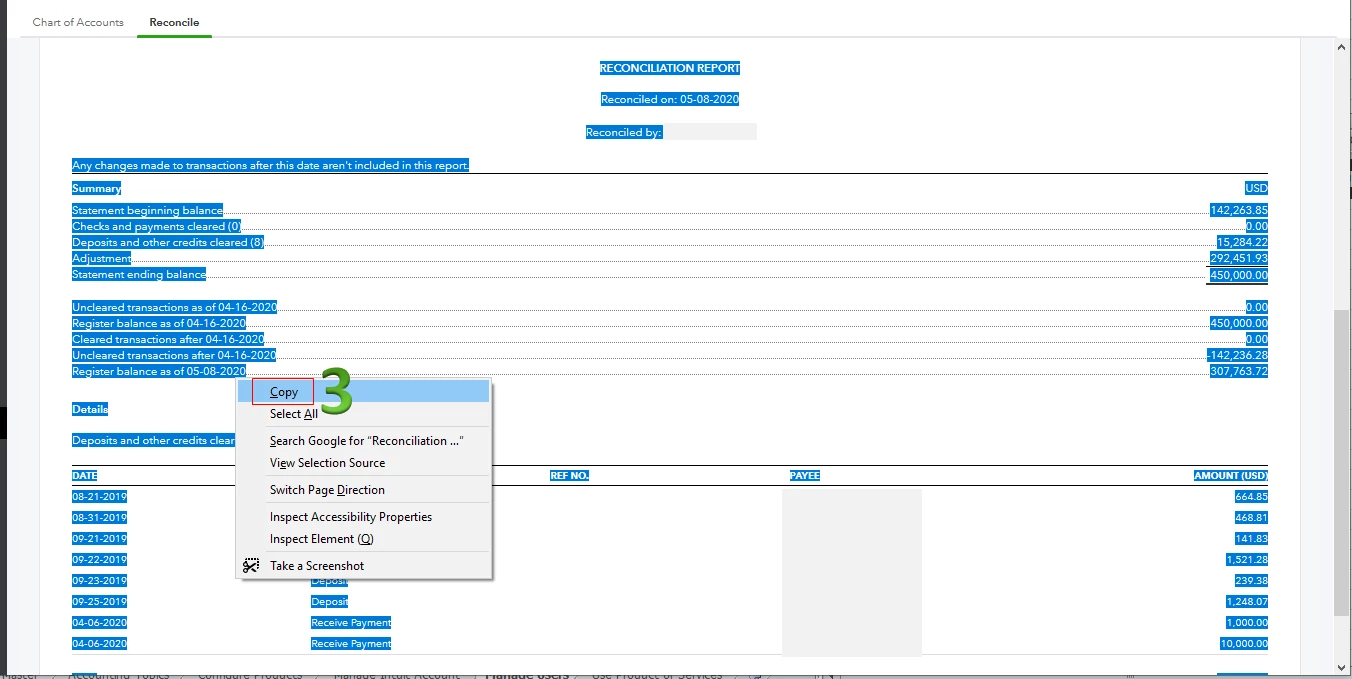
- Highlight the information on the report.
- Right-click and select Copy.
- Open Excel, right-click, and paste the info.
- Adjust the column widths for the format of the Excel report to show all the details.
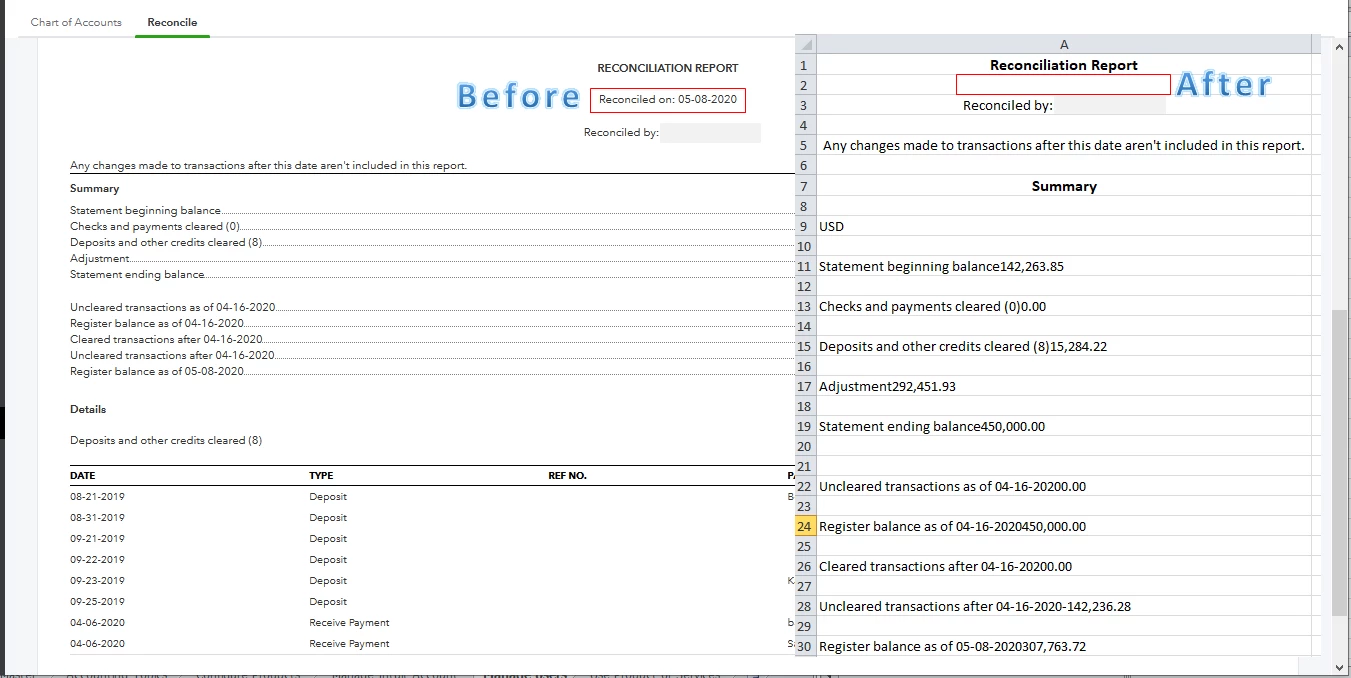
- Manually remove the time stamp.
- Save and print the report.
The screenshot below shows you the third step. For the detailed instructions, check out this article: Export The Reconciliation Report To Excel.
Here's a sample screenshot of the result (before and after):
For the time being, I recommend visiting our QBO Blog to learn more about our product enhancements.
Aside from the reconciliation report, you can also customise the other ones to get the specific information you need. Two of them are Profit and Loss and Balance Sheet.
Lastly, you can visit our guide to help you start, fix differences, and complete the reconciliation process: Workflow.
I'll lend a helping hand if there's anything else you need. Keep safe.

