I appreciate for getting back, @nja1327.
I'm here to help you fix the Budget and Actual Report in QuickBooks Desktop (QBDT).
As I replicated your concern, if we filter the report by unselecting the depreciation accounts the amount should be correct in the report. I'll show you how:
- Open the P&L report.
- Tap Customize Report and click Filters.
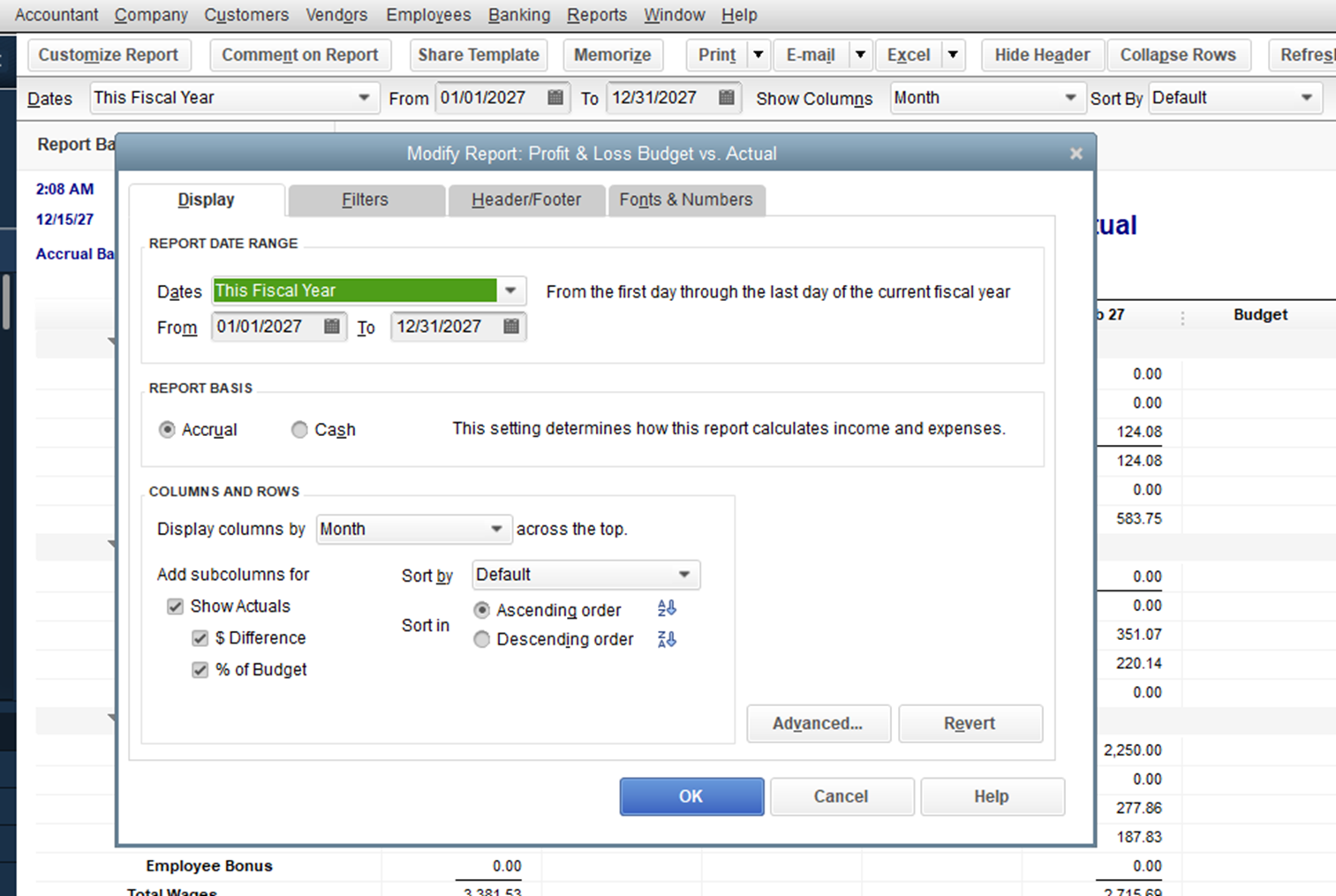
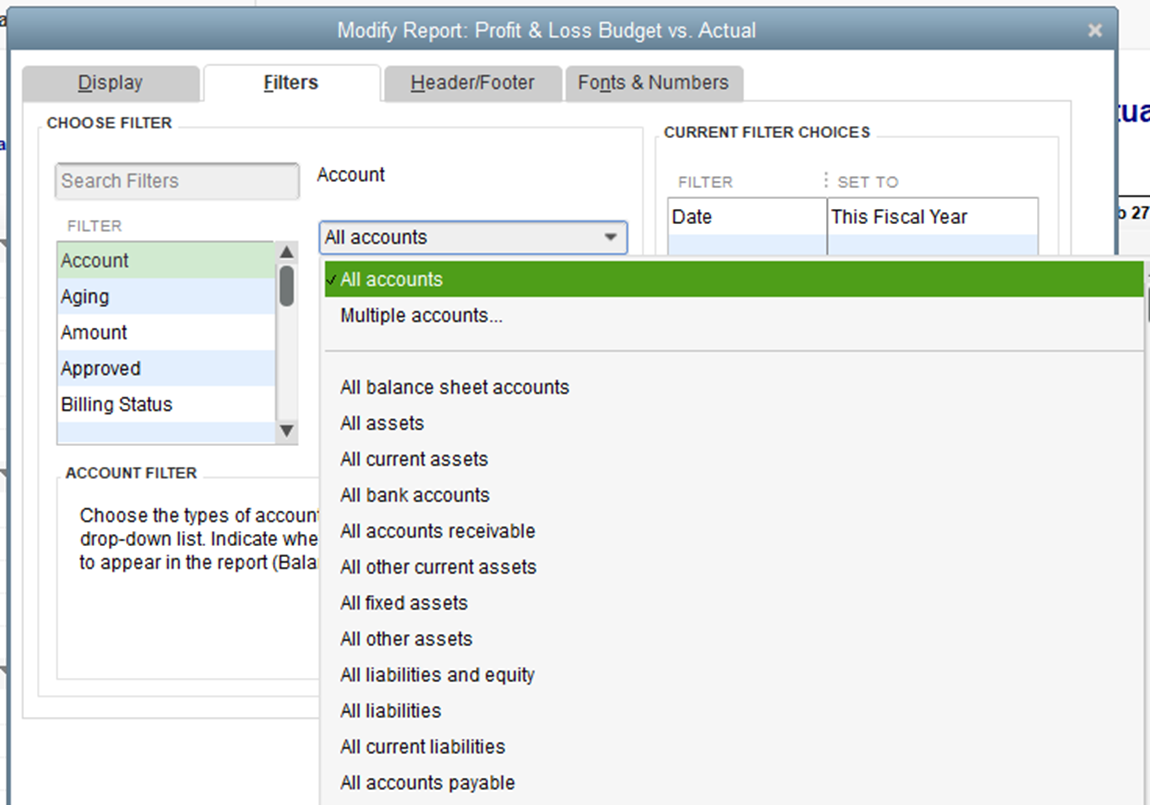
- Choose Multiple accounts.
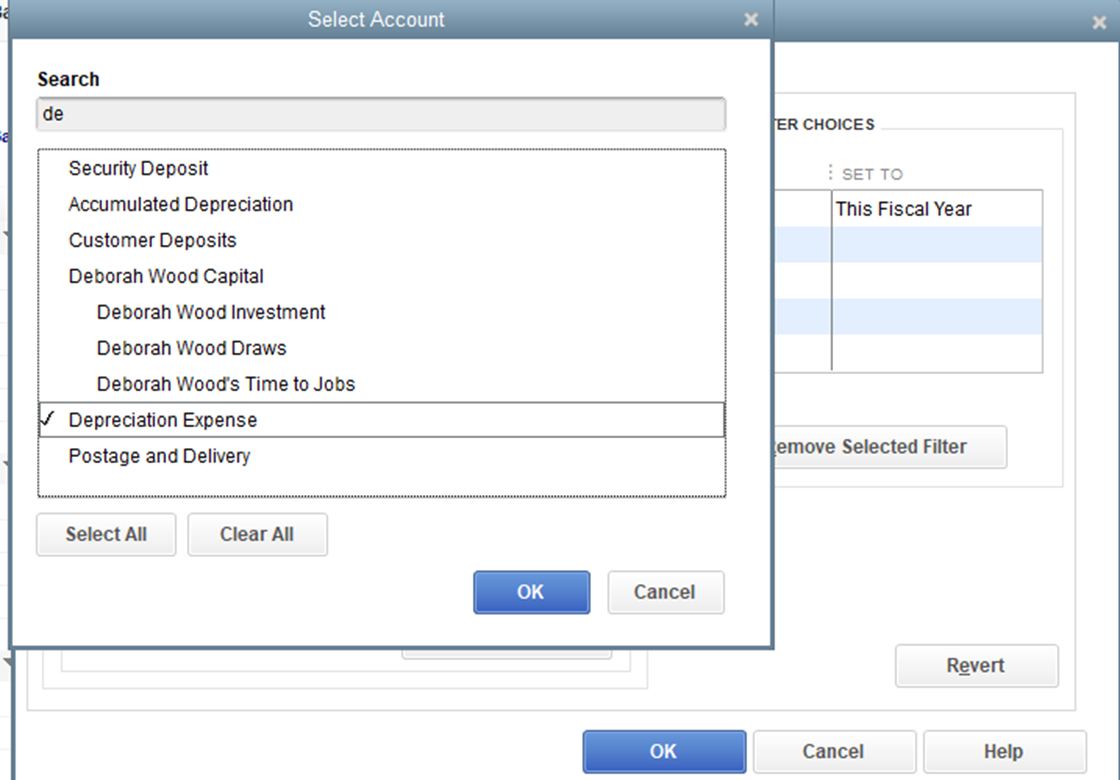
- Unselect the Depreciation Expense and hit Ok.
If we've done this part and the issue still persist, I'd recommend running the Verify and Rebuild Data utility. The tool scans data issues within the company file and self-resolves them. Beforehand, make sure QuickBooks is up-to-date.
Follow the steps below on how to verify data:
- Go to the File menu.
- Choose Utilities from the drop-down option.
- Select Verify Data.
- Click Ok to continue.
Next, here's how to rebuild data:
- Go to the File tab at the top.
- Select Utilities from the drop-down option.
- Choose Rebuild Data.
- Click Ok on Rebuild has completed.
If you want to customize the details of your report, you can export it to Excel. This way, you can remove or add the details you need. I'm adding these links to learn more about the process:
Aside from your reports, you can also open the topics from these articles to keep track of your customer and vendor transactions in QuickBooks Desktop:
If you have other questions about managing reports, please feel free to click the Reply button and add a comment below. I'll be right here to provide additional assistance. Keep safe!

