Good morning, @jdrichardson. It's great to know that you're exploring QuickBooks Desktop (QBDT). Let me give you some details about the Unbilled Costs by Job report.
When you record job-related expenses or time activities in QBDT but haven't invoiced them yet, you'll see them in the Unbilled Costs by Job report. This report shows the costs you've incurred for jobs that haven't been billed to your customers.
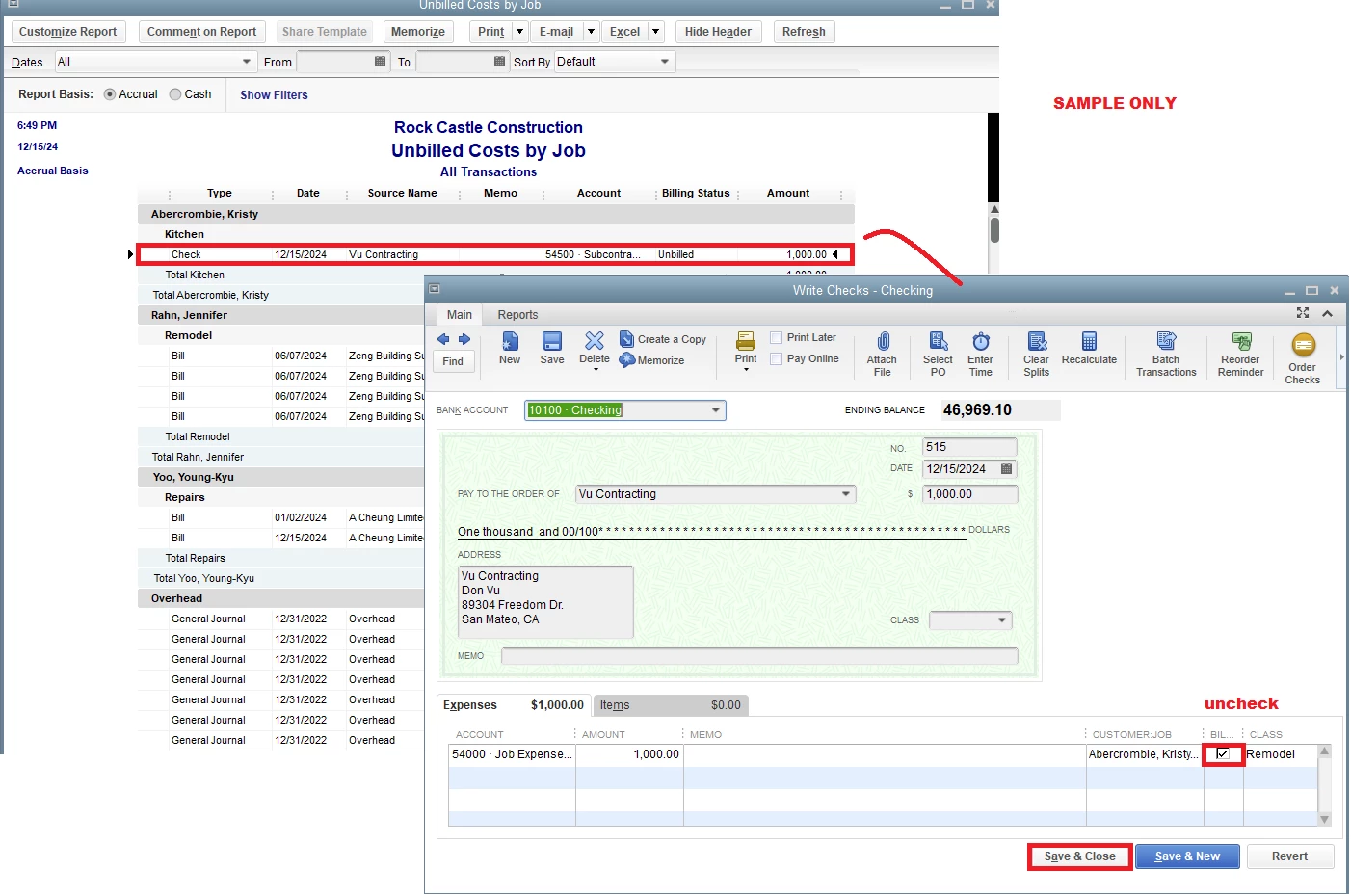
Since there are only four transactions involved, you can edit each one by opening them from the report and unchecking the Billable checkbox. I've attached a screenshot for your reference.
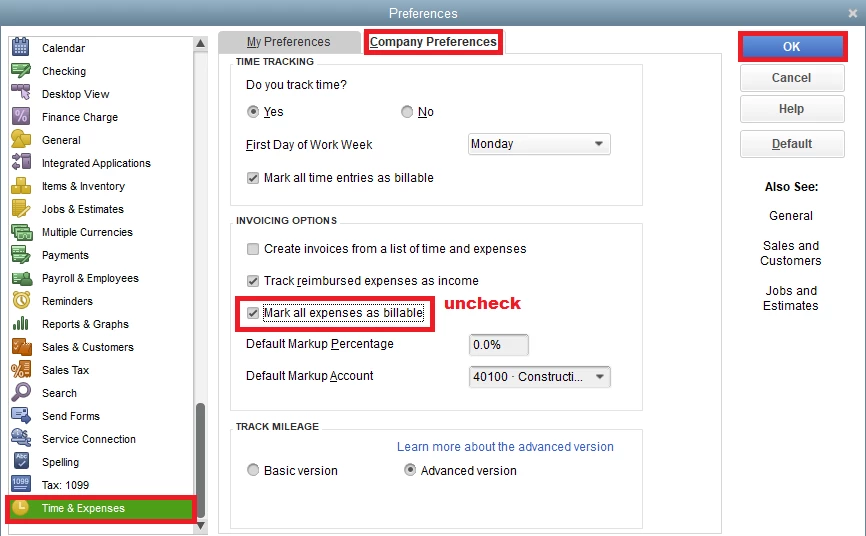
If you decide not to enter job-related expenses in the future, you can uncheck the Mark all expenses as billable checkbox. Here's how:
- Navigate to the Edit menu and choose Preferences.
- Select the Time & Expenses menu.
- Open the Company Preferences tab.
- Untick the Mark all expenses as billable box.
- Once you're finished, click OK.
In case you want to personalize your reports, check out this article for more guidance: Customize reports in QuickBooks Desktop.
I'm still ready to back you up if you have any other QBDT-related concerns. Just leave a comment below. Take care, and have a great day!

