
Solved
We have a vendor that offers a discount if payment is made within 10 days of invoice. QuickBooks applies the discount for each credit memo as well. How do I avoid this?
Original commenter did not share additional details

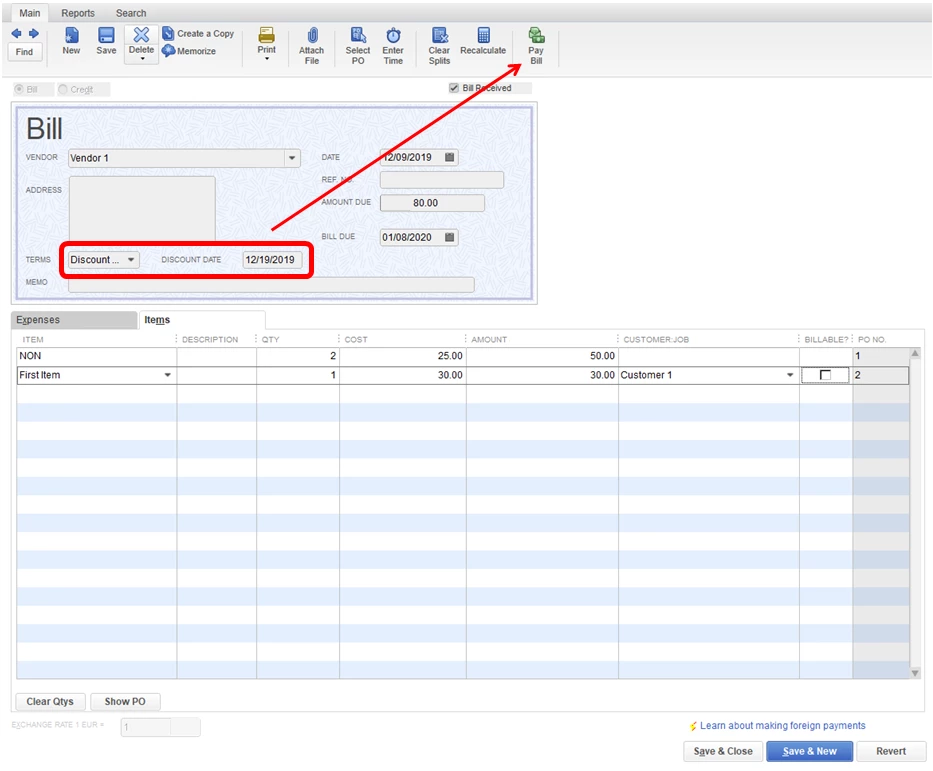
We can set a payment term and set conditions to it, dawn-hebert.
This option will help you identify when discounts will be applied to the conditions you set to the payment term. We can also use this feature instead of adding the discount in another line item.
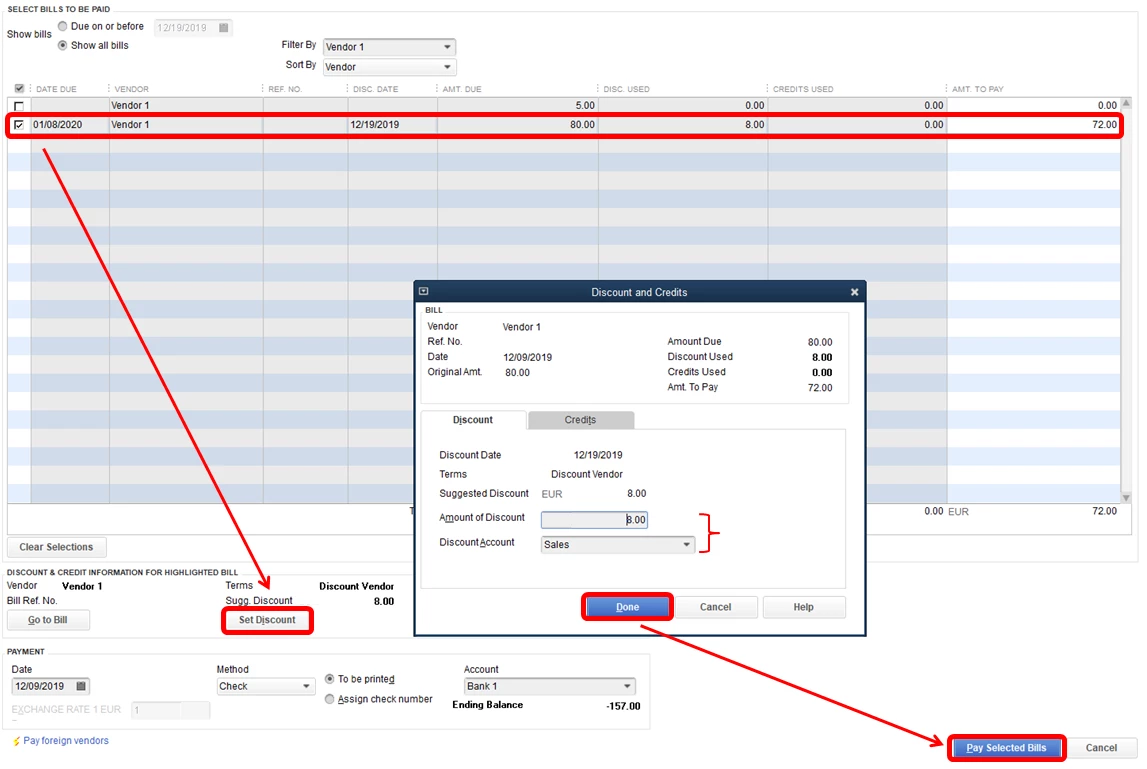
Every time that you pay a bill and enter the the terms, QuickBooks will automatically calculate and apply the discount. You also have the option to unapply it by zeroing the amount out.
Let me show you how:

When you create a bill, you can choose the term and the discount date will also show. You have the option to apply the discount when your about to pay the bill.
Here's how:
If you have further questions, I'll be here to help you out.
Enter your E-mail address. We'll send you an e-mail with instructions to reset your password.