Thanks for reaching out to the Community, worthless_minnow. I appreciate your detailed information.
The business description shown on customer's bank statements when they make payments to you through your QuickBooks Payments account will show as the Doing Business As (DBA) name you have listed in your payment processing account.
If you'd like to review and/or update this information, you can do so from the Merchant Service Center.
Here's how:
- Sign in to your QuickBooks Payments account.
- In the top navigation menu, move your cursor over the Account drop-down list and go to Account Profile.
- Access your Account Holder/Business Information section and click Edit.
- Review the info on file and make any necessary changes.
- If any changes were made, select Submit.
You'll want to keep in mind that your DBA must match the name on your deposit bank account.
If you've confirmed the DBA on file is accurate, but customers continue to see something different on their statements when they make payments to you, I'd recommend getting in touch with our Customer Care team. They'll be able to pull up your account in a secure environment, conduct further research with you, and create an investigation ticket if necessary.
They can be reached while you're signed in:
- Use the Help (?) icon.

- Click Contact Us.

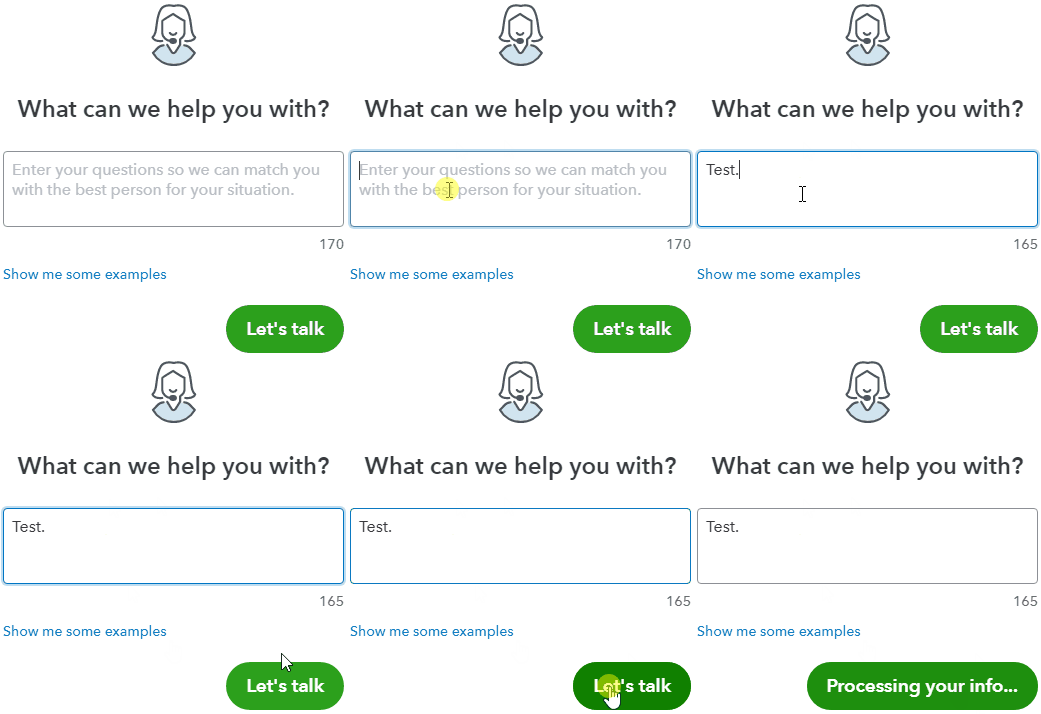
- Enter a description of your situation in the What can we help you with? field, then hit Let's talk.
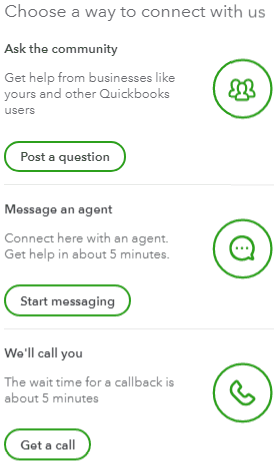
- Select Start messaging or Get a call.
Be sure to review their support hours so you'll know when agents are available.
I've also included a detailed resource about using the Merchant Service Center which may come in handy moving forward: Update business & account info for QuickBooks Payments
If there's any additional questions, I'm just a post away. Have an awesome day!

