Solved
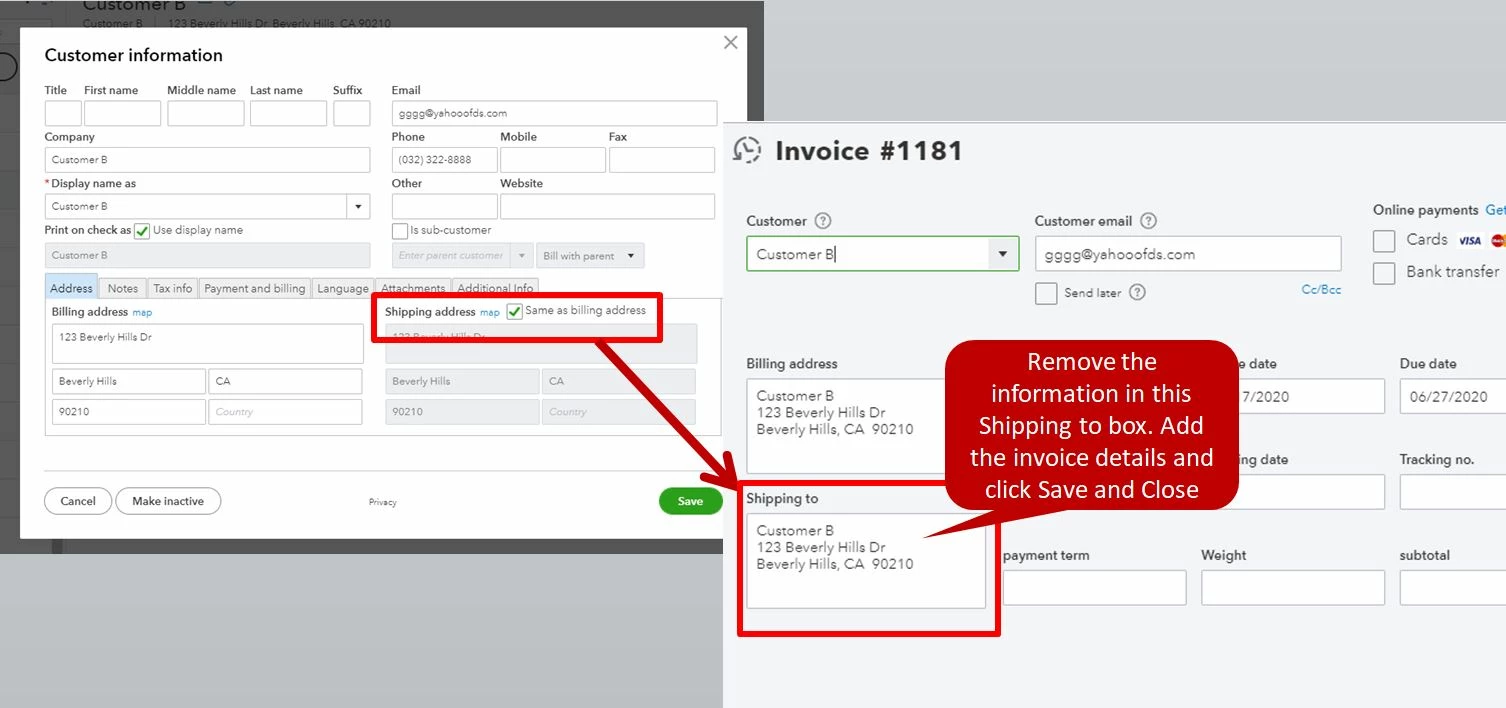
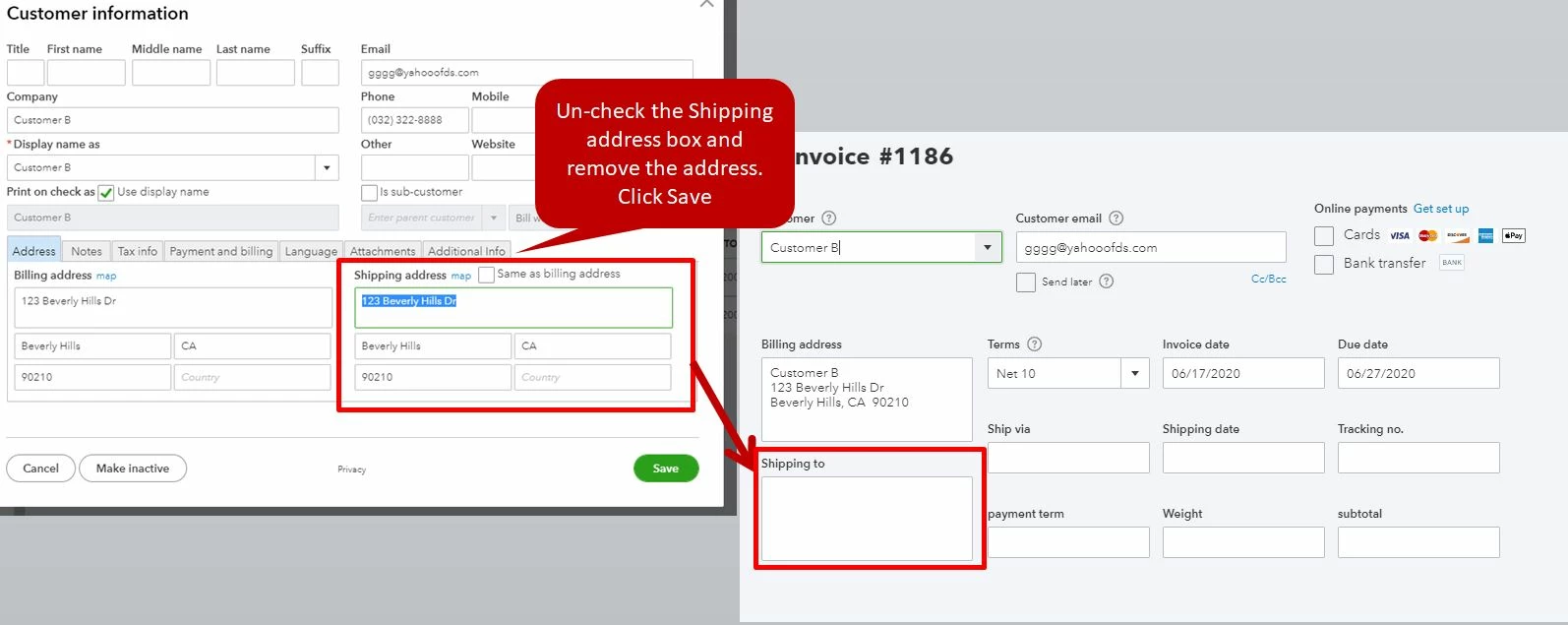
Why does QBO enter customer's display name on their invoices? Then it can't calculate tax (because there's no address), then I get an error message.
My customer does not have a shipping address in their information. Then, I make an invoice and QBO populates "shipping address" with their display name, but no address. When I go to save the invoice it gives me an error saying "can't calculate shipping based on address". What????