February 22, 2020
Solved

Why does the cash sales tax liability report include the amount written off of an invoice?

  • February 22, 2020
  • 2 replies
  • 0 views

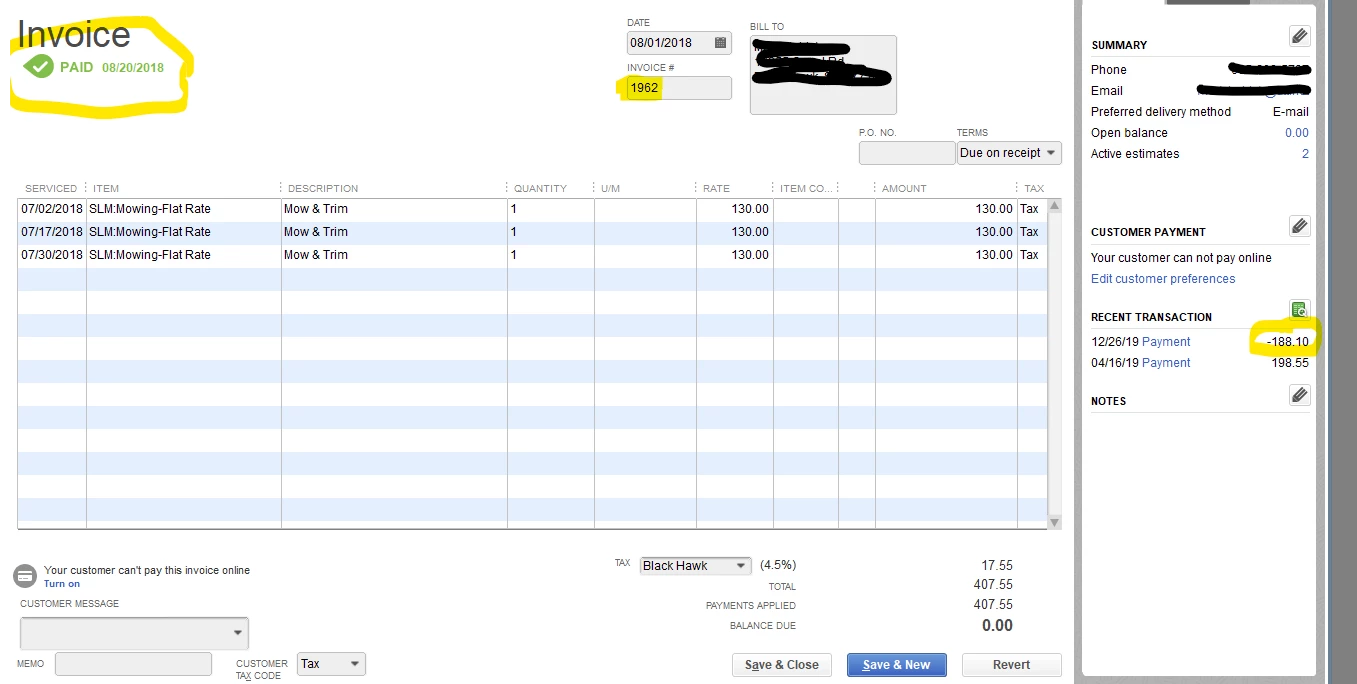
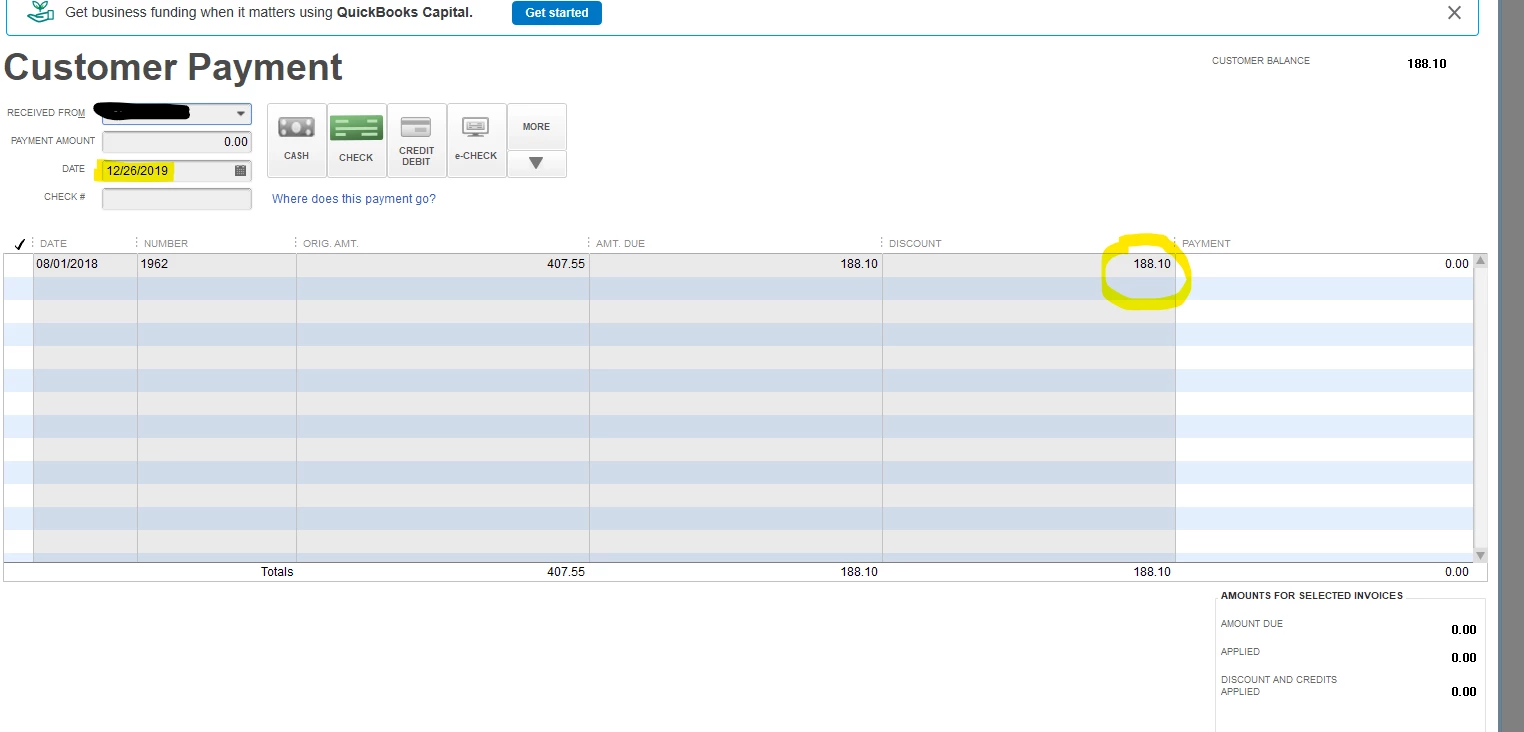
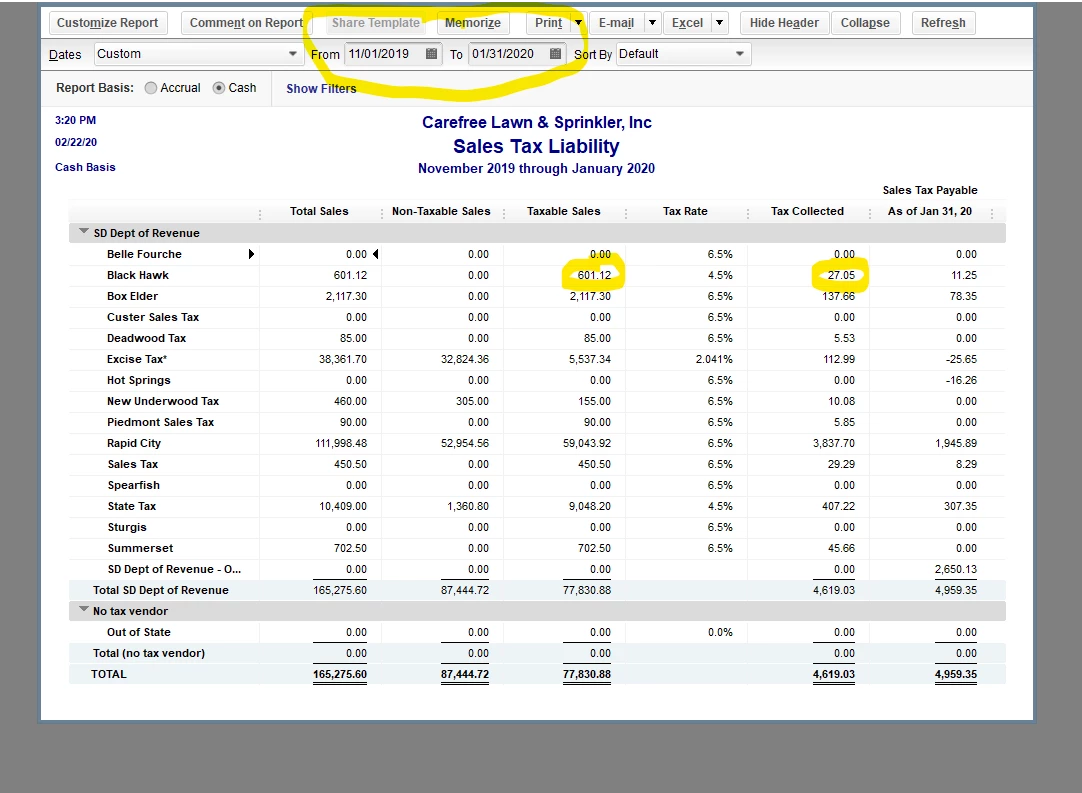
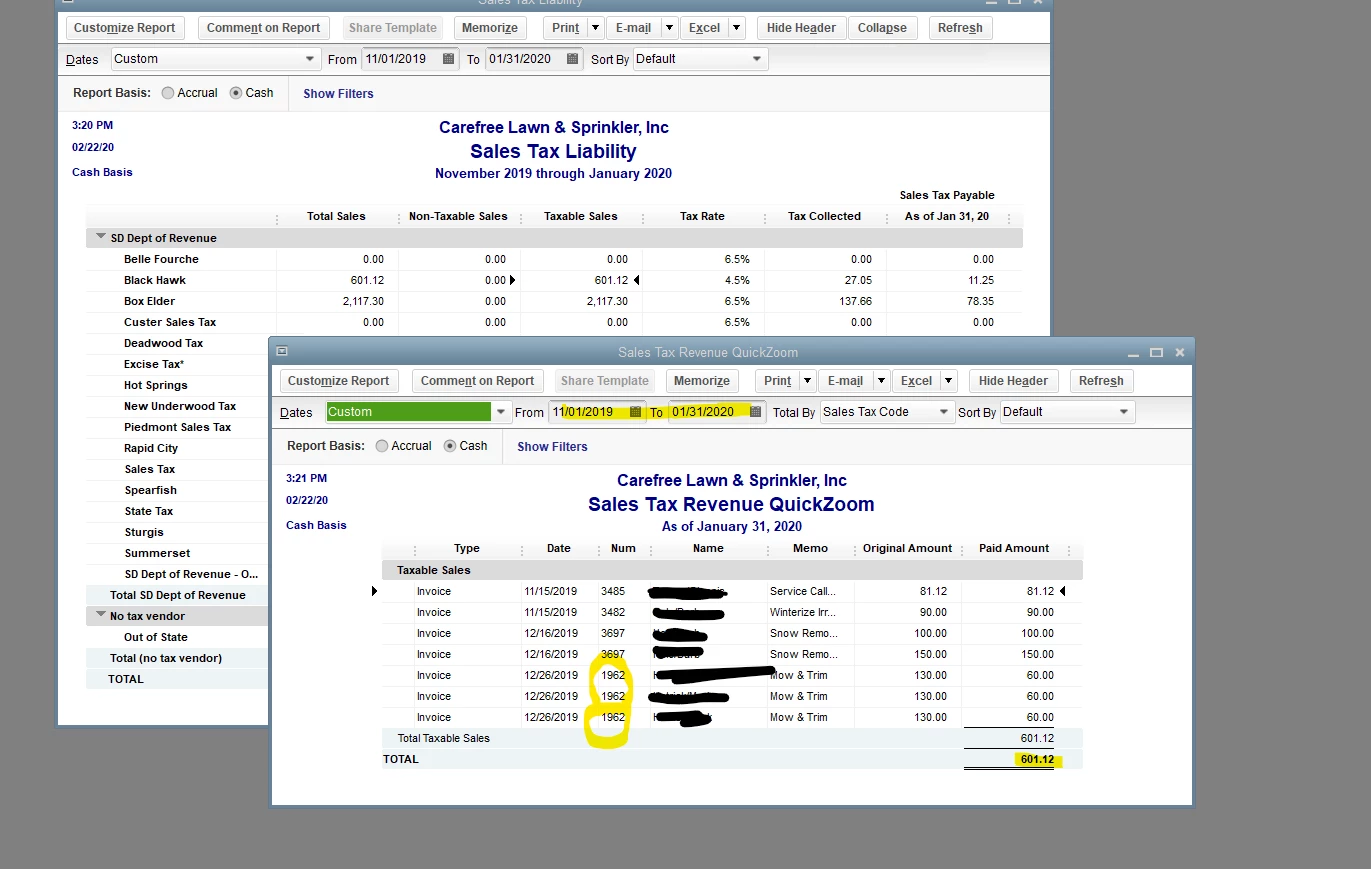
I have searched and can't find anyone discussing this. I noticed when I ran the cash sales tax liability report that I showed invoices that had been paid during the period from an odd city for that time of year. When I clicked to see what invoices were included in that amount, it showed an invoice from 2 years ago that was partially paid at that same time. I finally figured out that in December of 2019, I wrote off the rest of the invoice through the receive payments window and the amount I wrote off is what is appearing saying I owe tax on that amount.  I realize that I can simply make an adjustment for the tax amount but that is not my concern. I don't want other written off amounts showing because I never would have noticed this, had I not questioned that city showing up now. There are other invoices that were written off, so I am sure they are showing as well in our most used city, but that would be alot of invoices to look through. I must have a setting wrong but if so, I can not find it. I have my sales tax method set to cash. However we were switched to the cash method byt the state 2 years ago and were using the accrual method prior to that.
Best answer by JoesemM


Hello there, @JKCEnt.


Let me provide additional information about your cash sales liability report.


You'll have to create a Bad Debt (Service item) to reduce the unpaid portion of the sales.


Here's how:


  1. Go to the Lists menu and select Item List
  2. Select the Item button and click New.
  3. Choose Service Type.
  4. In the Item Name/Number enter Bad Debt.
  5. Put the Expense account then click OK.


Once done, we can create a Credit Memo to put the unpaid portion to the Expense account to record a negative sales tax.


To create a credit memo, here's how:


  1. Click Customers menu, then select Create Credit Memos/Refunds.
  2. From the Customer: Job drop-down, select your customer.
  3. Enter the items you're giving credit for.
  4. Hit Save and Close.


For more details, click this article: Give your customer a credit or refund in QuickBooks Desktop for Window.


Also, I'd suggest contacting a tax expert to ensure the compliance of the sales tax records.


You can visit our website, it provides articles on how to manage your account in QuickBooks.


Please stay in touch if you have any other sales tax concerns, I'll be right here to help you. Take care.


2 replies

February 22, 2020

Hello @JKCEnt,


Your Sales Tax Liability report on a Cash basis will always show your sales transaction recorded on the same report period you've run. You can read this article to understand more about your report: Review sales tax reports.


You're right, creating an adjustment will fix the amount you owe indicated on the Pay Sales Tax window. Here's an article you can read to learn more about sales tax adjustment: Process sales tax adjustment.


You can also read this helpful article in case you need some related articles in managing your sales taxes: Sales Tax in QuickBooks Desktop.


Let me know in the comments below if you have any other questions. Always around ready to help.

JKCEntAuthor
February 22, 2020

Thanks for your response, but that does not help.


How do I make sure the written off amount is not being treated like income received and therefor taxable at the time of the write off? I don't want to pay tax on money I didn't receive! Also no tax was actually collected and its saying there was. It seems there is something going on in the background in Quickbooks that is not right. In my investigations, I did locate an inactive account called 'Discounts' which I think is incorrectly labeled as an Income account. Running a quick report does not show this invoice, however. The only account I see being used in this invoices transactions are the expense account 'Write-offs' and accounts receivable. But even though the payment amount is 0, the recent payments listed in the customer profile showed the discounted amount that we are discussing.

I'm guessing that's where the problem lies. It's not actually a payment.


February 22, 2020

Hello @JKCEnt,


Writing off payment from your customer isn't subject to sales tax reporting. In Cash basis, your sales transaction is subject to sales tax reporting base on the date it was paid.


Here's an article you can read to learn more about writing off payment from your customer sales transaction: How do I?


You can always leave a comment below if you have any other questions.

October 13, 2022

Hello,

I am another user that has complaints regarding the say quickbooks reports taxable sales on the Sales Tax Liability report. There are materials included on the invoice to a customer that are taxed, but if I also have returned materials and include those negative materials amounts on the customer's invoice it messes up the Sales Tax Liabilty amount. It includes that as being paid by the customer even though it was not yet paid (also cash basis). There has to be a way that quickbooks only shows the paid invoices in this report only, nothing to do with credits applied or included on invoices. None of the solutions in this thread correct that kind of issue, but it's pretty much along the same lines. I'm really hoping for a better solution to this.

Thanks

October 13, 2022

Thanks for joining the thread, sbanning.


The idea to include the returned material as a negative amount on the invoice will reduce the invoice total. Doing this won't reduce your Sales Tax Liability amount.


Create a credit memo and apply it to the invoice to fix this. As a result, your sales tax liability will be decrease. Then a negative sales tax will be recorded. I'll show you how.


  1. Go to the Customers menu, select Create Credit Memos/Refunds.
  2. Locate the customer from the Customer: Job dropdown.
  3. Include all relevant information, including the returned item.
  4. Once done, hit Save & Close.
  5. The Available Credit window will pop, then choose the box for Apply to an invoice.
  6. Click OK, then select the invoice you want to apply the credit memo.
  7. Select Done.


The invoice's overall amount will discrease and ensures your customer will only be required to pay for the materials they have that are taxed.


For your reference, you can read this article for more insights: Give your customer a credit or refund in QuickBooks Desktop for Windows.


I've also included this resource to help you if you need to adjust your sales tax for future use: Process sales tax adjustment.


If you need further assistance with sales taxes, let us know. We're available to help you at any time.

October 13, 2022

I don't think that's possible, at least cleanly. When we have a credit from a vendor and enter it, it is linked to the customer/job. As far as I understand it, there is not way to add job items to a credit, that can only be done on a customer invoice. There is not option to "add items" to a credit from unbilled job cost items. Furthermore, you missed the question that is the main issue: when a credit is applied from any format, QB's looks at it as if it's a payment from the customer and includes it on the Cash basis sales tax liability detail. The below screenshot is a clear example. That credit for taxable sales is due to a credit to a customer. The customer has not paid the invoice yet, therefore why is it included on the cash basis report? I've asked this so many times, on tech support, they have no idea, they've requested it to the engineers, not sure why it's still wrong after all this time.