Hi,
I'm having problem in opening the pop-up where i can adjust the initial cost in the report, I'm not able to find where should i click to open it,
Because when i click anywhere it opens the invoice.
Also thanks for quick replies and help :)
Hello there, @Yash307. Let's pull up another report where you can open the pop-up to adjust the initial cost of your inventories in QuickBooks Online (QBO), and I'm here to show you how.
The Inventory Valuation Detail report will display the list of your inventory items and transaction you've made related to them. However, you're unable to open the pop-up where you can adjust the initial cost of the item through it. With that, I'd recommend pulling up the Product/Service List report instead. To do this, here's how:
- Go to the Reports menu.
- Search for the Product/Service List report and select it to open.
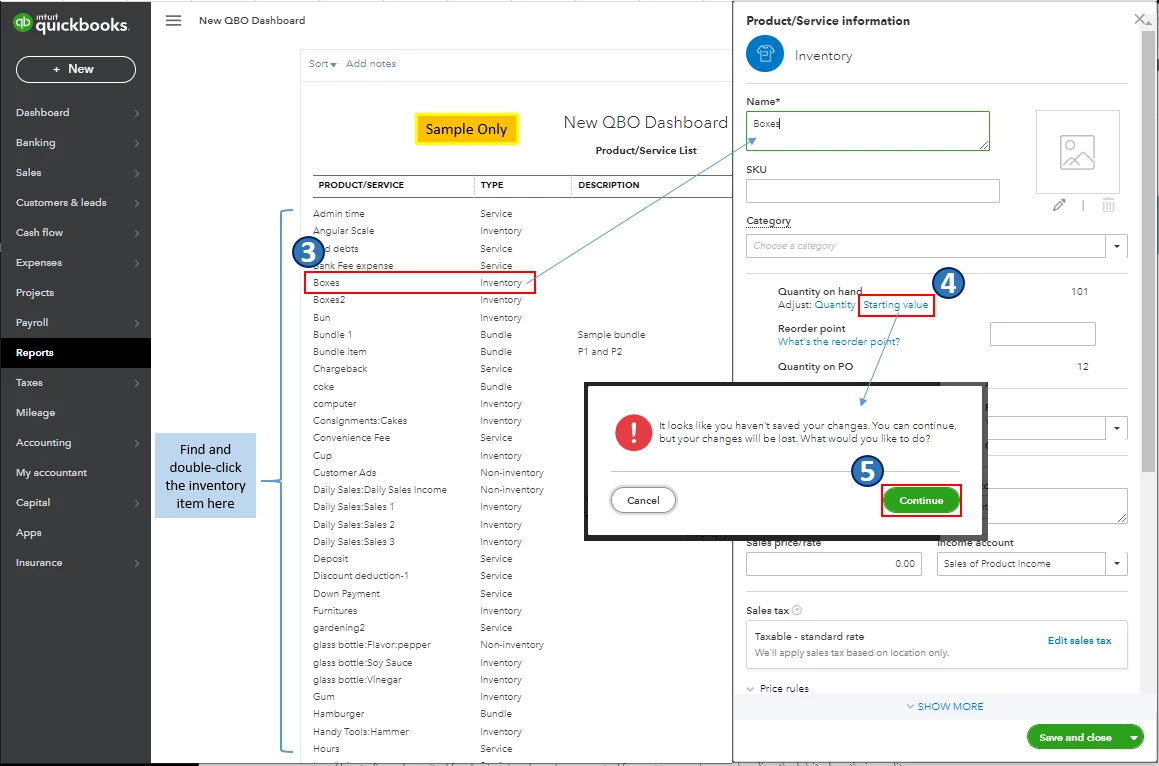
- Find and double-click the inventory item you want to update.
- Once the Product/Service information window opens, click the Starting value option.
- Click Continue.
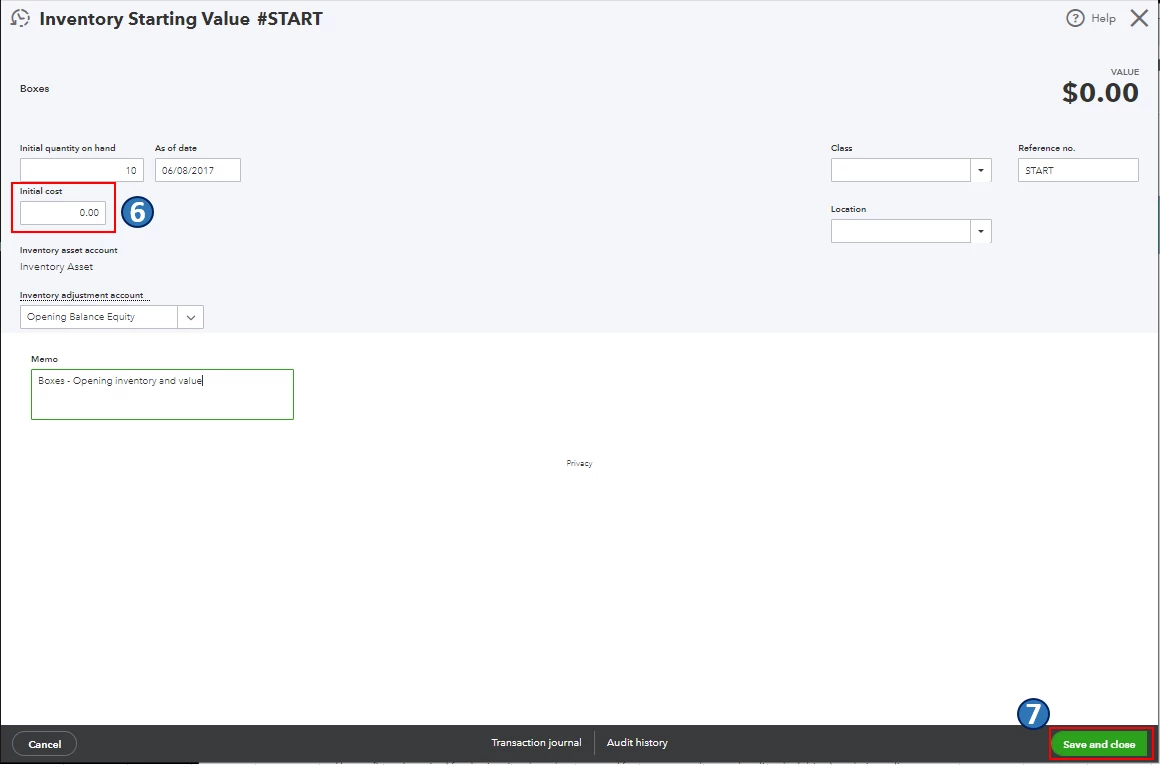
- On the Inventory Starting Value page, go to the Initial cost field and make the necessary changes to the item.
- When you're done, click Save and close.
Also, you may want to check out this article as your reference if you need a guide in familiarizing the Reports feature in QBO: Run reports in QuickBooks Online. It includes links on how you can customize, memorize, and run financial reports, to name a few.
Please keep me posted in the comments on how it goes. If there's anything else you need or reporting concerns and questions about managing inventory items in QBO, I'll gladly help. Take care, and have a great day, @Yash307.

