

October 26, 2021
Question

Adding columns to Receive Payments window

  • October 26, 2021
  • 2 replies
  • 0 views

Hi there,

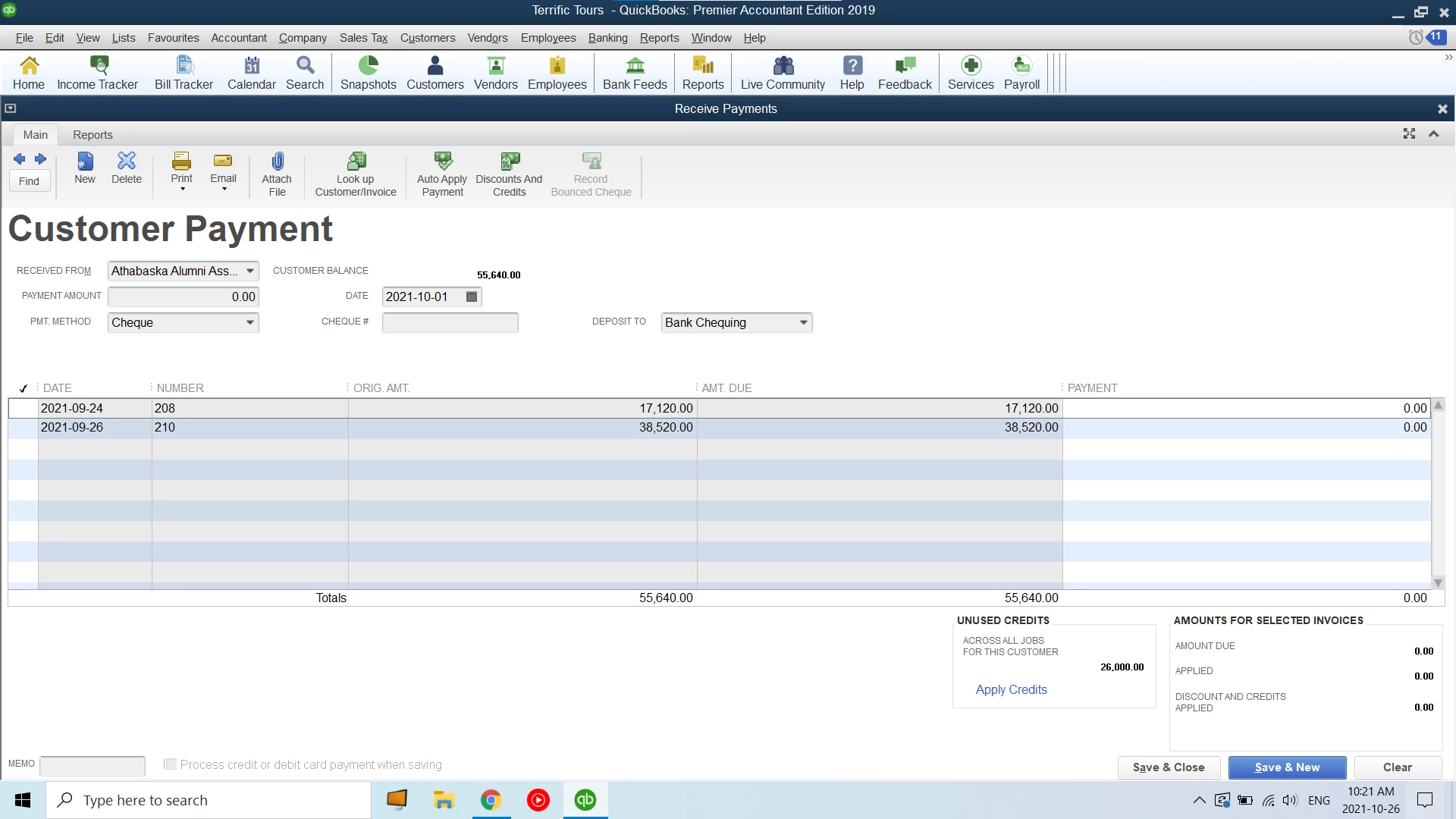
I'm a student learning Quickbooks and am having trouble with an assignment. In my textbook (Using Intuit Quickbooks Premiere 2019 for Windows by Christine Heaney) there is a screenshot of the Receive Payments window showing a column labelled "Disc. Date" between "Orig. Amt." and "Amt. Due", however that column does not exist for me in Quickbooks Desktop (attached screenshot). How can I add a Discount Date column to this window?


Thank you in advance for any help!


2 replies

October 27, 2021

Hi jamon89,


It's great to hear that you're dedicated to learning accounting with QuickBooks Desktop!  When things like this happen, you'll have the option to customize, import or export form templates.  In this case, I'd recommend importing a new template or customize an existing one.  However, the best course of action would be to reach out to your instructor.


Take care and enjoy the rest of your day!


jamon89Author
October 27, 2021

Thank you so much for your help, Trish. I'll continue to ask my instructor, the invoices were already part of the assignment file so I'm worried that modifying or adding a new template will cause problems.

October 27, 2021

You're welcome.  I can understand your concern and I'm sure your instructor will appreciate that.  Best of luck with your journey!

January 14, 2025

Hi There, was someone able to figure out how to do this? I had the exact same question. I don't see a way to add or change the columns display in the Receive, "Customer Payment" window.

Best,

Mike